Free playbook Scenario planning for SaaS companies

Product updates

Keep up with Runway’s latest product updates and improvements

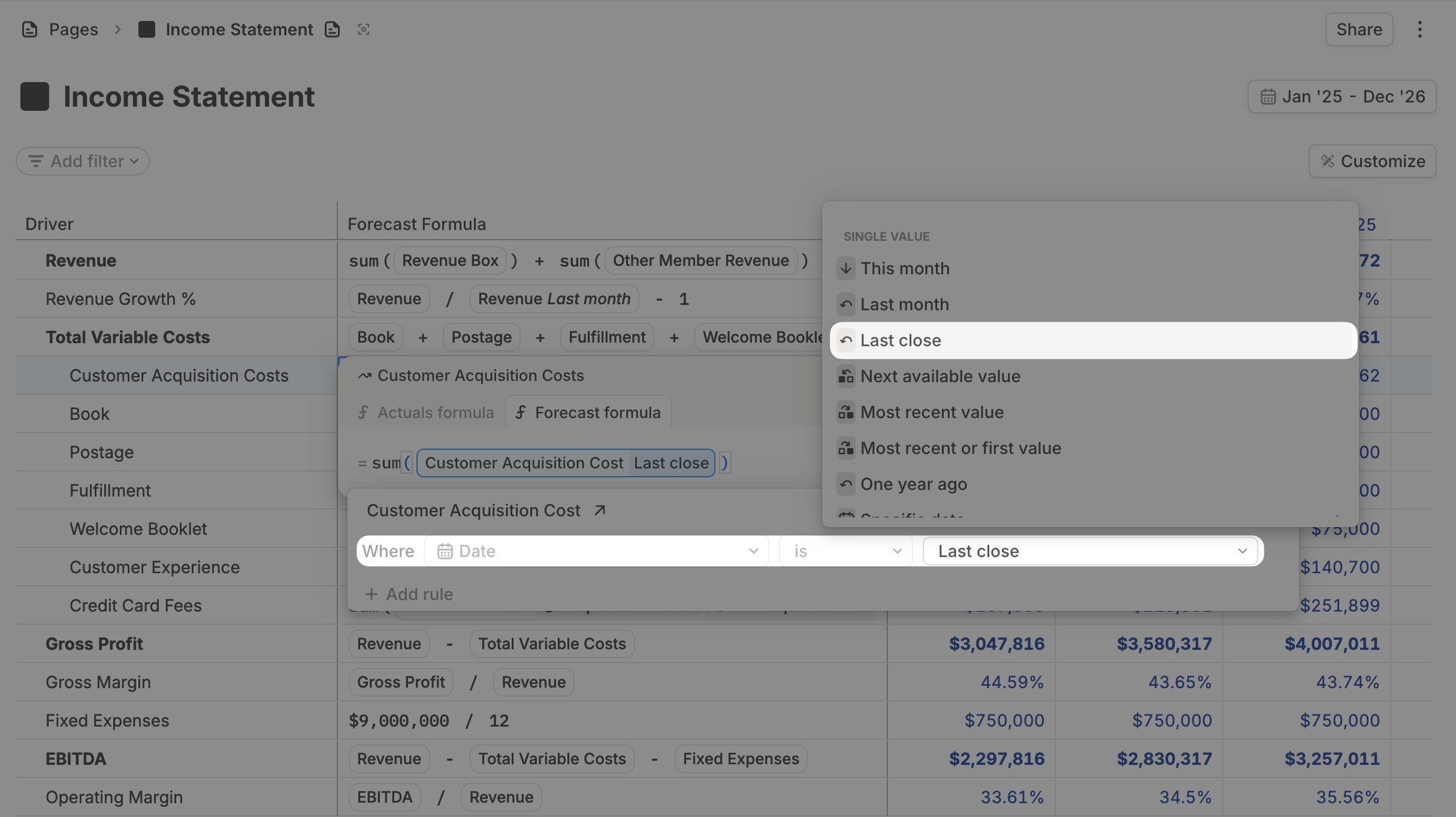
Use Last close in formulas

Select Last close directly from the date picker and use it in your formulas.

Formulas anchored to last close now stay intact when you edit or reopen them.

Editing that stays consistent

Inputs now behave the way you expect: percentage values maintain the correct scale, driver column renames persist across formatting and rollups, and rename fields stay focused while tables update.

Small changes, big impact

  • Faster, cleaner drill-ins: Drill-ins render instantly without loading flashes, preserve correct date-based dimension behavior, and keep non-numeric values intact.
  • More reliable table interactions: Row selection and dragging maintain the intended range during edits, with smoother rendering across spacing and transitions.

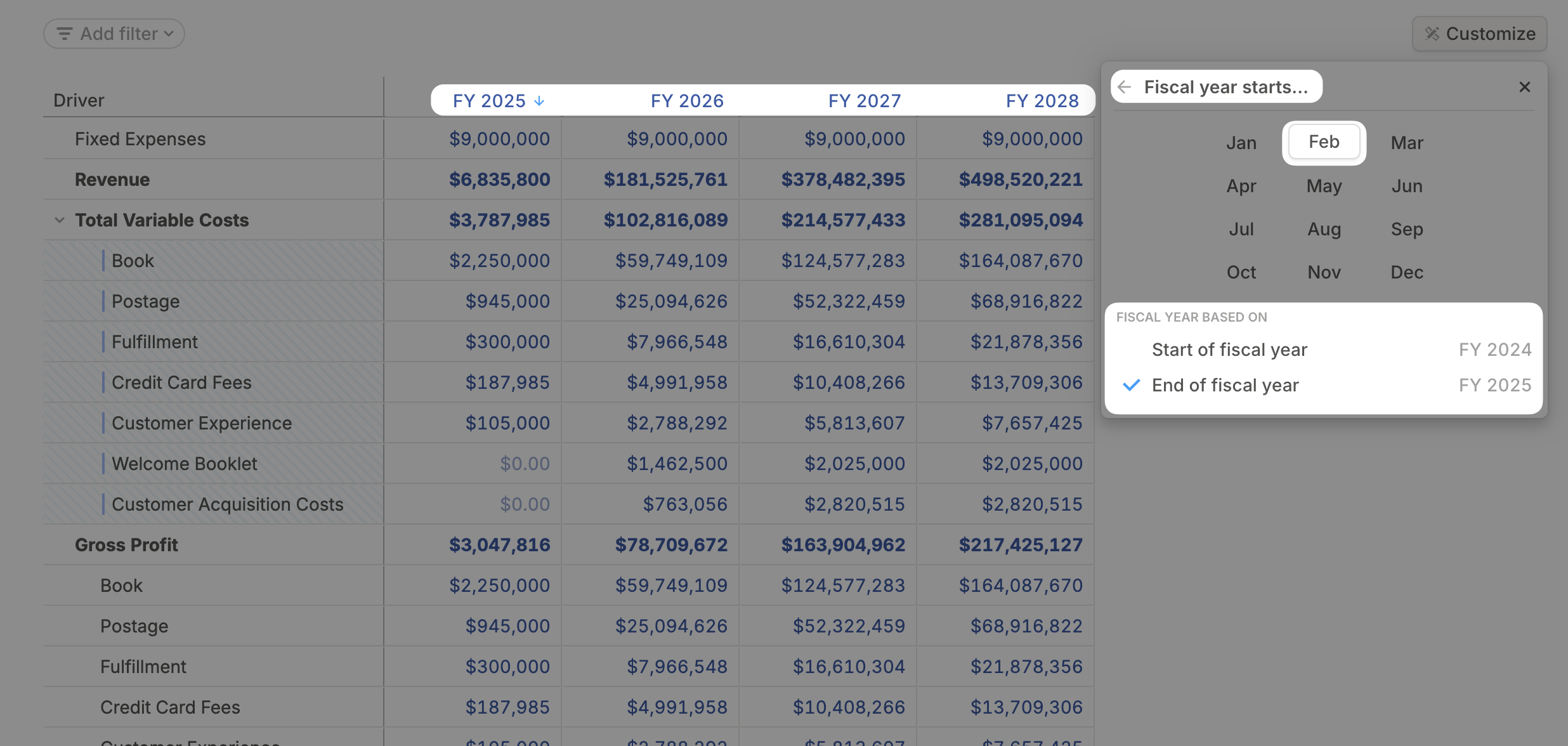
Fiscal year labels that match how you report

You can now choose how fiscal year labels are displayed, based on the start or end of the fiscal year.

This brings labels and aggregates in line with how your team reports, especially when your fiscal year doesn’t start in January.

Small changes, big impact

  • The Templates page now uses a flat grid layout for easier browsing.
  • Rollup chart colors and exported driver names now align more closely with expected outputs.
  • Empty driver tables now open directly into the grid with the add-driver flow ready.
  • Blank rollup aggregates now show expected counts instead of blanks or zeros.
  • Very large values now render more gracefully.

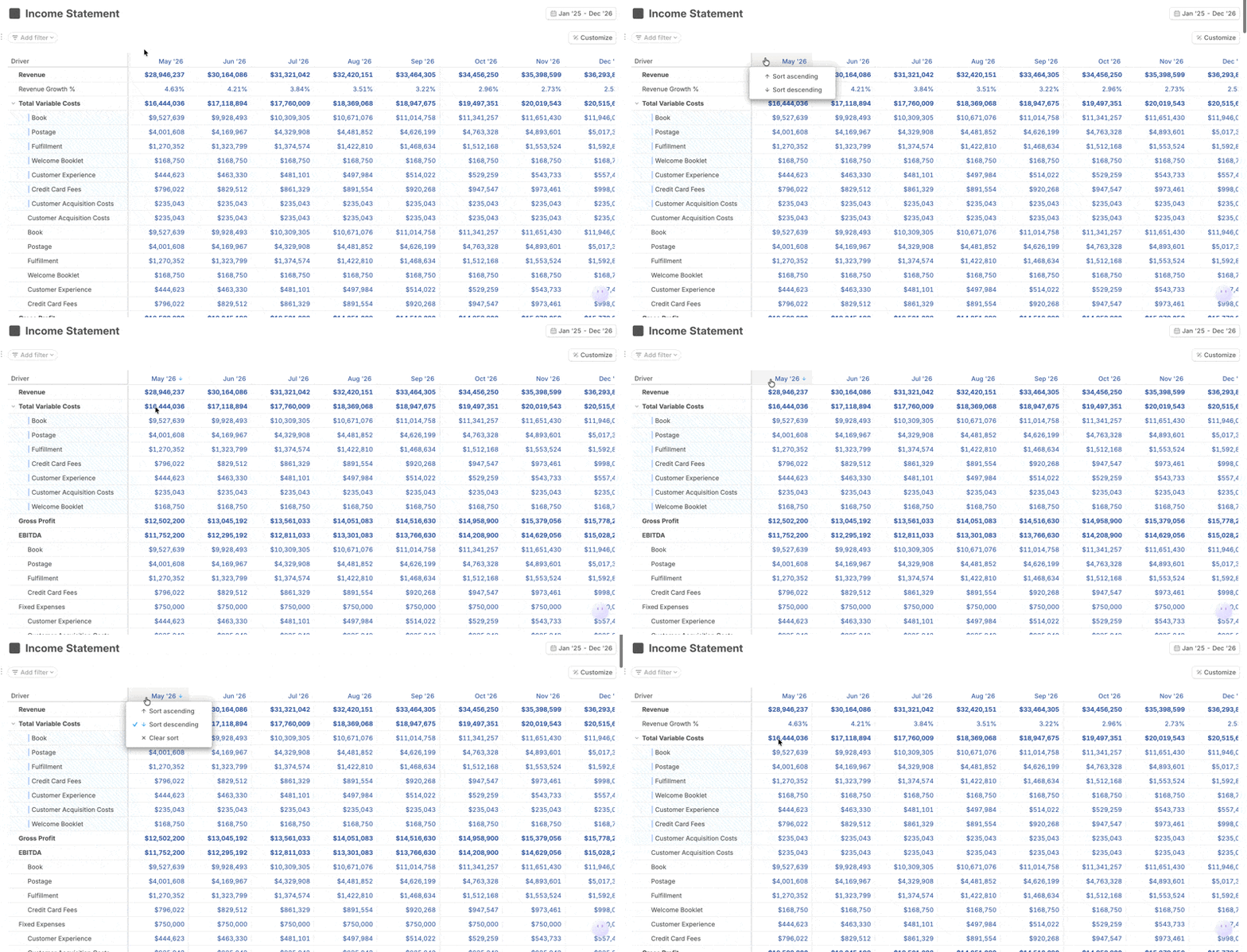
Sort driver grid rows

Right-click any month header to sort drivers by that month’s values.

  • Sort ascending
  • Sort descending
  • Clear sort

Rows reorder based on the selected month, while respecting hierarchy and preserving drill-in structure.

Clearing sort returns you to the default view.

Smoother tables and page interactions

  • Drill-in actions are now available from both column headers and the sidebar.
  • Column group headers support the same context menu actions as regular columns.
  • Tables can grow larger before scrolling, and metric-only rows now show a values column automatically.
  • Pages with multiple blocks now keep scrolling and editing behavior intact.

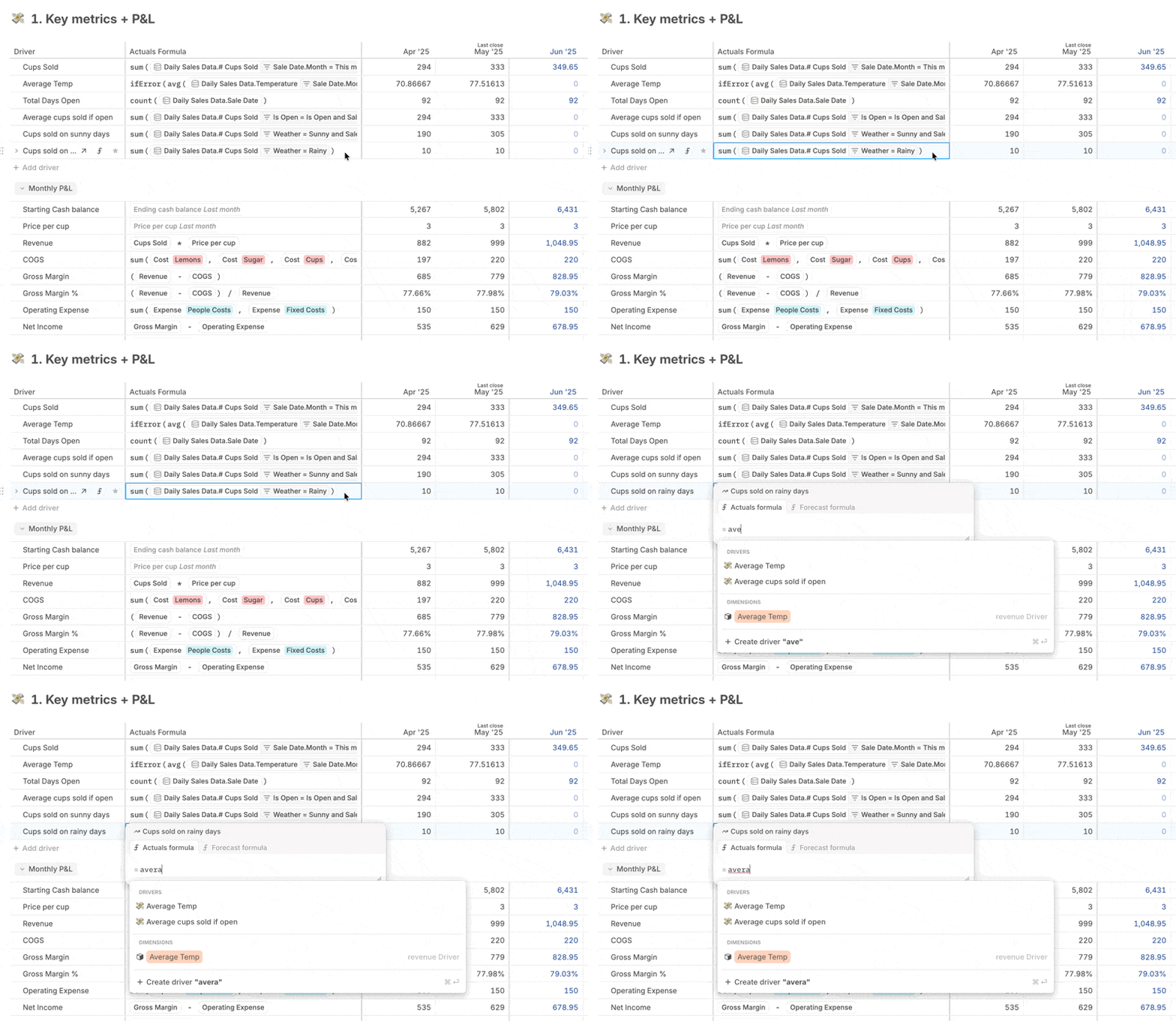
Type to edit formulas

Formula fields now activate the moment you start typing.

Whether you're adjusting a calculation or writing something new, just type, and you're editing.

Small changes, big impact

  • The Add Block menu on Pages now shows your most-used blocks first (like driver charts and tables), for quicker access.
  • You can now delete all sidebar elements, except for defaults, to keep your workspace organized.

Column summaries improved for large databases

You can now select entire columns in databases, and see accurate totals in the summary bar, even when you’re summing over thousands of rows. Use this to validate data imports and spot-check calculations across your full dataset.

New rounding formulas

You can now round values using new built-in formulas: roundDown() and roundUp().

Read more about Runway’s available functions in our docs.

Travel through Runway with Cmd+K

Here’s what’s new:

Cmd + K now works everywhere

Find any driver, instantly, even if it’s:

  • On a different page
  • Off-screen
  • Buried deep in a long scroll

Just hit Cmd + K, type what you’re looking for, and we’ll highlight it instantly. Even on pages with hundreds of items.

Only current scenario-specific comments in merge modal

The scenario merge modal now shows only comments from the current scenario.

See just the conversations that matter for the specific changes you're reviewing, so you can focus on what matters before merging.

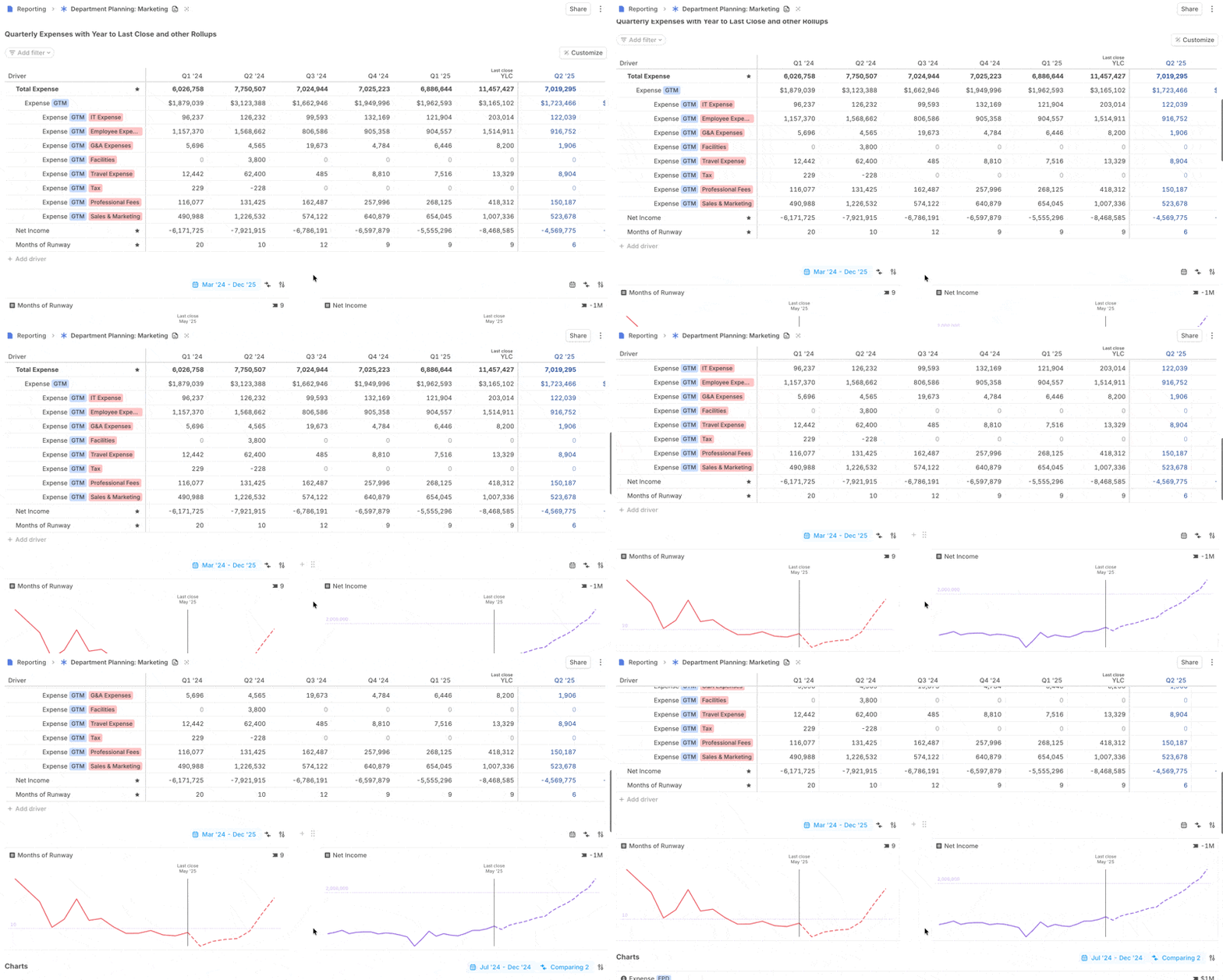
Sticky date headers inside pages

Driver tables on pages now have sticky headers — just like database views.

As you scroll, the month header stays pinned to the top, so you always know exactly where you are, even in the longest tables.

More intuitive time controls

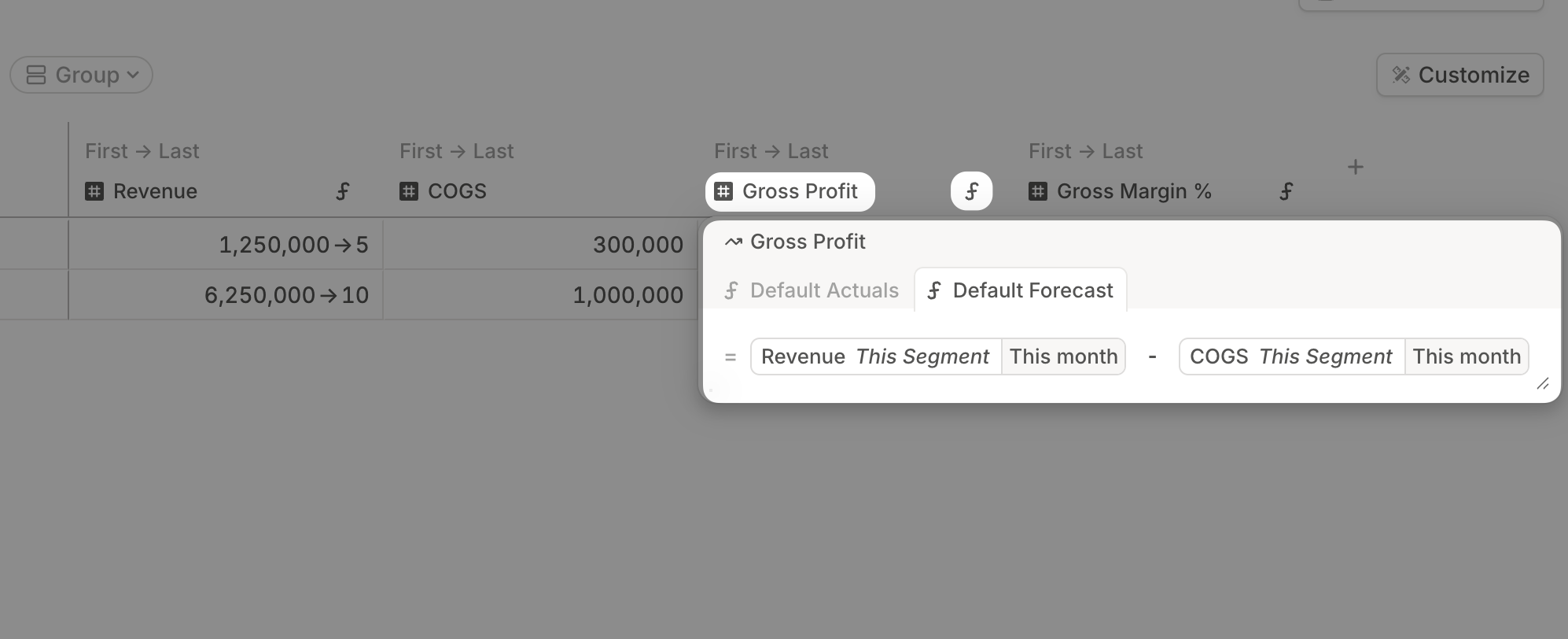
When referencing a point in time or a time range in a formula, you can now type exact values, use smooth drag-and-drop sliders, or even control the range with your keyboard. Build formulas that span from past to future with ease.

Small changes, big impact

  • Dimensions now show source info, making it easier to track fields from integrations.
  • You can now bulk-delete dimension attributes in one go.
  • @ mentions that reference a driver value now display with proper formatting.

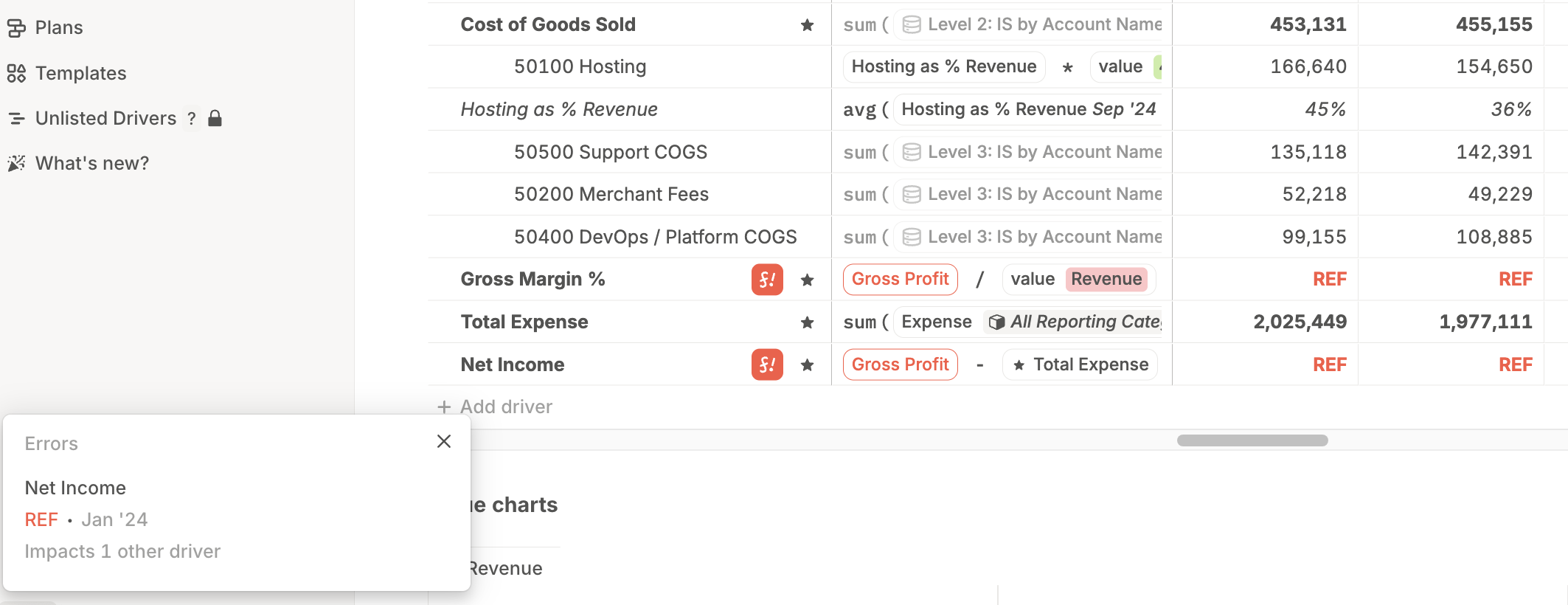
Introducing: System Health Alerts

One broken formula can cascade into dozens of errors throughout your entire model. System Health Alerts now surface errors across your workspace and group them by root cause, so you can fix the actual issue.

Click any error to jump straight to the broken driver. Alerts are visible to admins only.

More HRIS integration fields now available

  • Pull in bonuses, commissions, and other custom fields from your HRIS. You can now query headcount data with SQL, just like any other data source in Runway.
  • Lattice is now fully supported as an HRIS integration.
  • Rippling integration now includes even more fields.

Need help setting up custom fields? Just reach out. We’ve got you.

See your data right away with simpler drill-ins

Drilling into a driver now takes just one click.

If a driver pulls from a single database, Runway shows you the underlying rows immediately, so you can see exactly where the numbers come from.

If a driver pulls from multiple databases, we’ll group by source to keep things clear.

Small changes, big impact

  • Format values as multiples, showing 10.0x instead of 10.0.
  • Time period comparison charts pull the right date range automatically. No manual tweaks required.
  • Large number abbreviations now display properly in comparison charts.

Leave comments in Runway

Keep context exactly where decisions get made.

You can now leave comments directly on driver cells, variances, and assumptions.

Need to explain seasonality? Question a revenue spike? Flag a headcount assumption? Leave a comment, tag a teammate, and move on—your thinking is saved.

Built for finance workflows

  • Budget vs. Actuals: Add notes right on the variance cells to explain deviations from plan.
  • Time period comparisons: Explain why drivers changed between periods..
  • Forecasting: Log assumptions as you go, so anyone reviewing the model sees your logic.
  • Month-end close: Flag items for review, tag your teammates, and track issue resolution without leaving Runway.

How it works

Right-click any cell in Runway to add a comment.

  • Use  @ mentions to notify teammates—they’ll get an instant in-app ping.
  • Comments support rich text formatting, and are timestamped for audit trails.
  • Hover to preview, click to expand, and resolve when done.
  • Comments persist across scenarios. They're visible in draft scenarios, and they follow your work when merged to Main.
  • All open threads appear in the comment menu.
  • Comments respect permission levels. Admins can delete any comment.

Available now for all Runway users.

Model invoice data directly in Runway

You can now sync QuickBooks Online invoices into Runway, and query against the data set.

  • Bring in both outgoing invoices (expenses) and outstanding receivables (revenue yet to be collected).
  • Track unpaid invoices alongside cash flow.
  • Build richer revenue and cash flow models using real invoice data.

Small changes, big impact

  • Formulas now accept double quotes (") as well as single quotes (') for strings, so writing dates like "2025-01-01" just works.
  • The Plans page now uses the same powerful driver search menu as the driver grid. Search by model, database, or attribute.
  • The formula editor now auto-resizes, letting you view long formulas without clicking in. Formulas expand to full cell width, and wrap cleanly across multiple lines.
  • CSV exports from the driver grid now include the description column.
  • Variance column values now inherit the precision of their drivers. Hover to see full precision in a tooltip.