Last updated October 26, 2026
An effective AI image prompt does not need to read like a technical manual. Modern models understand natural language, so a few clear sentences that name the subject, the setting and the style will beat a hundred words of parameters. This guide covers the four-part formula that works across Runway, ChatGPT, Midjourney and other image tools, then gives you 68 prompts to copy, organized by category. If you’re new to the technology, start with how AI image generation works.
Why AI image prompting is easier (and harder) than it looks
Prompting is easier than the massive prompts shared on forums suggest, because modern models understand natural language. You don’t need technical specifications or complex syntax. Google’s prompting guide for Nano Banana says a simple list of keywords won’t cut it: describe the scene narratively.
It is also harder, because when you can create anything, deciding what to create becomes the real challenge. A blank prompt field offers infinite possibility and asks for imagination in return.
What goes into an AI image prompt?
Most successful prompts follow a four-layer pattern. You start with what you want, then add where, how and, optionally, from what angle. It takes one to three clear sentences, roughly 15 to 50 words, and breaks down like this:
- Subject is your main focus, such as a person, animal, object or scene. Be specific but natural: “a weathered lighthouse” tells more story than just “lighthouse.”
- Context is where your subject exists, which grounds the image and creates atmosphere. “A weathered lighthouse on a rocky cliff during a storm” immediately sets the mood.
- Style defines how it should look and your artistic approach: photorealistic or illustrated, painted or 3D. Try “a weathered lighthouse on a rocky cliff during a storm, oil painting style.”
- Technical details (optional) are camera angles, lighting or other photographic elements that refine the final output. Try “a weathered lighthouse on a rocky cliff during a storm, oil painting style, dramatic low angle.”
Four layers in one prompt
Four-part formulaA weathered lighthouse on a rocky cliff during a storm, oil painting style, dramatic low angle.
This layered approach helps you build complexity without confusion. Start broad, then zoom in on the details that matter.
Subject: how to create a distinct focus
Your subject can be anything, from a lone tree or a vintage car to a bowl of soup or an entire cityscape. Whatever draws the eye first is your subject. Add just enough detail to make it distinct without drowning the model in description: one word turns “a lighthouse” into “a weathered lighthouse” or “an abandoned lighthouse” and changes the mood completely.
For character subjects
- Describe age and build naturally, since “elderly fisherman with weathered hands” tells more story than just “old man.” The details you choose create the character.
- Use clothing as character, because “worn leather jacket with band patches” and “pristine business suit” each communicate something different about who this person is.
For object subjects
- Surface and texture shape the feeling, so a “rust-covered padlock” versus a “gleaming chrome padlock” is the same object with a completely different feeling.
- State and condition imply history and story, so decide whether it’s new, weathered, broken or melting.
- Unexpected combinations like “teacup filled with galaxies” or “books with pages turning into birds” work well because AI handles impossible objects well.
Scale and composition choices
- Single subject clarity, such as “dewdrop on spider silk reflecting sunrise,” works when one perfect thing is enough.
- Multiple subjects interacting, such as “children chasing fireflies” or “pigeons gathering around street musician,” create narrative through interaction.
- Negative space emphasis, such as “empty swing still moving in breeze” or “single chair at table set for two,” lets what’s missing tell its own story.
- Overwhelming quantity, such as “thousands of origami cranes filling a cathedral” or “infinite library stretching to vanishing point,” shows that sometimes more is more.

The subject anchors everything else. Give it enough personality to be interesting and leave room for context and style to do their work.
Context: tips to enhance your subject
Context grounds the image and sets its tone. These are the main places to add it:
Adding context to your subject
- Add one or two memorable distinctive features, like “bright green eyes that seem to glow” or “silver hair in tight braids.” These anchor the character visually.
- Include body language like “shoulders hunched against the wind” or “standing with perfect posture, hands clasped.” Posture tells a story even in still images.
- Choose specific facial expressions, because specific beats generic every time. “Slight smile with eyes crinkled at corners” creates warmth, while “distant gaze toward horizon” suggests contemplation.
Environmental storytelling
- Add contextual props, such as “surrounded by half-finished paintings.”
- Include atmospheric elements, such as “dust motes floating in afternoon light.”
- Use weather as character, such as “rain-soaked streets reflecting neon signs.”
- Add time indicators, such as “golden sunset light streaming through windows.”
- Include cultural markers, such as “traditional Japanese tea ceremony setup.”
Scale and proportion
- Tiny person, vast landscape shows insignificance or adventure.
- Extreme close-up on texture creates intimacy and detail.
- Forced perspective tricks make ordinary things extraordinary.
Mood and emotion
- Color temperature sets emotion, with cool blues for melancholy and warm oranges for comfort.
- Depth of field blurs the background to focus attention on the subject.
- Motion blur implies movement and energy.
- Lighting direction sets the read, with backlight for mystery and front light for clarity.
- Compositional tension comes from off-center placement, which creates unease.

Every choice communicates something. A centered subject feels stable, an off-center subject creates tension, high contrast adds drama and soft light adds romance. Choose deliberately, but don’t overthink it. Here is a prompt that layers several of these choices:
Documentary portrait with context
Subject + context + styleElderly fisherman with weathered hands, mending a net on a foggy dock at dawn, rain-soaked planks reflecting lantern light, documentary photography, shallow depth of field.
Style: tips and tricks
Style modifiers are the seasoning of image prompts: a little goes a long way. Here are 15 options that change the look of your base image:
Lighting styles
- Golden hour gives warm light just before sunset.
- Blue hour pairs a deep blue sky with city lights beginning to glow.
- Rim lighting is dramatic backlighting that creates glowing edges.
- Chiaroscuro creates high contrast between light and dark.
- Soft box lighting gives clean, professional studio lighting.
Camera perspectives
- Aerial or drone view looks down on the scene from above.
- Macro lens gives an extreme close-up with shallow depth of field.
- Tilt-shift makes real scenes look like miniature models.
- Fish-eye lens is ultra-wide with curved distortion.
- Through-object framing means shooting through windows, fences or foliage.
Artistic approaches
- Double exposure blends two images into one.
- Long exposure adds motion blur to water or lights.
- High key is bright, with minimal shadows and an optimistic mood.
- Low key is dark and dramatic, with lots of shadows.
- Split-toning uses different colors in highlights and shadows.

Each modifier serves a purpose. Golden hour adds warmth and nostalgia, macro lens creates intimacy and tilt-shift adds whimsy. Choose modifiers that enhance your story, and browse our guide to AI image styles for more options.
Technical details: optional details to flesh out your image
Camera angles are the difference between documentation and drama. Here is when to use each:
- Eye-level shot is the default and creates connection and relatability. Use it for portraits and conversational scenes.
- Low angle (worm’s eye) looks up, which makes subjects appear powerful or imposing. It’s perfect for architecture or hero shots.
- High angle (bird’s eye) looks down, which can make subjects seem vulnerable or show geographic context.
- Dutch angle tilts the camera to create unease or energy. Use it sparingly for dynamic or unsettling scenes.
- Over-the-shoulder creates intimacy and POV perspective. It’s great for showing what a character sees.
- Profile shot shows the subject from the side. It’s classic for portraits and contemplative moments.
- Straight-on centered creates symmetry and formality.
- Three-quarter view is the sweet spot between profile and front, and the most flattering for portraits.
- Ground level puts the camera on the floor looking across, which creates a unique perspective and drama.
- Aerial top-down shoots from directly above. It’s perfect for patterns, layouts and abstract compositions.

Use these angles as starting points. Start with eye level for most subjects, then experiment when you want a specific emotional effect.
How long should your prompt be?
Most effective prompts are one to three clear sentences, roughly 15 to 50 words. OpenAI’s image generation guidance says that in most cases, one to three clear sentences are enough: detail to guide the model, not so much that it gets confused.
Start with two or three sentences covering the basics. Generate, see what works, adjust and generate again. You’ll typically need three to five variations to land on what you want, and that’s normal. Your first prompt sets the direction and your second and third refine the details, like sketching a rough outline first and adding detail where it’s needed.
When a result is close, edit only the element that’s off and keep the rest. Tools like Runway’s AI image generator let you relight a subject or swap a backdrop without starting over.
68 ready-to-use image prompts
Copy any prompt below and change one element at a time to make it your own. The lists are organized by category.
16 prompt ideas for AI portraits and characters
To keep one character consistent across a series, start with our character references guide.
- Elderly watchmaker examining tiny gears through magnifying glass, warm workshop lighting, dozens of clocks ticking in background, oil painting style, shallow depth of field
- Child astronaut in homemade cardboard helmet, standing in backyard at dusk, holding toy rocket, dreams reflected in helmet visor, cinematic lighting
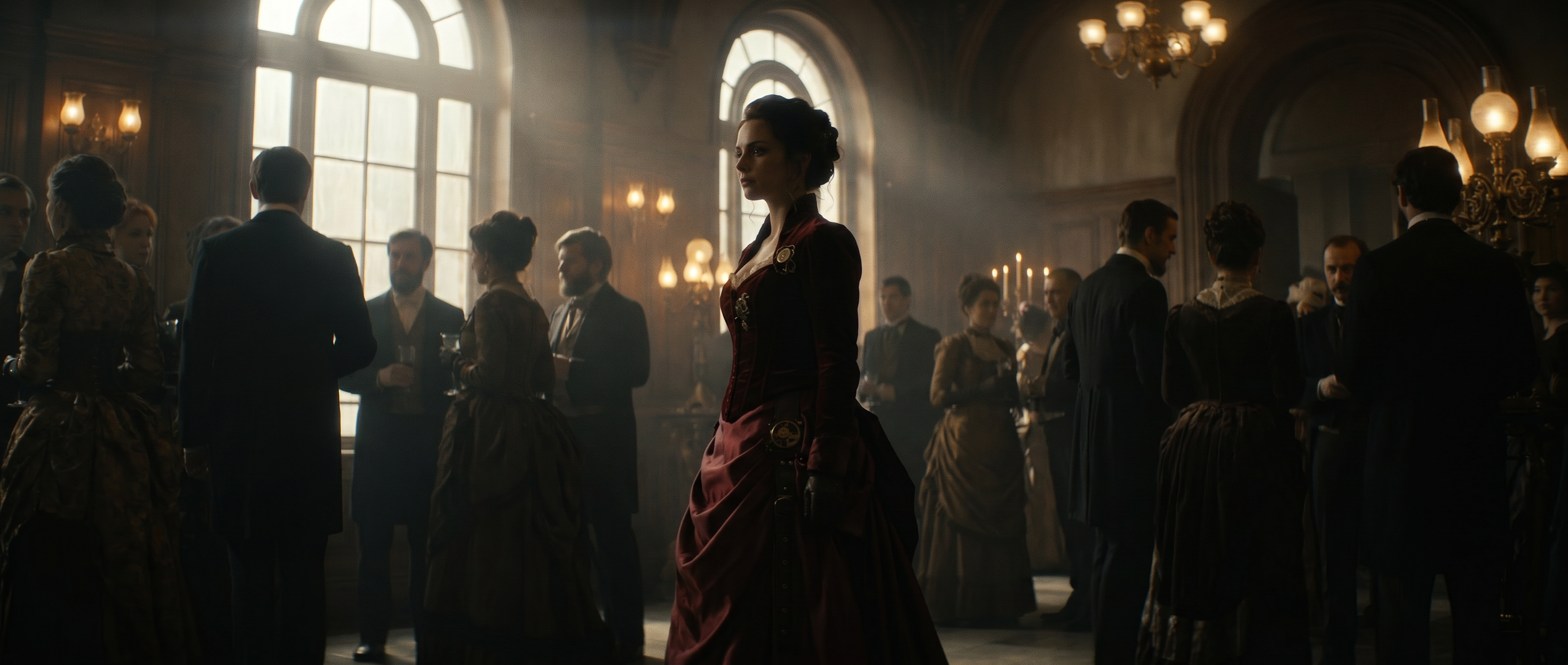
- Ballet dancer mid-leap in abandoned theater, dust particles floating in spotlight, torn velvet seats in shadows, dramatic chiaroscuro lighting
- Street musician’s weathered hands on saxophone keys, rain beginning to fall, neon reflections on brass, close-up macro shot, film noir style
- Firefighter removing helmet after call, soot-streaked face, exhausted but determined expression, sunrise behind smoke, photojournalistic style
- Skateboarder frozen mid-trick against graffiti wall, golden hour rim lighting, urban energy, motion blur on edges, street photography style
- Grandmother teaching child to knead bread, flour dust in afternoon sunbeams, vintage kitchen, warm nostalgic tones, documentary style
- Arctic explorer’s frost-covered face, goggles pushed up, northern lights reflected in eyes, extreme environment portrait
- Basketball player mid-dunk, ball trailing fire, shattered backboard frozen in explosion pattern, power moment capture
- Rock climber’s chalked hands gripping tiny hold, thousand-foot drop visible, sunrise painting canyon walls, extreme determination
- Swimmer breaking water surface, droplets frozen like diamonds, lane lines leading to infinity
- Boxer’s glove impact on speed bag, motion blur trails, sweat droplets suspended, gym lighting dramatic
- Skier carving through powder, snow explosion frozen mid-air, mountain peaks background, action paradise
- Gymnast mid-flip, multiple exposure showing rotation phases, spotlight isolation, grace in motion
- Surfer inside barrel wave, water cathedral surrounding, morning light through water wall, liquid architecture
- Runner on mountain trail, dust cloud frozen behind, sunrise through legs, solitary achievement

Ballet dancer in an abandoned theater
Portraits and charactersBallet dancer mid-leap in abandoned theater, dust particles floating in spotlight, torn velvet seats in shadows, dramatic chiaroscuro lighting
14 prompts for commercial use: product, automotive and food
If you already have a product photo, the Reshoot Product app restages it in a new scene.
- Luxury watch floating in zero gravity, components exploding outward but frozen in time, black background, precise studio lighting, hyper-detailed
- Running shoe splashing through neon puddle, droplets frozen mid-air, each containing tiny rainbow, dramatic side lighting, high-speed photography
- Perfume bottle shattering into butterflies, each wing made of colored glass, white infinity background, magical realism style
- Coffee cup overflowing with miniature forest, tiny deer drinking from coffee waterfall, morning light through steam, whimsical product shot
- Smartphone screen becoming portal to underwater world, fish swimming through, coral growing on edges, tech meets nature concept
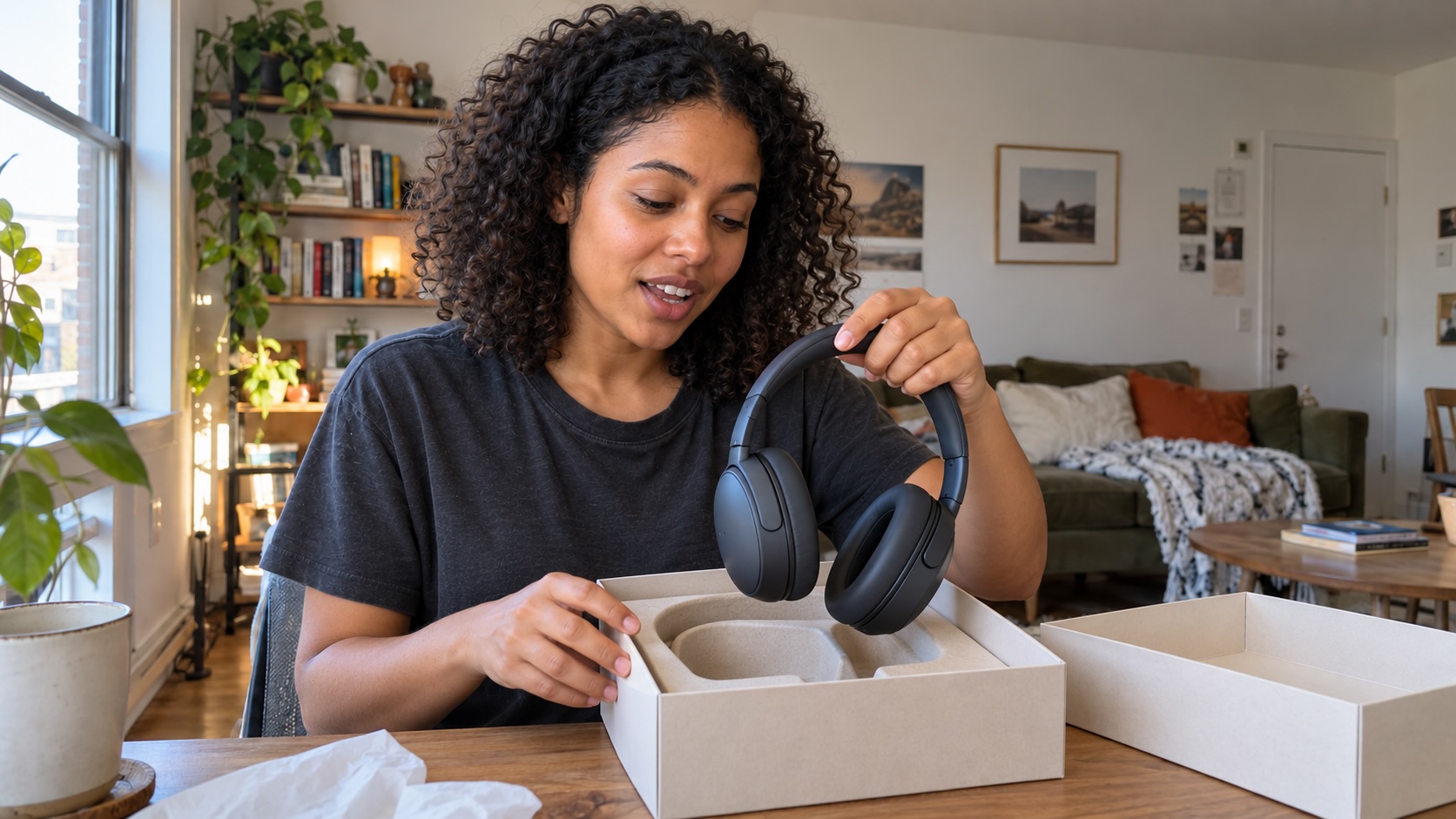
- Headphones with visible sound waves made of colored smoke, each frequency different hue, dark studio, product hero shot
- Electric car made entirely of leaves and vines, parked in future city, bioluminescent details, eco-concept visualization
- Sneaker sole leaving trail of growing flowers with each step, spring meadow, environmental message, bright optimistic lighting
- Champagne bottle cork explosion creating constellation of golden stars, celebration moment frozen, luxury advertising style
- Deconstructed sushi floating in space, each component orbiting, black background, fine dining presentation, food art photography
- Chocolate waterfall in miniature landscape, tiny trees made of herbs, dessert as terrain, whimsical food styling
- Steam from coffee cup forming world map, continents in milk foam, morning ritual art, overhead shot
- Fruit slices arranged as stained glass window, backlit on white, natural geometry, artistic food photography
- Pasta tornado on fork frozen mid-twirl, parmesan snow falling, dramatic black background, high-speed food photography
15 location prompts: nature, landscape and interior design
- Underwater forest with sunlight streaming through kelp canopy, fish schooling like birds, cathedral of nature, deep blue atmosphere
- Aurora borealis reflecting in perfectly still mountain lake, mirror universe effect, stars visible in water, epic landscape photography
- Macro shot of dewdrop on spiderweb containing entire reflected landscape, sunrise colors, nature’s lens, tilt-shift effect
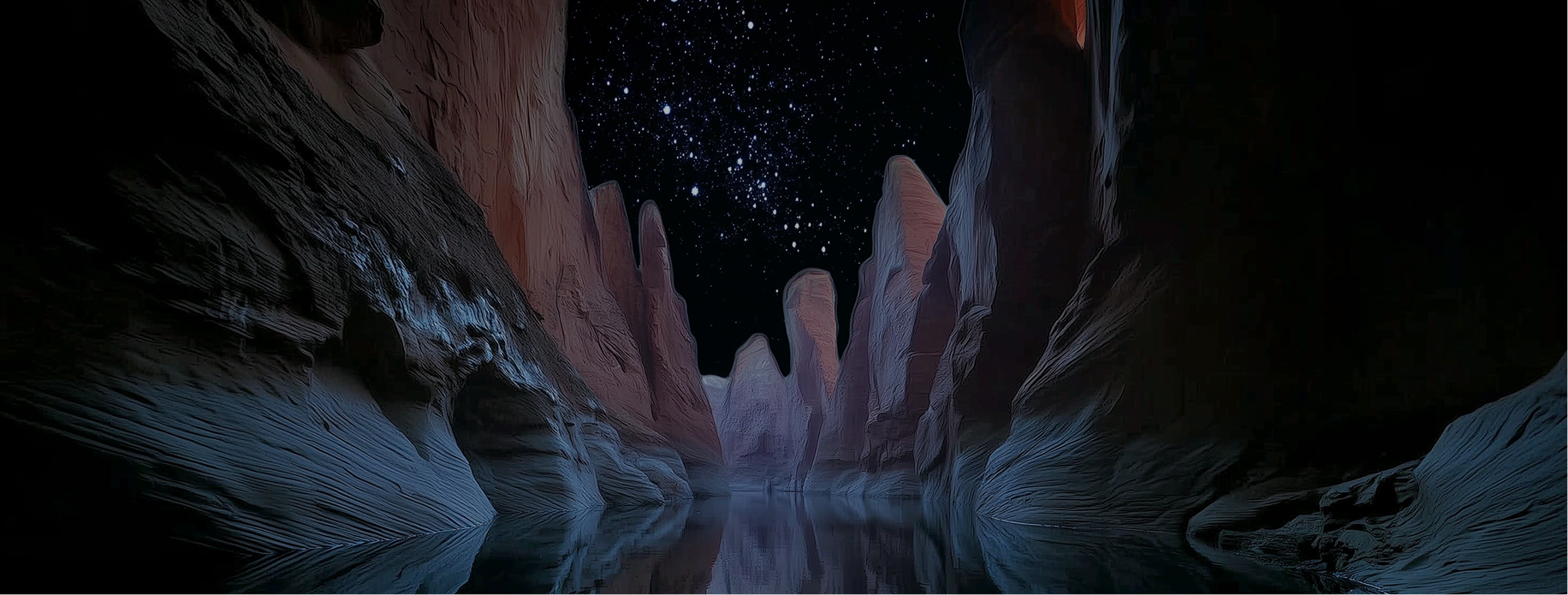
- Desert canyon filled with clouds like ocean waves, rock islands emerging, sunrise painting red walls, impossible geography
- Bioluminescent waves crashing on black sand beach under Milky Way, blue glow meets stars, long exposure, magical realism
- Butterfly migration creating river of wings through mountain pass, millions of monarchs, golden hour, overwhelming natural beauty
- Abandoned Art Deco ballroom, chandelier half-fallen, vines creeping through broken windows, dust motes dancing in light beams
- Victorian greenhouse overtaken by jungle, exotic birds nesting in iron rafters, morning mist, lost paradise atmosphere
- Minimalist tea house floating on still pond, perfect reflection, single person meditating, zen architecture photography
- Underground subway station flooded with crystal clear water, fish swimming through turnstiles, apocalyptic beauty, urban decay
- Bookstore made entirely of tree roots and branches, books growing like fruit, fairy tale architecture, warm reading nooks
- Glass house in middle of lavender field, purple extending to horizon, sunset through transparent walls, architectural photography
- Gothic cathedral with walls made of stained glass butterflies, light creating rainbow patterns, sacred meets nature
- Cozy cabin interior during blizzard, fireplace crackling, cat on windowsill watching snow, hygge atmosphere, warm vs cold contrast
- Spiral staircase in abandoned lighthouse, ocean visible through cracks, seabirds nesting, architectural decay photography

Canyon of clouds
LocationsDesert canyon filled with clouds like ocean waves, rock islands emerging, sunrise painting red walls, impossible geography
8 prompts for abstract and artistic images
- Human silhouette dissolving into flock of origami birds, sunset gradient background, transformation concept, minimalist sketch art style
- Paint drops frozen mid-splash creating crown formation, multiple colors colliding, macro photography, liquid sculpture
- DNA helix made of autumn leaves spiraling upward, science meets nature, golden particles, concept visualization
- Geometric mountains built from crystalline structures, rainbow refraction, low poly meets realism, modern landscape art
- Neural network visualization as bioluminescent forest, connections pulsing with light, AI meets nature, abstract tech art
- Shattered mirror pieces floating, each reflecting different time of day, temporal fragmentation, surreal art composition
- Clock melting into ocean waves, time flowing literally, surrealist photography style
- City skyline made of sound waves, each building a different frequency, neon visualization, data art aesthetic

Silhouette dissolving into origami birds
Abstract and artisticHuman silhouette dissolving into flock of origami birds, sunset gradient background, transformation concept, minimalist sketch art style
6 AI prompts for fantasy and mythology imagery
- Valkyrie in motorcycle gear, wings made of chrome and steel feathers, neon-lit highway background, updated mythology
- Library where books float and pages turn themselves, librarian wizard organizing with wand, knowledge magic
- Coffee shop run by fairies, tiny wings visible on baristas, sparkles in steam, everyday enchantment
- Subway train arriving from underwater tunnel, mermaids visible through windows, aquatic transportation
- Park statue coming alive at twilight, stone becoming flesh gradually, pigeons unfazed, living monument
- Tree with door in trunk, golden light spilling out, business person about to enter, portal to magic

Tree with a door in the trunk
FantasyTree with door in trunk, golden light spilling out, business person about to enter, portal to magic
9 seasonal and holiday image prompts
- Christmas presents under snow-covered pine tree, wrapped in metallic paper reflecting fireplace glow, cat investigating ribbons, cozy living room warmth
- Menorah in frost-covered window, eight candles casting warm light on ice crystals, snow falling outside, contrast of cold and warmth
- Diwali diyas arranged in mandala pattern on doorstep, marigold petals scattered between, oil flames dancing, festival of lights entrance
- Halloween trick-or-treaters at decorated door, jack-o’-lanterns glowing on steps, fog machine creating atmosphere, costumed children with candy bags, anime style art
- Easter basket hidden in garden, chocolate eggs nestled in real grass, morning dew on pastel ribbons, spring flowers surrounding
- Thanksgiving table from above, turkey centerpiece, autumn leaves scattered between dishes, candlelight on china, abundance displayed
- Hanukkah gifts in blue and silver, dreidels scattered on table, gelt coins catching light, Jewish holiday tradition
- Day of the Dead altar, marigolds and candles surrounding photos, sugar skulls and favorite foods offered, celebration of memory
- New Year’s Eve champagne glasses mid-toast, confetti frozen in air, clock showing midnight, party celebration moment

Halloween trick-or-treaters
SeasonalHalloween trick-or-treaters at decorated door, jack-o’-lanterns glowing on steps, fog machine creating atmosphere, costumed children with candy bags, anime style art
Try a few prompts in Runway
Pick one below and open it in Runway. Then change one element, such as the lighting or the camera angle, and compare the results side by side. Each round teaches you more about how the model reads a prompt.
Runway includes several image models, so you can run the same prompt in more than one: OpenAI’s GPT Image 2.5, Google’s Nano Banana 2.1 and Nano Banana Pro, ByteDance’s Seedream 5.0, Black Forest Labs’ FLUX.3 and Runway’s own Gen-4 Image. Models read prompts differently, so compare the results side by side and keep the version that fits your idea.
Portrait: the watchmaker
Portraits and charactersElderly watchmaker examining tiny gears through magnifying glass, warm workshop lighting, dozens of clocks ticking in background, oil painting style, shallow depth of field
Product: the perfume bottle
CommercialPerfume bottle shattering into butterflies, each wing made of colored glass, white infinity background, magical realism style
Location: the aurora lake
LocationsAurora borealis reflecting in perfectly still mountain lake, mirror universe effect, stars visible in water, epic landscape photography
Fantasy: the floating library
FantasyLibrary where books float and pages turn themselves, librarian wizard organizing with wand, knowledge magic
AI image prompting FAQs
What should I include in an AI image prompt?
Include four layers: the subject, its context, the style and optional technical details like camera angle or lighting. Start with what you want to see, then add where it exists and how it should look.
What’s the difference between text-to-image and image-to-image?
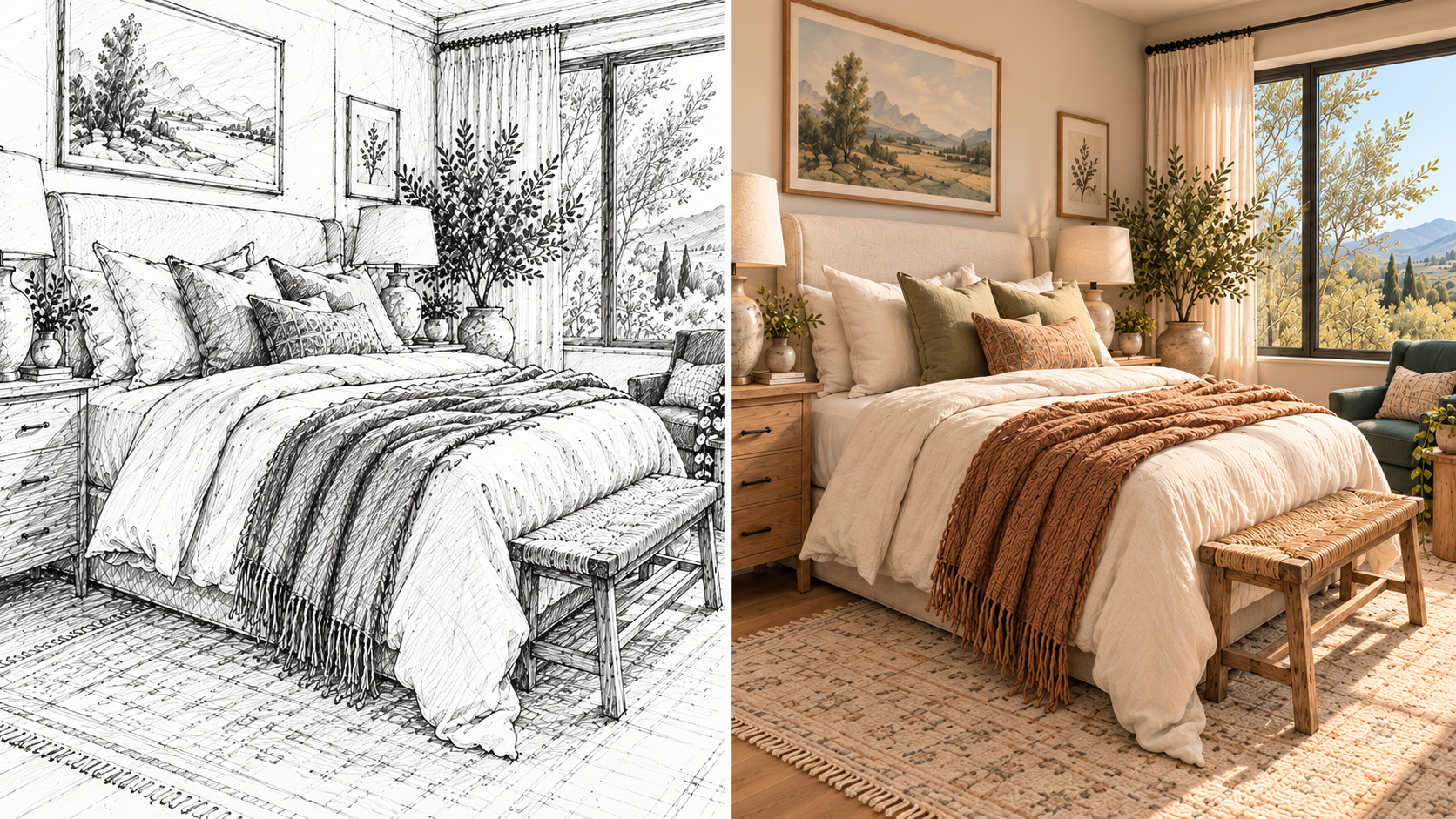
Text-to-image creates images from written prompts alone. Image-to-image starts with an existing photo or sketch and transforms it based on your prompt. For more on both approaches, see our guide to making AI images.
How can I make an AI image look more realistic?
Name a photographic style in your prompt, such as “a photo of,” along with a lens and a lighting setup. Then add camera terms from this guide, like macro lens or golden hour.
How many prompt variations should I try?
Plan on three to five variations before you land on what you want. Change one element at a time so you can see what each change does.
Which AI image models are available in Runway?
As of October 2026, Runway includes its own Gen-4 Image models alongside third-party models such as OpenAI’s GPT Image 2.5, Google’s Nano Banana 2.1 and Nano Banana Pro, ByteDance’s Seedream 5.0 and FLUX.3. The prompts in this guide work across them, though each model renders the same prompt a little differently. Availability varies by plan and the lineup changes often, so check our pricing page for the current list.
Is there a free way to try these prompts in Runway?
Yes. Runway’s Free plan costs $0 and includes 125 one-time credits and a selection of generative models to test concepts. Paid plans start at $12 a month billed annually and include access to all video and image models. Try Runway free and test a few prompts from this guide.
Where to start
- Pick one prompt from this guide and generate it. Then change one element, such as the lighting or the camera angle, and generate again. This is how you learn what works.
- Expect to generate three to five variations before you land on what you want. Each round teaches you more of the model’s language.
- Build your own prompt library. When something works, save it. After 20 to 30 generations, you’ll have a style guide tailored to what you actually create.
Prompts improve fastest when you change one element at a time and compare the results. Generate any prompt above with Runway’s AI image generator, then relight the subject or swap the backdrop without starting over. Get started for free.
Related: How to make AI images · What is AI image generation? · AI image generation for beginners