

In December, we introduced GWM Worlds, a world model for real-time environment simulation. GWM Worlds extended our research efforts around real-time video generation, and excelled at maintaining spatial consistency across long sequences of movement.
Today, we're sharing GWM Worlds 2, the next iteration of our research to create interactive environments. Built on top of our foundational audio-video generation model, GWM Worlds 2 turns high-fidelity video and audio generation into real-time interactive simulation. You define the environment, subjects, visual style, physical rules and ambience. Once inside, you steer the world with text actions addressed to any subject or to the scene itself, alongside continuous camera motion. A text action can be a sword slash, a spoken reply, a room flooding with water, a dust storm rolling in or anything else you can put into words.
The world continues from each new input instead of following a fixed clip or script, so sessions have no preset length. This creates a foundation for interactive entertainment, virtual characters, robotics and embodied-agent simulation and generative design and interfaces.
Playing the survivor. A desert world played in first person: the survivor moves, jabs the spear, drinks from a canteen and breaks into a run.
Directing the scene. The same world from the director's seat: prompts addressed to the campfire and the weather flare the fire and fade the sunset into a starry night.
Both at once. A player crosses the desert as the survivor — walking, thrusting the spear, breaking into a run — while a director reshapes the scene around them: the sunset fades into a starry night and the campfire flares.
WorldPrompt
Rich control over a world requires an input representation that generalizes across use cases. We base ours on the insight that a world can be split into two kinds of state: what persists and what changes over time. We formalize this as WorldPrompt, a format with two complementary layers.
- Persistent world context:
- A genesis prompt that includes a scene description covering the environment, its layout, materials, lighting and ambient sound; the subjects that can participate in events, with their attributes; and the laws, reusable conventions that govern behavior, from gravity and collision to character abilities and the camera perspective.
- A first frame to ground the generation visually.
- A timestamped event stream: Actions that describe movement, gestures, object interactions, speech and sound. Each action is a free-form text prompt with start and end timestamps, addressed to a subject or to the scene itself. Multiple actions can overlap. Camera input that represents a per-frame stream of viewpoint translation and rotation.
Example
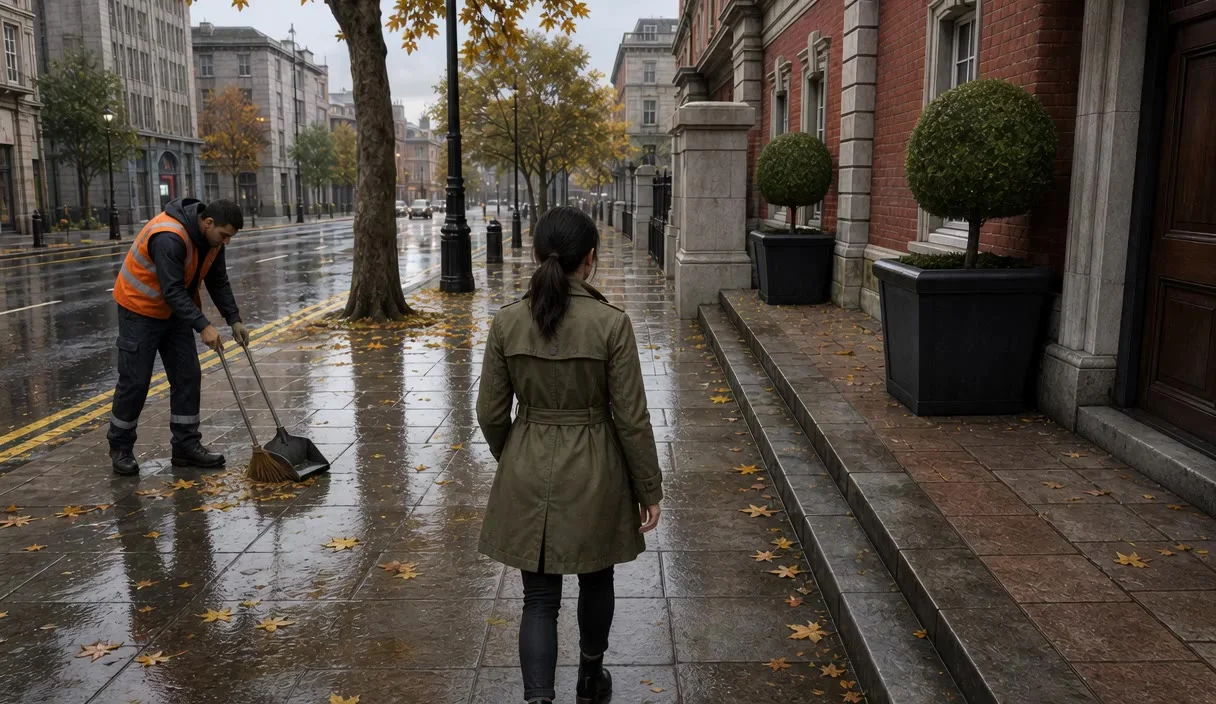
Here is a concrete example from our dataset: a street-corner chat between two characters, written as WorldPrompt.
Scene
An urban wet pavement lined with brick buildings, stone trim and potted round bushes on the right. A wet asphalt road with yellow lines runs alongside the pavement. Reflections are visible on the wet ground, scattered with yellow autumn leaves.
Subjects
The street sweeper. A slender male street sweeper with dark short hair, wearing an orange high-visibility vest over a grey sweatshirt, dark trousers and dark boots. He holds a broom and a dustpan shovel, and speaks with a male voice. Located on the wet pavement to the left.
The woman in green trench coat. A slender woman with dark hair tied in a ponytail, wearing a green trench coat, dark pants and black boots. She speaks with a female voice and walks down the wet pavement.
Law
Gravity behaves like Earth, causing leaves to lie flat on the wet pavement. The camera follows the woman in green trench coat in third-person view.
Move over or focus a timeline bar to see its full prompt.
Finetuning the Model on WorldPrompt
We take our foundational audio-video generation model and finetune it on the WorldPrompt format. Below are some results showing the model follows the WorldPrompt structure correctly.
Move over or focus a timeline bar to see its full prompt.
Move over or focus a timeline bar to see its full prompt.
The timestamped event stream. The clip is the model's output for this prompt — play it and the timeline follows. Click or drag on the timeline to seek. Actions overlap freely, and speech is an action like any other, carrying the line to be said.
Real-Time Generation
The finetuned model is still too slow, and cannot yet generate autoregressively because it is still bidirectional. Therefore, we post-train the bidirectional model into a real-time autoregressive model, GWM Worlds 2. Unlike the bidirectional model, GWM Worlds 2 is also not restricted to a fixed duration and can generate indefinitely.
The same WorldPrompt structure applies here as well, but now the world responds as you play: each clip below was generated live at 24 fps, with a user steering the world through text actions addressed to subjects and the scene, plus continuous camera motion. Recurring actions can be bound to keys for fast play.
The model supports both first-person and third-person navigation like walking, driving and riding through a world. The camera and the subject can be controlled independently.
Subjects and the scene can be directed to take arbitrary actions: movement like running, climbing and leaping; object interactions like switching a lamp on or changing its color; and scene events like a theater stage erupting in fire.
Characters can hold conversations and control the voice, tone and language of the speech, e.g. NPC–player dialogue or a vlogger talking to the camera. Lip movement and delivery are generated to match.
Model Overview
GWM Worlds 2 is an autoregressive diffusion video and audio model generating 720p video at 24 fps and audio at 48,000 Hz. GWM Worlds 2 conditions each AR step on three kinds of context: a global context (the genesis prompt and first frame), the current frame's inputs (camera input and the text actions that span the current frame) and the past generated frames, cached in a sliding window. The video and audio decoders are causal and run with a cache for faster decoding.
Attention pattern. Every token attends to the global tokens (first frame and genesis prompt), and each frame's video, text and audio tokens causally attend to themselves and past frames in a sliding KV-cache window; older frames are evicted. Global tokens attend only themselves. Per frame: v = video, a = audio, t = text, c = camera.
Using the Model
The model itself takes the WorldPrompt, with its persistent and event-based context, and outputs video and audio. There are various ways we could imagine using such a model:
- Ahead of time. The user (possibly with the assistance of an LLM) authors the timestamped event stream once at the start, and the model generates the whole video and audio with it. Uses: filmmaking, advertising.
- Turn-based. The generation runs until the user has to make a decision. The user then chooses an action, which an LLM could put into the timestamped event stream format. The model proceeds to generate until the next decision point. Uses: visual novels, interactive film.
- Real-time. The model continuously generates video and audio, and the user can take actions that immediately affect the generation stream. This is the most challenging scenario, as it requires text to be available with low latency, reacting immediately to the world. Making users type actions would be too slow, and even VLMs cannot react within tens of milliseconds. Uses: games, interactive experiences.
Demo
For some videos in the real-time generation section we used the ahead-of-time method to author rich actions beforehand without having to come up with them on the fly. For most of them we used our demo, which implements the real-time method.
Instead of coming up with text prompts on the fly, we bind key and mouse inputs to premade prompts. For example, the W key might be "The character moves forward," and left-click might be "The character throws a ball." While this works, we find that currently, the ahead-of-time method produces better quality, because the text prompts can describe much more of the scene. For example, if we turn around, we can describe the entire scene that becomes visible, whereas in the real-time demo the model has to come up with every detail on its own, with no anchor besides the persistent context and previous frames.
The real-time demo. A mage in a snowy pass, played live: key and mouse bindings fire premade action prompts while mouse movement steers the camera. The demo's own action timeline runs below the view.
Continuing Play from a Video
Instead of starting from an image, we can also prefill the generation with an existing video. Here is an example where we prefill with a generated eight second video and then continue playing from it. Note that the model keeps the environment and audio consistent with the input video.
Move over or focus a timeline bar to see its full prompt.
Move over or focus a timeline bar to see its full prompt.
Continuing from an input video. The first eight seconds are the prefilled video; from there the world is played live, and the timeline picks up with the actions the player sends.
Agentic Control
We can let agents control the actions of the different subjects. Here is an example where we let an agent control both the character (to move and attack) and the environment (to direct its lighting). Thus, GWM Worlds 2 can be used as a simulated environment for evaluations of agents, and for training them in diverse environments.
Move over or focus a timeline bar to see its full prompt.
Move over or focus a timeline bar to see its full prompt.
An agent at the controls. Each session is driven by an agent: steering the adventurer and the castle itself, or riding the jet ski. Play a clip and the timeline follows; click or drag to seek.
We can also give the agents instructions of what they should achieve. As a simple test scenario, we generated a world with a humanoid robot and two flags: a red flag on the left and a blue flag on the right. The robot can only move forward, backward, left and right.
We instructed the agent to move to the red or the blue flag, where it succeeded on its first try in both cases. Then we made it first move to red then to blue, which it also succeeded at.
Move over or focus a timeline bar to see its full prompt.
Move over or focus a timeline bar to see its full prompt.
Move over or focus a timeline bar to see its full prompt.
Reaching a goal. Instructed to reach a flag, the agent picks the movement actions on its own.
Multiplayer
We can also let different users control different subjects. This can be used to implement multiplayer experiences by letting each user control their own character, or by having one user control the world.
In the demo, we add this functionality as roles, where each role (e.g. player 1, player 2, director) can have its own set of actions addressed to its own subjects. The demo uses LiveKit to broadcast the video and audio to everyone accessing it, and each client can select a different role to participate in the experience.
World Authoring
In our demo, sessions are started from presets that contain the first frame, the genesis prompt and the possible actions for the different subjects, bound to different keys. Instead of manually typing out these prompts and coming up with actions, we allow users to create their own presets quickly by generating everything with the assistance of an LLM. A user can type a simple prompt like "third person perspective dirt bike in a snowy landscape" and the assistant takes care of generating everything. This way, we can go from an idea to a world within seconds.
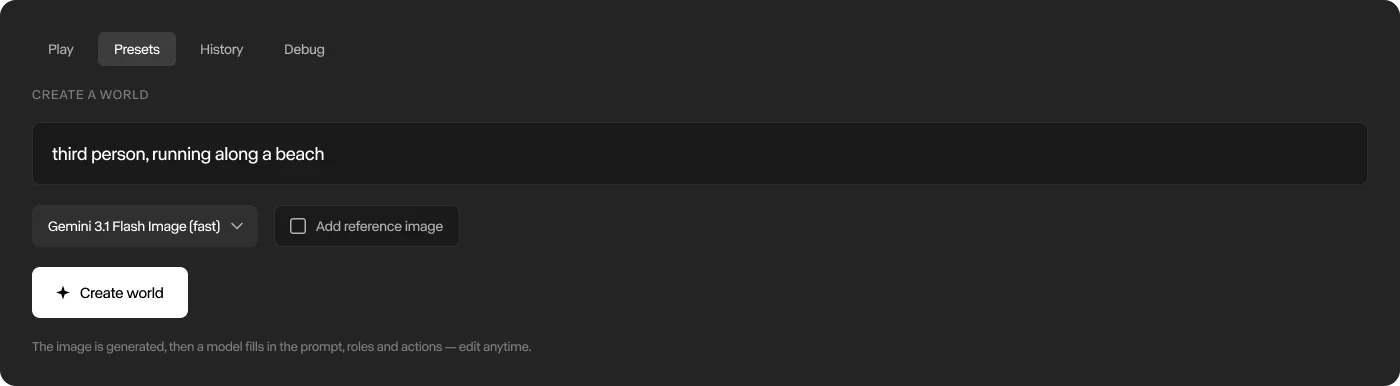
1. Describe the world you want
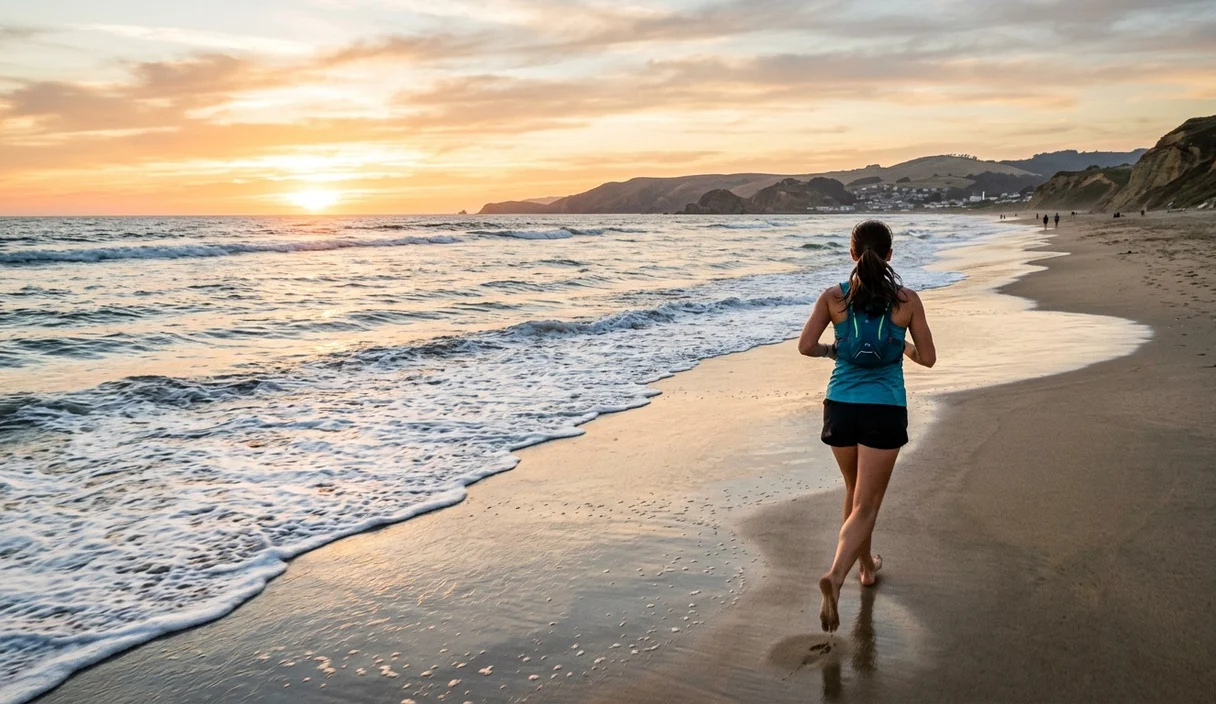
2. A first frame is generated
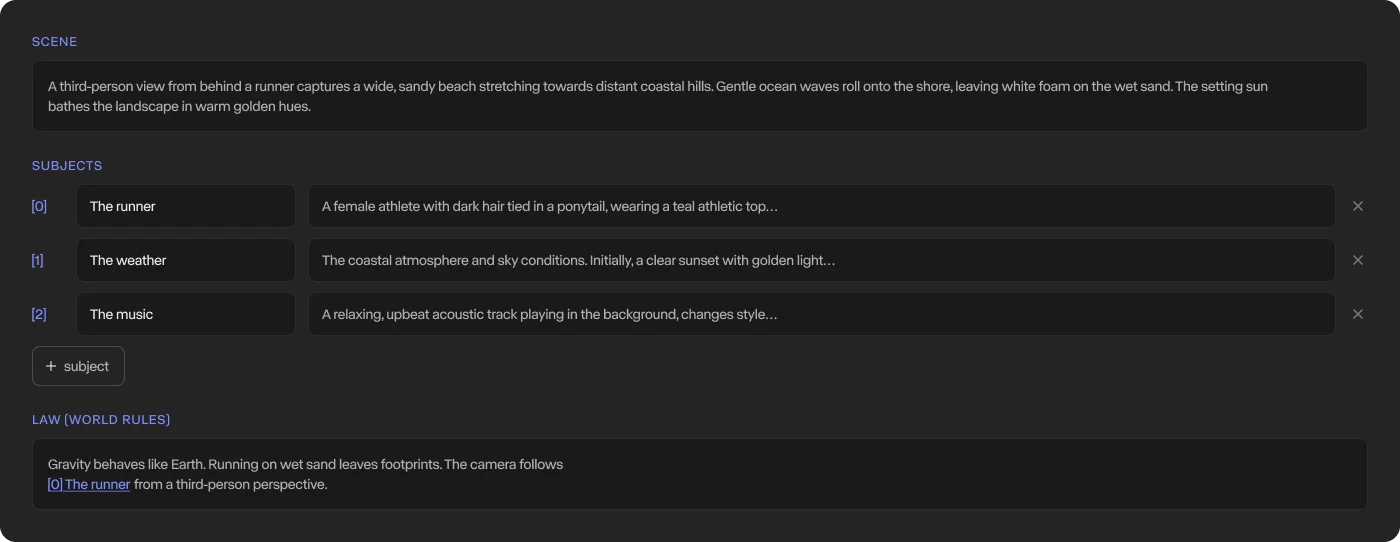
3. The genesis prompt is drafted
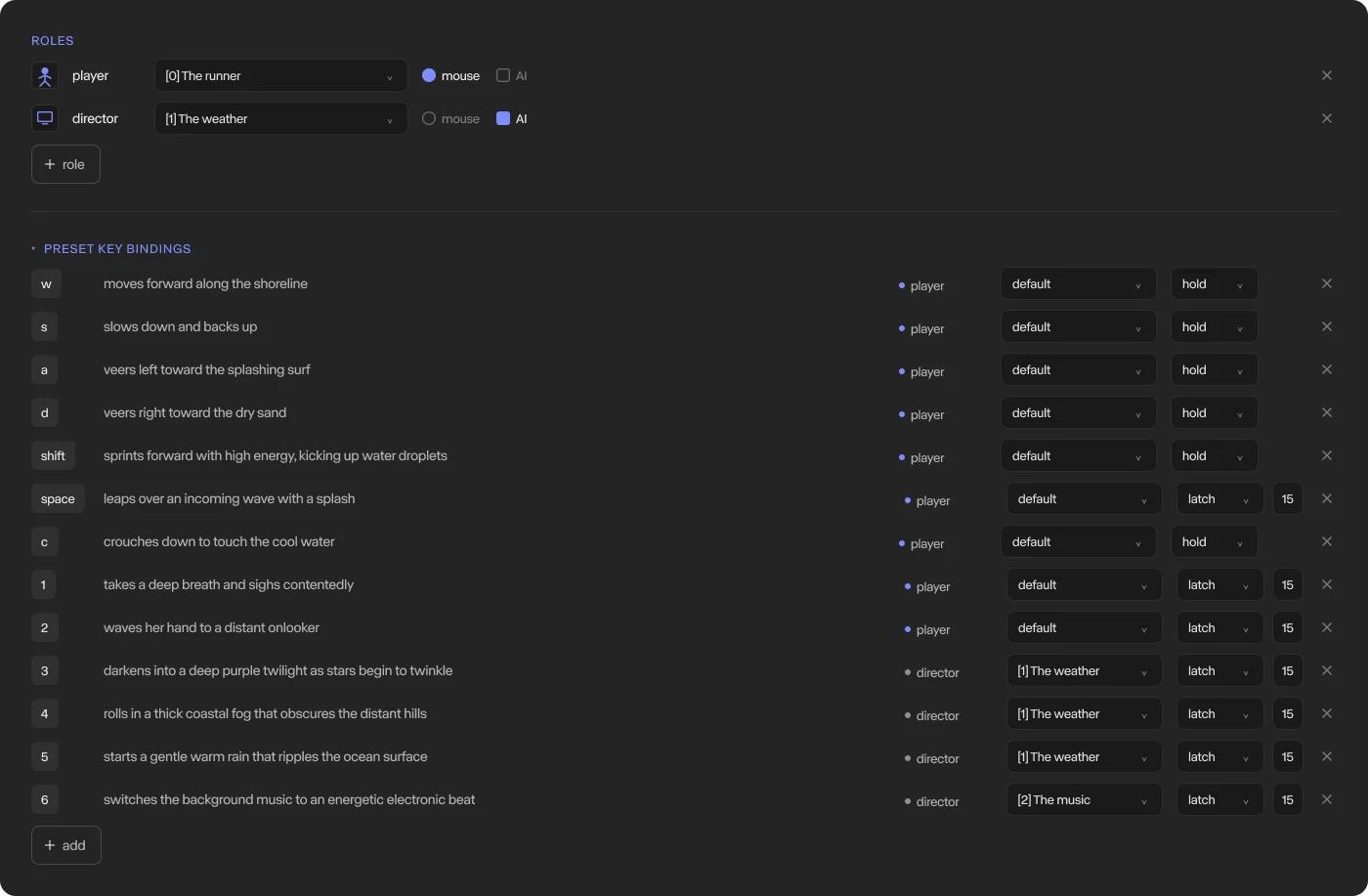
4. Subject actions are bound to keys
Describe the world, get a generated first frame, a drafted genesis prompt and a set of subject actions bound to keys — all editable before you hit play.
Limitations
GWM Worlds 2 is a research preview, and real-time generation still trades fidelity for speed. Difficult camera inputs such as very quick rotations can cause details, textures and geometry to degrade. Long-term memory is also imperfect, and the model doesn't support image references beyond the first frame or prefilled video and audio.
While free-form text makes the control surface general, fully leveraging it can require an external real-time harness that tracks the state of the world and generates actions on the fly, for example the NPC dialogue in an NPC–player interaction.
Real-time video generation is still in its earliest stages, and the constraints outlined in this post will be solved with continued research. We expect the same curve that took offline video generation from short, rough clips to high-fidelity production footage to play out again here. GWM Worlds 1 and GWM Worlds 2 are two early points on that curve.