What a construction timelapse video is
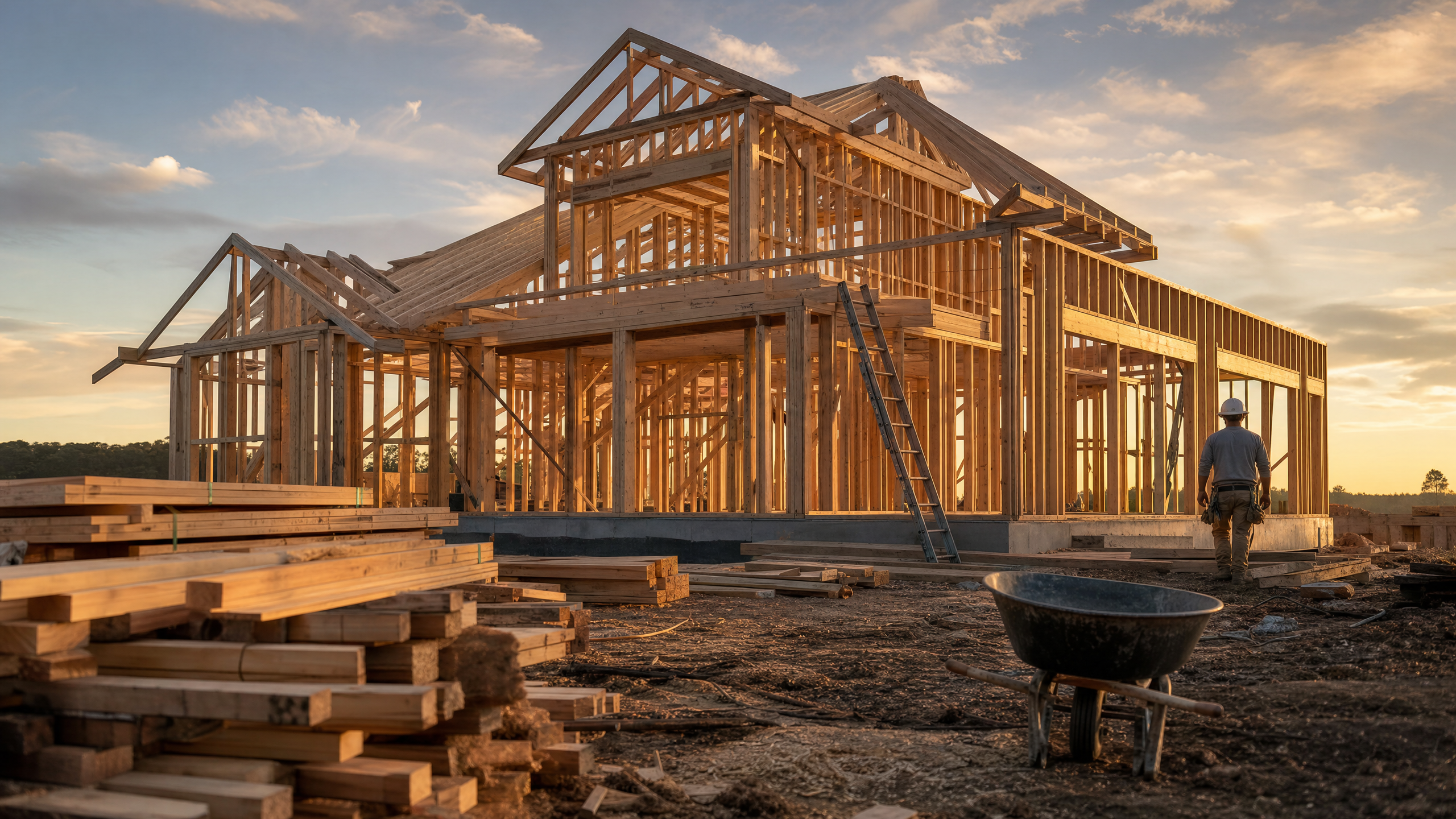
A construction timelapse video compresses weeks or months of a build into a clip that runs anywhere from 15 seconds to two minutes. Photos or footage captured at a fixed position and a regular interval get stitched together, so a foundation pour, a framing job and a finished facade all play out in sequence instead of sitting in a folder as disconnected progress shots.
Construction companies use timelapse video because it does something a single before-and-after photo can't: it shows the work happening. A prospective client watching a foundation turn into a finished building in 30 seconds gets a sense of scale, pace and capability that they don’t get from a static comparison photo. That's why timelapses show up constantly in construction marketing, on project pages, in pitch decks and on social feeds.
Why construction companies use timelapse video
The case for timelapse is mostly about proof. A completed project photo tells a client what a company built. A timelapse tells them how it was built, and the format is perfect for the platforms clients are already on: LinkedIn, Instagram or a company's website. For that reason, timelapse videos have become a standard part of construction marketing.
Timelapse videos also compress naturally into a story. A viewer can follow an empty lot becoming a foundation becoming a framed structure becoming a finished building all without narration. That’s especially important on social platforms where most videos are played with the sound off. The strongest construction timelapses aren't an even slideshow of every captured photo. They're edited around the biggest visual jumps, foundation to framing, framing to finished, so the transformation reads clearly even if some project stages get less screen time than others.
Three ways to make a construction timelapse video
There are three standard paths to a finished timelapse, and they differ mainly in how many real photos a company has and how much of the motion between them needs to be generated.
| Method | What it requires | Best for |
|---|---|---|
| Traditional photo timelapse | 50 to 500+ real photos, captured at a consistent interval | Long projects with dedicated camera capture, maximum accuracy |
| AI interpolation | As few as 2 to 3 real photos per project stage | Companies with a handful of milestone photos rather than a full archive |
| AI image-to-video | A single photo | Stylized or conceptual sequences, not documentation |
The traditional route is what most timelapse guides are built for: a fixed camera running for the life of the project, capturing an image every few minutes for fast-moving phases and every 30 to 90 minutes for slower ones, all stitched together in post. This is the most accurate option because every frame is a real photo, but it also requires equipment running continuously for weeks or months, which most construction companies don't have the setup for.
AI interpolation works differently. Given two real photos, like a bare foundation and a framed structure, Runway generates the motion between them, so viewers see continuous progress instead of a jump cut. This option is most useful for a company with a handful of milestone photos on someone's phone rather than a dedicated camera archive. The end result is real enough to use as documentation since every anchor point is an actual photo of the actual project.
AI image-to-video is a tool for a very different job. Feeding a single construction photo to an AI video generator and prompting it to animate a build sequence can produce a compelling, cinematic result. However, the model is inventing what happens between one photo and the finished building, rather than referencing real progress. It might get window placement wrong, alter materials or have workers move in ways that they didn’t. That's a reasonable trade for a stylized concept video, but it's not real-life documentation and shouldn't be presented as such.
Making a timelapse with AI interpolation
- Gather real photos at each major milestone. Foundation, framing, exterior, interior and finished. While two or three photos per stage is enough to work with, more photos mean a smoother result.
- Keep the camera position and framing as consistent as possible across photos. The closer the angle and distance match between shots, the cleaner the generated transition looks.
- Generate the transition between each pair of milestone photos. Runway's video generator takes a starting photo and an ending photo and fills in the motion between them, so a foundation shot and a framing shot become a few seconds of continuous-looking progress rather than a hard cut.
- Sequence the generated segments in order. Foundation to framing, framing to exterior then exterior to finished, so the video plays as one continuous sequence rather than isolated clips.
- Add real footage around the timelapse. A few seconds of the crew actually working, filmed on a phone, grounds the generated sequence in something real.
Structuring the finished video
A timelapse works best as one part of a marketing video rather than the entire video. This structure holds up across a 30 to 60 second cut:
| Segment | Length | Content |
|---|---|---|
| Opening | 0 to 5 seconds | Finished project or a compelling first shot |
| Setup | 5 to 10 seconds | "Here's what this space looked like when we started" |
| Timelapse | 10 to 35 seconds | The build sequence itself |
| Real footage | 35 to 45 seconds | A few real-time clips of the crew at work |
| Reveal | 45 to 55 seconds | Finished project, held on screen |
| Branding | 55 to 60 seconds | Company name, service and location |
That structure turns the timelapse into proof supporting a story, rather than the whole story. Shoot vertical for Instagram Reels, TikTok and YouTube Shorts, or horizontal for a website or YouTube's main feed.
What a timelapse video costs
A traditional long-term timelapse with dedicated camera equipment, mounting and power for weeks or months of continuous capture can cost from several hundred dollars in equipment to several thousand for a professionally managed multi-camera setup on a large project. AI interpolation from a handful of existing photos removes most of that cost. There's no camera to mount, no months of power and storage to manage and no dedicated hardware sitting idle after the project wraps.
Frequently asked questions
How long should a construction timelapse video be?
Most run 15 to 60 seconds when used as marketing content. A standalone project timelapse for a website or portfolio can run up to about 90 seconds, but viewer attention drops off past that unless the project itself is unusually large or complex.
Do I need a dedicated camera to make a construction timelapse?
Not necessarily. A dedicated camera running continuously produces the most accurate result and is the standard approach for long projects. But a company with a handful of milestone photos, rather than a full archive, can get a comparable result through AI interpolation between those real photos, without installing and maintaining equipment for the life of the project.
Can AI make a construction timelapse from just a few photos?
Yes. Given two or three real photos at different stages of a project, AI can generate the motion between them so the result plays like a continuous build sequence instead of a slideshow. This is different from generating a full sequence from a single photo, which invents progress rather than referencing it and shouldn't be used as project documentation.
Related: Construction marketing video | Before and after video generator