What multi-shot means in AI video
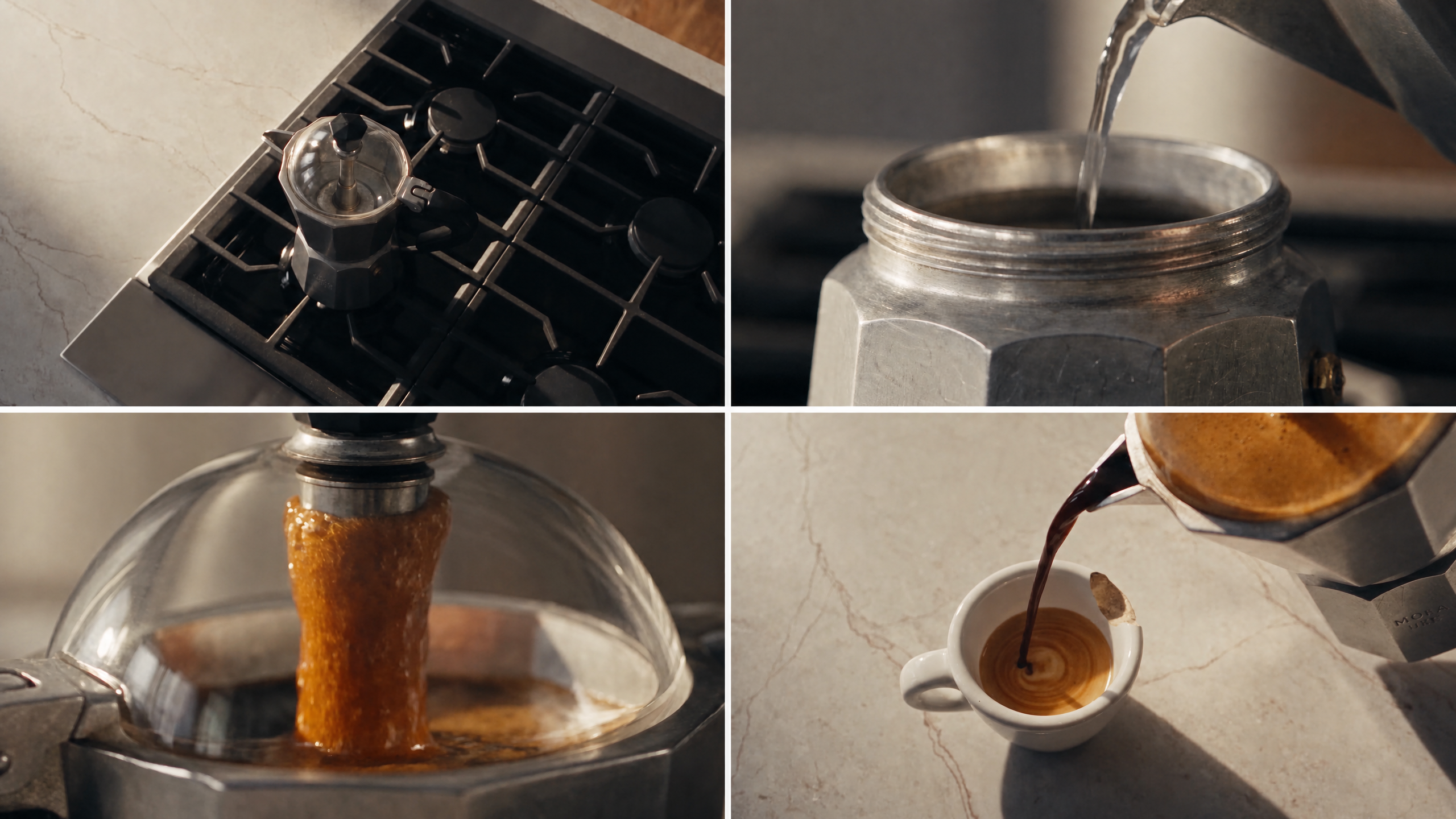
Most AI video tools default to one continuous shot: a single prompt, a single camera position and a clip that plays start to finish without a cut. That's how Runway's AI video generator and most other tools work by default, and it's worth understanding how AI video generation works at that basic level before layering shots on top of it. A multi-shot video, however, is different. This is what a multi-shot AI video generator produces, sometimes also called an AI sequence generator: one finished video made up of several connected shots, usually an establishing angle, a closer angle and then a reveal, all stitched into a single sequence rather than one uninterrupted take.
The distinction between the two matters because each video is prompted differently. A single-shot clip needs one strong description. A multi-shot sequence needs to start with a plan, since every shot has to agree about who's in frame, where in frame they are and what the surrounding scene looks like. That's the key to continuity.
Why sequences fall apart
Run a multi-shot AI video generator and the first instinct when a sequence falls apart is often to blame shot count: too many cuts or not enough camera variety or something similar. That's rarely what's actually causing the problem, however. A multi-shot sequence usually falls apart when the second shot feels like a completely different scene, because nothing carries over between them. Three well-planned shots that hold together and have continuity will read as more professional than eight shots that can't hang together.
Continuity is the underlying skill in this case: you need to maintain the same subject, the same lighting and the same visual language from one shot to the next. Get that right, and shot count simply becomes a creative choice rather than a liability.
This is also why a multi-shot AI request rarely works well as one long, unstructured prompt. Asking a model to generate several shots at once, in a single description, gives it too much information to hold onto simultaneously, and it usually shows in the results. You might end up with a subject who looks different in each shot, a location that shifts or a tone that doesn't match from one moment to the next. Planning the sequence and generating it shot by shot solves most of this before it becomes an issue.
Planning the sequence
A simple three-part structure covers most sequences built with a multi-shot AI video generator:
- Establish the scene
- Develop the action
- Land on a reveal or payoff shot
Whatever the first two shots set up, the third one (the payoff shot) should deliver. This kind of planning requires the same instinct behind building an AI shot list before generating anything. It's important to decide what each shot needs to accomplish ahead of time, rather than figuring it out mid-generation. For a longer or more complex sequence, sketching a scene out first as an AI storyboard makes the plan easier to check before committing to full scene generations.
Within that structure, shot progression makes a difference too. A deliberate move from wide to medium to close-up to detail to reaction and then back to wide gives viewers a sense of where they are in the scene. On the other hand, jumping from a wide shot to an extreme close-up to an overhead angle with no logic between moments reads as disconnected, even when each individual shot looks good.
Prompting each shot
Here's the key: describe one shot at a time rather than asking for the whole sequence in a single prompt. Using a prompt that tries to direct, choreograph and edit an entire scene at once tends to muddle the order of events. An individual prompt for each shot should cover the same fields every time: subject, action, location, camera angle, camera movement, lighting and visual style, plus an approximate duration.
Take this example: "Close-up shot of a hand placing a coffee cup on a wooden table. Warm afternoon light through a window. Realistic commercial photography. Slow subtle camera push-in." That level of detail, repeated with the same visual-style language across every shot in the sequence, is what will keep the whole sequence feeling like one continuous video, rather than several unrelated clips.
Six ways sequences often fail, and the fixes
Most disjointed videos from a multi-shot AI video generator trace back to one of the same handful of causes.
| Problem | What happens | Fix |
|---|---|---|
| Character drift | The same person looks slightly different shot to shot, including face, hair and clothing | Use a reference image for the character and feed it into every relevant shot rather than relying on text descriptions alone |
| Environment drift | A room or setting looks subtly different between shots | Establish one reference image for the location and reuse it across every shot in the sequence |
| Action discontinuity | Shot 2 doesn't pick up where shot 1 left off | Prompt in terms of continuation, describing where the previous shot ended, rather than writing a fresh description |
| Inconsistent camera language | One shot reads as handheld documentary, the next as a polished commercial | Decide on a visual-style phrase and repeat it in every shot's prompt |
| Overloaded prompts | One prompt tries to direct an entire multi-beat scene at once | Give each shot a single primary action in your prompts |
| Incompatible cuts | Individually good shots feel wrong cut together with no visual logic | Plan a deliberate progression (like wide to medium to close-up) rather than jumping angles at random |
The last-frame technique
The fix that can make the biggest difference for all of this is to stop treating each shot as an independent prompt. Instead, carry the final frame of one shot forward as the starting point for the next: generate shot one, take its last frame, use that frame plus a continuation prompt to generate shot two and repeat. That gives the model an actual visual anchor instead of asking it to infer consistency from text descriptions alone.
This is the same start and end frame mechanic that powers a transformation video from two photos, just applied across a sequence instead of a single before-and-after cut. Runway Agent can directly build a sequence this way by generating and connecting shots from a description of the scene, or it can be done through the Multi-Shot Video app, built specifically for producing up to five connected shots from a single prompt in either an automatic or a shot-by-shot mode.
Frequently asked questions
What's the difference between multi-shot and single-shot AI video generation?
Single-shot generation produces one continuous clip from one prompt. Multi-shot generation produces several connected shots that are ultimately stitched into a single finished video. Multi-shot generation requires a plan for how those shots relate to each other rather than one description covering the whole thing.
How many shots can one AI-generated video include?
It depends on the tool, but most multi-shot generators work best with a small number of well-planned shots (often three to five) rather than a long sequence. More shots means more opportunities for a break in continuity. That means a shorter, tighter sequence usually outperforms a longer one with weak connections between cuts.
Can AI keep a character consistent across multiple shots?
Yes, with the right approach. Text descriptions alone tend to generate results that drift from shot to shot. Using a reference image for the character and carrying the last frame of each shot forward into the next means you'll get much more consistent results than when you prompt each shot from scratch.
Related resources: How does AI video generation work? | AI shot list | AI storyboard