Start with the platform, not the footage
Before you touch a footage timeline, make sure you know where the video is going. TikTok, Instagram Reels and YouTube Shorts are all built for vertical 9:16 video. YouTube's main feed and most website embeds are built for horizontal 16:9. Editing footage to fit the platform after the fact takes significantly more time than having that format in mind from the start when shooting or framing footage. Picking a format should really be the first decision in any broader social media content plan. Everything downstream, including how a scene is shot, how it's cropped and where text gets placed, depends on that format decision.
| Platform | Aspect ratio | Typical length |
|---|---|---|
| TikTok, Reels, Shorts | 9:16 vertical | 15 to 60 seconds |
| YouTube main feed | 16:9 horizontal | 1 to 10 minutes, format-dependent |
| Instagram feed post | Square or portrait | 30 to 90 seconds |
| Facebook feed | 16:9 or 9:16, both perform well | Varies by placement |
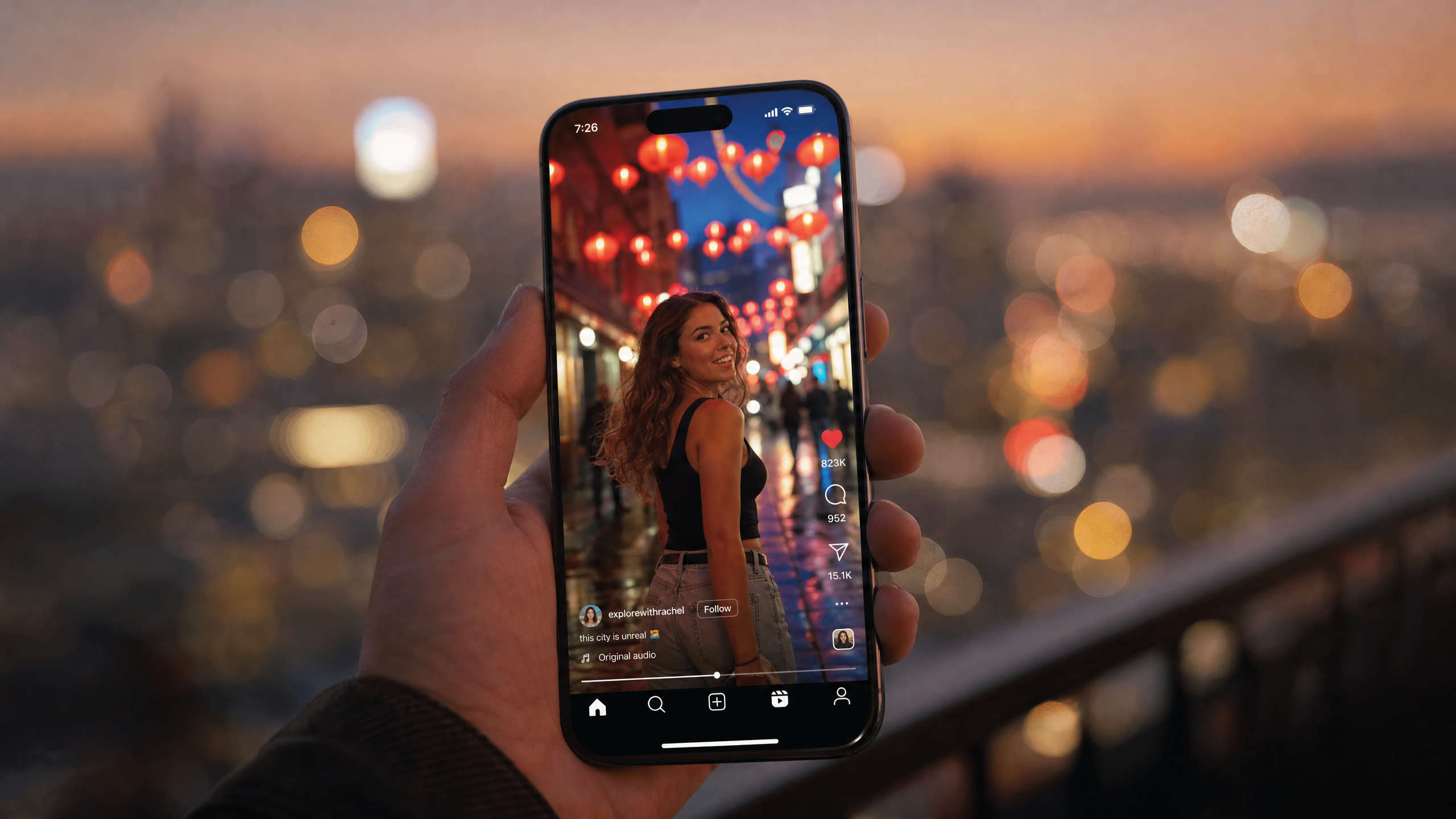
Be sure to keep important text and subjects inside the safe video area, away from the edges of the frame. Every platform's interface (the overlay of captions, buttons and profile info) sits on top of the video, which means anything placed near the edge risks getting covered.
How to structure a short social video
A short video holds attention when it has a clear structure. A random sequence of clips doesn't hold attention in the same way. Most social videos can be formatted in a simple, four-part structure:
- Hook: The first few seconds is the deciding factor in whether a viewer keeps watching. Lead with the most interesting moment. A video that opens with setup before getting to the point will lose viewers too quickly.
- Main content: This is whatever the video is actually about, whether that's a demonstration, a result or a story. Don't add any filler to this part because it's the reason your viewer kept watching after the hook.
- Payoff: This is the result, the takeaway and the conclusion promised by the hook. A hook that sets up a question that never gets answered leaves the video feeling unfinished.
- Call to action: What the viewer should do next, if there's a clear next step. Not every video has one or needs one, but if there is a next step, state it directly instead of implying it.
Cutting to the strongest footage first and building from there will work better than trying to use every clip you captured. Remove long pauses, mistakes and anything that doesn't move the video forward. A shorter, tighter cut built from your strongest moments of footage will almost always outperform a longer one padded with b-roll.
Captions and audio
Most social videos play with the sound off by default. That means captions aren't optional if the audio is key to understanding the video. The captions also need to be synchronized closely enough that a viewer isn't guessing which word matches which moment on screen.
Despite this, audio quality matters more than most people expect. Clean, clear speech with balanced levels and reduced background noise can make a video feel professional, even more so than visual polish. On-screen text and graphics should highlight what matters most, not clutter the screen with unimportant info. A viewer scrolling past a video usually decides whether to keep watching within the first second or two. Garbled or inconsistent audio is one of the fastest ways to encourage a viewer to keep scrolling.
Edit one video for every platform
The most time-consuming part of social video is usually re-cutting the same footage for every platform separately. Build one flexible master edit instead, then produce platform-specific versions from it.
First, raw footage becomes a master edit. Then that master edit becomes a set of platform versions: 9:16 for TikTok and Reels, 16:9 for YouTube, square or portrait for an Instagram feed post. Each version gets its own on-screen captions, positioned clear of that platform's interface, and its own call to action.
There are two ways to get from a master edit to those versions, and they solve different problems. Cropping picks a window inside the frame you already have, which works when the subject sits near the center and the background is disposable. Expanding keeps the entire frame and generates the scene that falls outside it, which is what you want when the composition matters: a two-person interview, a product shot with the logo near the edge, a wide establishing shot.
In Runway, you assemble the master edit on a Timeline in Agent, arranging and trimming clips. Then open a clip in Edit Studio and choose the target ratio, and Aleph 2.0 generates the new areas of the frame with lighting, motion and texture matched to the source. It runs on clips up to 30 seconds at 1080p and holds the edit across cuts, so a multi-shot sequence doesn't have to be handled shot by shot. Available ratios are 16:9, 9:16, 1:1, 4:3, 3:4 and 21:9. Using an AI video editor means the ability to work on real footage, not just generated clips, so a video shot on a phone gets the same treatment as one built with AI, and it runs in Runway's phone app as well as the browser. If you're starting without footage at all, generating or making the source video comes first.
This changes the usual framing advice. The standard guidance is to keep your subject centered in the master edit so it survives every crop, and that still holds if you're cropping. If you're expanding, you don't have to compromise the horizontal composition to protect the vertical one, because the edges that would have been cut get rebuilt instead.
Export and review
For most vertical social video, 1080 by 1920 pixels is a reliable starting export. Watch the finished export on a phone rather than a computer monitor before posting, since that's how most of the audience will actually see it. It's also the fastest way to catch a caption running off screen, a crop that cuts off a subject or audio levels that are too quiet. A video might look fine on a large monitor, but immediately have problems once it's shrunk down to fit on a phone screen sitting in someone's hand. Small text can become unreadable, a subtle crop issue might become obvious and audio that seemed fine through your studio speaker setup can come out too quiet through a phone's built-in speaker.
Frequently asked questions
What's the best aspect ratio for Instagram Reels vs. YouTube?
Instagram Reels is best for vertical 9:16 videos, as are TikTok and YouTube Shorts. YouTube's main feed is designed for horizontal 16:9. A video that you're hoping to run on all these platforms will require two separate versions from the same source footage, rather than one file used everywhere.
How long should a social media video be?
Short-form video on TikTok, Reels and Shorts generally performs best between 15 and 60 seconds. Longer-form content on YouTube's main feed has more room, from a couple of minutes up to ten or more depending on the format.
Do I need captions on every social video?
Yes, in nearly every case. Most social video plays with the sound off by default, and a video without captions loses anyone watching that way.
Can AI resize one video for multiple platforms automatically?
Yes. A master edit can be adapted into the aspect ratios different platforms need without re-cutting each version by hand. Cropping selects part of the existing frame; expanding generates the areas outside it, so nothing in the original composition gets lost.
Related resources: AI for social media | How to make AI videos fast