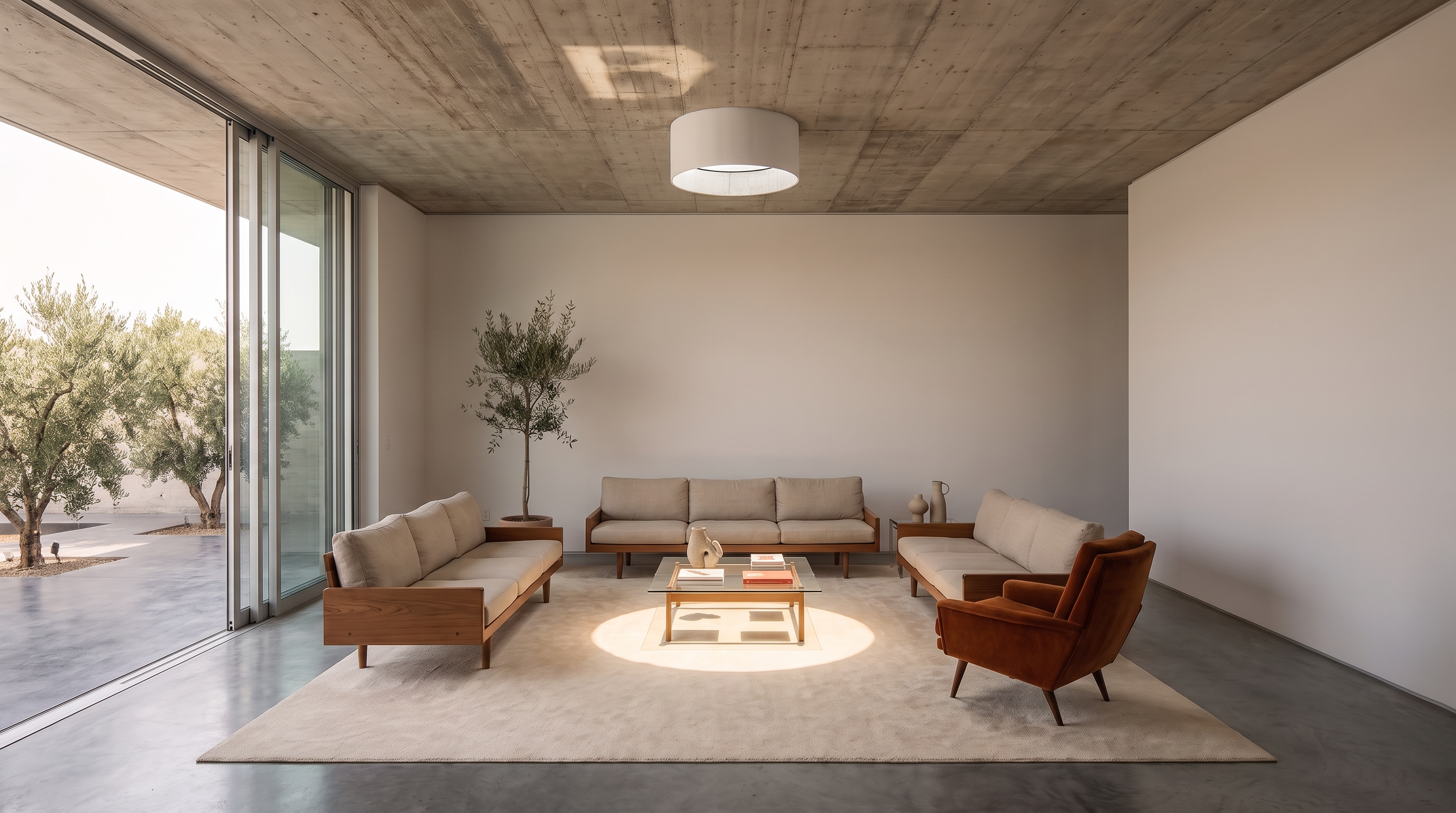
What Is AI virtual staging?
AI virtual staging, sometimes called AI for home staging, uses generative image technology to add, remove or restyle furniture in a photo of a real room. It reads the walls, floor, perspective and light, then generates furnishings that fit. AI furniture removal, or virtual decluttering, clears an occupied room first.
A convincing image can still be wrong. AI can misread a reflection, reshape a doorway or invent hidden flooring, so treat the original photo as the record of the room and the staged version as a visualization of it.
An AI room mockup tests layouts and palettes, and an AI house mockup can extend that to exteriors, but only staging furnishes the room as it stands.
AI virtual staging, room mockups and renovation concepts
AI virtual staging adds or replaces movable furnishings and decor in a photograph of an existing property.
AI room mockups explore possible layouts, color palettes and decorative directions for a room.
AI house mockups may include exterior finishes, landscaping or broader design concepts.
Conceptual renovation images show changes to permanent property features such as flooring, cabinetry, walls or fixtures. These images deserve special care because a different floor material or added window can change how viewers understand the property. Keep renovation concepts separate from images presented as real, and label them clearly.
When should you use AI virtual staging?
AI virtual staging is a good fit for listings where there are no problems with the house, but there are issues with the photos. For instance:
- Vacant rooms: furniture shows scale and use. NAR’s 2025 Profile of Home Staging found buyers rank the living room first (37%), then the primary bedroom (34%) and kitchen (23%), so start there.
- Occupied or cluttered rooms: double check what the tool generates behind removed objects.
- New construction: confirm that the photo shows the materials and fixtures the buyer will ultimately get.
- Seller presentations: compare several styles before choosing one.
Physical staging changes the live showing, while virtual staging only changes the listing photos. Keep that distinction in mind.
How to virtually stage a photo with AI in Runway
1. Start with a strong source photo
Choose a bright, high-resolution photo with a natural perspective, straight vertical lines and a clear view of the floor, doors, windows and room boundaries. Avoid heavy distortion and motion blur. Save the original under a name that sets it apart from edited versions, because you’ll need it for disclosure.
2. Choose the room’s use and style
Determine what the room should show, such as a dining room, office or sitting area that fits the existing layout and door clearance. Then pick one style that suits the architecture, light and likely buyer: think modern, transitional, Scandinavian, coastal, midcentury, farmhouse, industrial or minimalist. Restrained furniture demonstrates scale better than dense styling, which also adds more room for error.
3. Write a focused prompt
Upload the photo to Runway Agent and describe the room, style and furniture. Call out specifically what must stay the same.
Virtually stage this vacant living room in a restrained transitional style. Preserve the existing camera position, perspective, room dimensions, walls, windows, doors, flooring, ceiling, trim, fixtures and exterior view. Add an appropriately scaled sofa, coffee table, area rug, two accent chairs, a console, simple artwork and minimal decor. Use natural daylight, consistent reflections and realistic contact shadows.
4. Generate two or three options
Keep the core direction and change one variable at a time, such as the sofa orientation. Choose the version that puts the room in its best light, which is not always the most decorative one.
5. Fix problem areas
Use the AI photo editor to correct one area at a time, such as a better-scaled sofa, removing an object blocking a door or adjusting an inconsistent shadow. Then recheck the whole image against the original, because a small edit can unexpectedly change a nearby wall or floor transition.
6. Inspect the image at full size
Zoom in and run the checklist below. Small previews hide blurry textures, warped trim and mismatched proportions that need touch-ups, and areas rebuilt after furniture removal deserve the closest look.
7. Export and keep a record
Export an MLS-ready, watermark-free image at the highest resolution. Keep the original, the staged image, the tool, the prompt, the generation date and the disclosure text together, so you can fix or reproduce a result if needed.
AI virtual staging quality-control checklist
Use a consistent review standard, like the one below, before publishing an image.
Architecture
- Walls remain in the same position
- Doors and windows remain unchanged
- Doorways are open and usable
- Ceiling height is consistent
- Stairs, fireplaces, vents and built-ins are accurate
- Room proportions match the original
- Exterior views remain unchanged
Furniture and scale
- Furniture fits the room’s actual proportions
- Beds, sofas and tables have believable dimensions
- Chairs and tables sit correctly on the floor
- Walking paths are realistic
- Rugs and furniture do not conceal known defects
- Furniture does not block doors, vents or permanent features
Lighting and materials
- Shadow direction matches the room’s light
- Contact shadows appear beneath furniture
- Flooring continues cleanly
- Reflections correspond with the room
- Cabinets, counters, walls and fixtures remain consistent
- Added objects have compatible sharpness and exposure
Assign one of three outcomes:
- Pass: The image is ready for disclosure and final listing review.
- Revise: The concept is useful, but visible issues remain.
- Reject: The output changes the property or creates an unreliable representation.
Ultimately, you’re working to give buyers a sense of how the room could be used.
AI virtual staging vs. traditional staging: what it costs
Choose a method based on the listing, the showing experience and the level of review required.
| Factor | Physical staging | Human-edited virtual staging | AI virtual staging |
|---|---|---|---|
| What changes | The real room | The listing image | The listing image |
| Turnaround | Usually several days | Often one to two days | Often seconds or minutes |
| Cost structure | Consultation, delivery, rental and removal | Usually per image | Subscription, credits or generation fees |
| Buyer’s showing experience | Furnished property | Original property condition | Original property condition |
| Revision process | Physical labor and logistics | Designer revision | Regeneration or image editing |
| Best fit | High-touch listings and in-person presentation | Complex rooms and premium hero images | Fast exploration and higher-volume production |
| Main concern | Cost and logistics | Turnaround and revision communication | Visual errors and inaccurate changes |
NAR’s 2025 survey found a median cost of $1,500 when a staging service was used and $500 when the seller’s agent handled staging. AI virtual staging prices run from under a dollar to about $10.50 per image, depending on the tool and plan, while human-edited services cost more. Compare tools by the cost of one approved image, including regenerations, furniture removal and HD downloads.
AI virtual staging tools to consider
The best tool for you depends on the amount of creative control, speed and human review your workflow requires.
| Tool | Service model | Useful capabilities | Best fit |
|---|---|---|---|
| Runway | Creative tools with monthly or annual subscription | Design exploration, virtual staging, reference-led image creation, plus ability to create marketing materials to promote listings | Teams that want to develop still images and promotional video in one workflow |
| Virtual Staging AI | Monthly or annual subscription | Dedicated staging, furniture removal, unlimited regenerations on listed plans | Agents and teams with recurring staging volume |
| ApplyDesign | Credit-based purchasing | One-click staging, item removal, DIY placement and revisions | Occasional users who want hands-on furniture control |
| BoxBrownie | Human-edited, pay per image | Professional editing, style selection and revision support | Premium images and projects that benefit from human review |
Prices and product features can change, so verify the current offer before choosing a service. Test each tool on the same difficult room and record cost, time, accuracy and how many results were usable. The true measure is the cost and effort required to produce one approved image.
Presentational staging vs. material property changes
Pay attention to whether an edit changes the room’s presentation or the actual layout.
| Presentational staging | Material property change |
|---|---|
| Adding movable furniture | Moving or removing a wall |
| Adding rugs, lamps or artwork | Adding a door or window |
| Replacing movable decor | Changing a permanent fixture |
| Showing another furniture style | Concealing damage or defects |
| Removing temporary personal belongings | Changing the exterior view |
| Illustrating a possible room use | Altering dimensions or proportions |
Furniture is presentational, but California’s law still counts added furniture as a digital alteration, so disclosure is required in covered sale advertising. Treat edits to floors, cabinets or walls as conceptual renovation images and label them that way. Exterior edits such as twilight conversion, sky replacement and lawn greening change how the property looks, so treat them the same way.
How to turn a virtually staged image into listing video
Start with the approved staged image. Animation can amplify a small error or shift details between frames, so finish the still-image review first.
Upload the image to Runway Agent, or use Tool mode. Describe only the motion and camera work. Runway’s Image-to-Video Prompting Guide coves proper prompt design because the image already supplies the composition, light and style. Keep it to gentle movements, like a slow dolly or a gentle pan.
Sample prompt
The camera slowly pushes forward through the living room toward the existing windows. The architecture, furniture placement and exterior view remain stable. Natural daylight and realistic shadows remain consistent throughout the continuous shot.
Review the whole clip for shifting windows, drifting furniture, warped edges, rippling floors, changing views and inconsistent shadows. Use real footage when you need to document the space exactly, and label any generated clip as staged. On eligible Zillow Showcase listings, shoppers can toggle between staged and original photos.
Frequently asked questions about AI virtual staging
What is AI virtual staging?
AI virtual staging uses generative image technology to add, remove or restyle furniture in a photo of a real room. The staged image should keep the room’s dimensions, architecture, fixed features and views exactly as they are.
How do I use AI to virtually stage a house?
Start with a bright, clear photo (and save the original). Upload it to Runway Agent, name the room’s use and style and write a prompt noting what must stay the same. Generate two or three options, inspect the best one at full size against the original and add the disclosure your listing requires.
Can ChatGPT do virtual staging?
General-purpose chat assistants can often furnish or restyle an uploaded room photo from a prompt. The risk is the same as with any tool: the image may change windows, doors, proportions or the view. Write a preservation prompt, compare the result with the original at full size and add the disclosure your listing requires.
What is the best AI virtual staging tool?
It depends on your volume, the amount of control you want and whether you need a final human review. Dedicated staging tools are good for rapid, repeated work, and human-edited services are best for complex rooms. Test each tool on the same difficult room and compare the cost of one approved image.
Is virtual staging AI legit?
Yes, as a category. It is a widely used way to show how a vacant room could be furnished, and it is allowed when the image represents the real room, doesn’t hide defects or change permanent features, and carries the disclosure your jurisdiction and MLS require. For any individual tool, test it on a difficult room and check current pricing, watermarks and export terms before you rely on it.
How much does AI staging cost?
Prices vary by service. Try Runway for free, and monthly plans start at $12 a month. Virtual Staging AI starts at $16 a month for six images when billed yearly, ApplyDesign lists $10.50 per image and some tools offer free tiers. Figure your cost per approved image, including revisions, unused credits and HD exports.
Is virtual staging AI free?
Some tools like Runway offer a free tier or trial credits, usually with limits on resolution, watermarks or image count. Compare what you can export before you rely on one for a listing.
Can AI remove furniture and clutter?
Yes, but the tools rebuild the floors and walls behind removed items. Check those areas for accuracy.
Do virtually staged listing photos need a disclosure?
Often, yes, but requirements vary. California AB 723 has required disclosure and a link to the original image in covered sale advertising since January 1, 2026. SDMLS and CRMLS add their own labeling and original-photo steps, and NAR’s Code of Ethics requires REALTORS® to present a true picture. Check your MLS and brokerage rules too.
Can I use AI virtual staging in real estate advertising?
Yes, within the laws, ethical standards, MLS rules and brokerage policies that apply to the listing. Keep the original, represent the property accurately and use the required disclosure.
Can I animate an AI-staged listing photo?
Yes. Start with an approved staged image, keep the motion simple and check every frame for changes to the property, furniture and views. Label the clip as staged wherever it appears.
Create listing visuals that help buyers understand the space
AI virtual staging helps real estate professionals show how a room could function. The strongest results begin with an accurate photograph, use restrained design choices and pass a detailed review before publication. Runway can support the process from early visual exploration through image creation and short-form video. Its architecture and design tools bring virtual staging, design references and animation into one creative workflow, and learn more about Runway for real estate to turn approved listing photos into property video.
Keep the original image, document each approved asset and disclose alterations wherever required. When done right, staging helps buyers understand the space and helps agents market it with greater confidence.