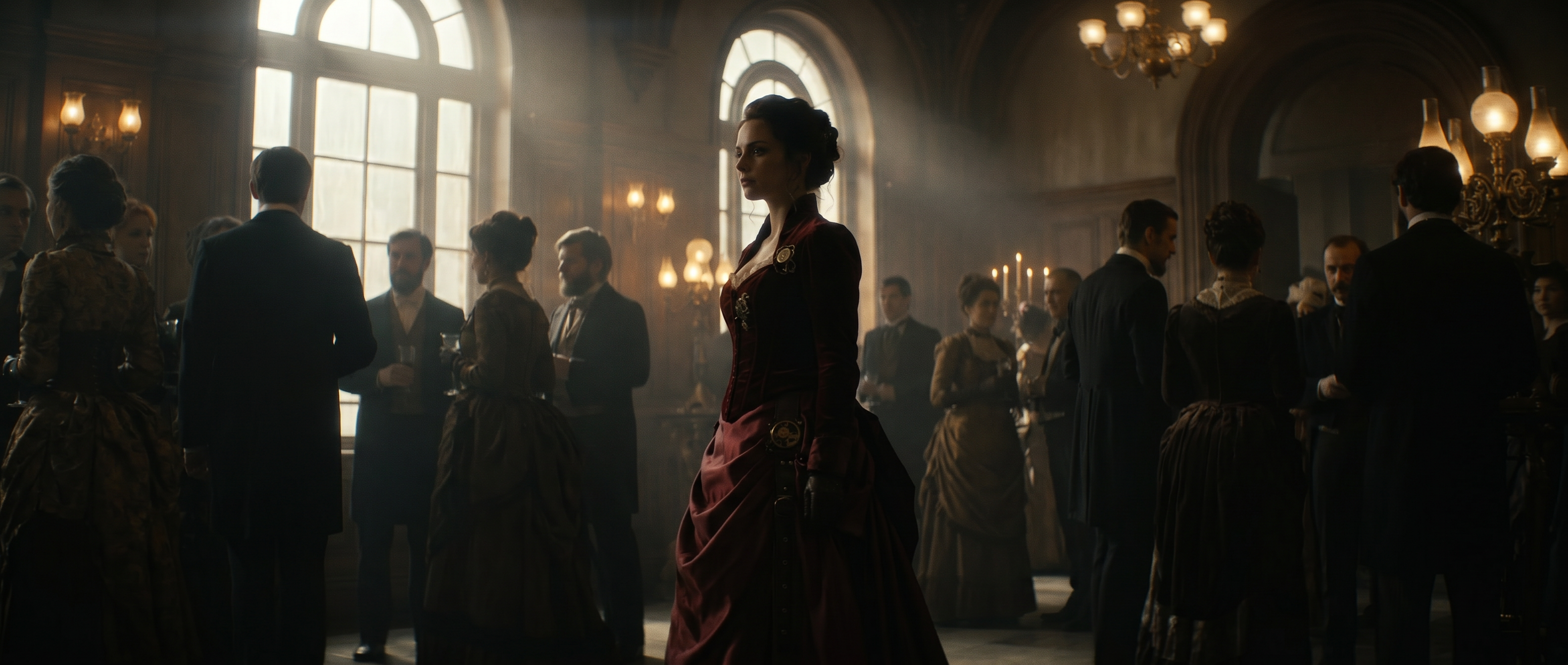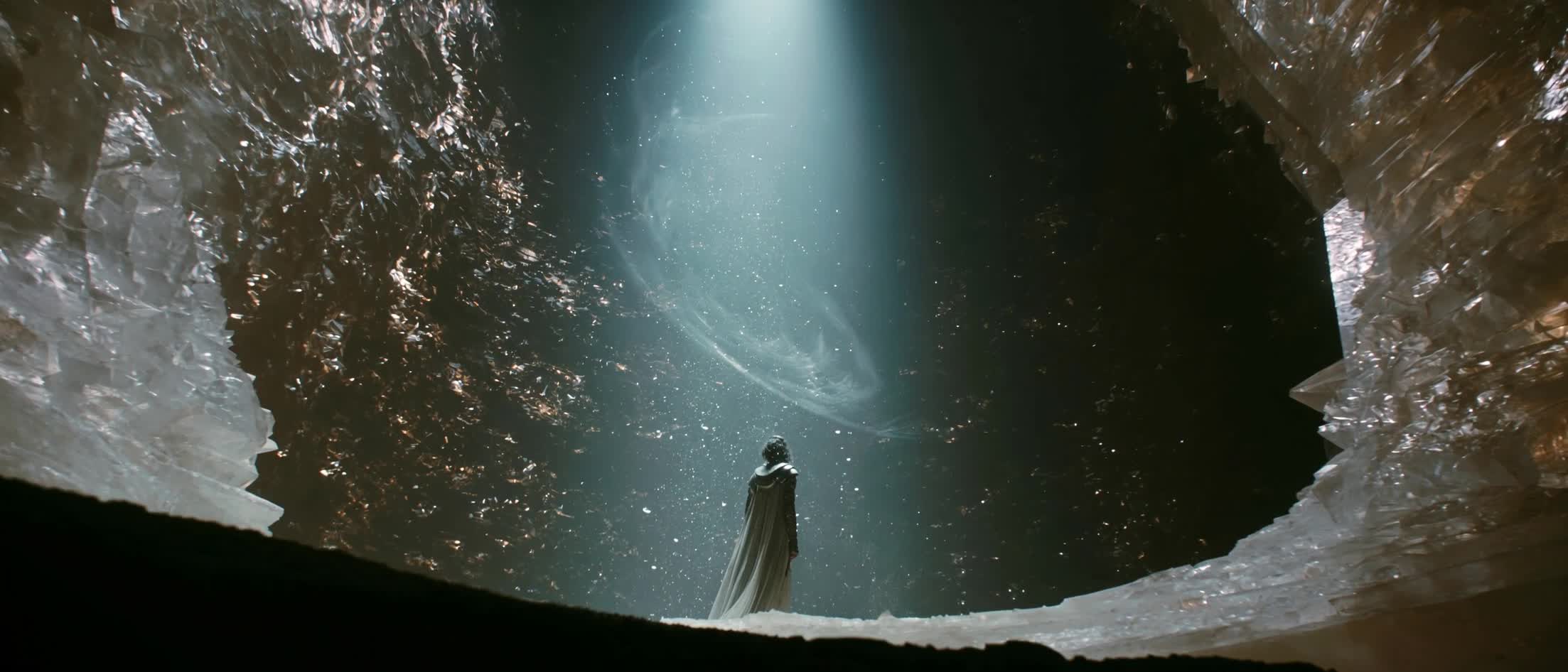
What Seedance 2.0 is
Seedance 2.0 is ByteDance's video generation model, and it's available in Runway. It accepts text, images, video, and audio in any combination and produces multi-shot video with sound generated in the same pass rather than added afterward. This guide covers Seedance 2.0, including the Fast and Mini variants, which share the same prompt grammar and differ mainly in speed and cost. Everything here applies to all three.
What Seedance 2.0 is built for
Seedance 2.0 suits short cinematic work, up to 15 seconds across one or several shots, where you want direct control over how a scene looks and moves rather than a close approximation of a description. Lighting, shadow, camera movement, and performance all respond to specific direction, and motion tends to hold steady rather than warping partway through a shot.
Audio is generated alongside the video, so sound design belongs in the prompt itself. Users can create with Seedance 2.0 in Runway Agent. In Tool mode, three additional creation modes are available: References, which blends elements from multiple images, videos, and audio clips, Start/End Frame, which sets the first and last frames and generates the motion between them, and Text to Video, which works from a written prompt alone.
Which Seedance version you're prompting for
Both Seedance 2.0 and 2.5 models use structured prompts organized into labeled shots, so the two aren't as far apart as the version numbers suggest. Seedance 2.5 builds on the same foundation of 2.0 with more scale and stronger editing.
The practical difference is size and editability. Seedance 2.0 generates up to 15 seconds from up to 9 image, 3 video, and 3 audio references. Seedance 2.5 handles up to 30 seconds and up to 50 references, and adds timestamped partial editing, forward and backward extension, and lip-synced translation.
What a thin prompt produces
A thin prompt doesn't fail in one recognizable way. It fails in several, and they look different enough on screen that it helps to know which one you're looking at.
- A vague subject with no real action tends to render generic, stock-footage-like motion. The model has nothing specific to animate, so it fills the time with ambient movement.
- Actions described in general terms get invented at the level of detail you left out. "She picks up the bowl" leaves the model to decide which hand, how fast, and what happens between that action and the next one.
- Missing lighting or camera direction leaves the shot flat, which is where the model's control would otherwise be most visible.
- An unassigned reference leaves the model free to borrow anything from it, color, background, composition, styling, including qualities you never intended to carry over.
- One long undivided paragraph gives the model nothing to pace against, so it either compresses everything into a single continuous take or cuts where you didn't ask it to.
- No closing constraints is the one most people don't see coming. Subtitles, logos, and watermarks turn up in outputs that never asked for them.
The clearest way to think about a Seedance 2.0 prompt is as two layers doing different jobs. The outer layer is structural: the video breaks into labeled shots, written in the order events occur, so the model knows how the piece is paced before it knows what's in it. The inner layer is descriptive: inside each shot, the writing reads as continuous sentences covering who is there, what they're doing, where, under what light, and how the camera behaves. Prompts that underperform usually collapse one layer into the other. The techniques below work through both.
Structuring the prompt
Cover eight elements, in order
A complete prompt covers precise subject, action details, scene and environment, lighting and color tone, camera movement, visual style, image quality, and constraints. Anything left out gets filled in by the model's defaults rather than your intent. Image quality and constraints are the two most often skipped, and they're the two that keep output stable.
A keyword list gives the model no relationships between the elements, so it renders each one literally and independently:
Prompt
Ceramicist, workshop, pottery wheel, morning light, warm tones, cinematic, 4k
Written out, the same elements give it something to work with:
Prompt
A ceramicist in a linen apron sits at a pottery wheel. She slowly steadies the rim of a bowl with both hands. The workshop is bright, with shelves of finished pieces behind her. Warm morning light falls from a window to her left, casting a long shadow across the floor. Fixed camera, medium shot. Naturalistic documentary style. HD, rich detail, soft lighting, natural colors. Keep it subtitle-free, do not generate a logo or watermark.
Match the pattern to your task
Three task types each want a different opening. Generating something new from references, editing an existing video, and extending one are distinct jobs, and the phrasing tells the model which you mean. For edits and extensions, refer to the video directly rather than saying "reference," since reference phrasing can get read as a request to generate something new instead.
Prompt
Remove the mug from the table in @Video 1, keeping the rest of the video content unchanged.
Break the video into labeled shots
Multi-shot sequences work best written as Shot 1, Shot 2, Shot 3, in the order events occur, with the primary action first. One undivided paragraph gives the model nothing to pace against, so it either compresses everything into a single continuous take or cuts where you didn't ask it to.
It's worth letting the model set the pacing of each shot from the plot rather than assigning fixed durations. Support for precise timing is unstable, and forcing it can produce unpredictable results.
Shot prompt
Shot 1: Close on the wheel. The ceramicist steadies the rim with both hands, the wheel turning steadily. Shot 2: Wide of the workshop. She crosses to the kiln, the bowl held level in front of her.
Order the content inside each shot
Within a shot, a consistent order helps: camera movement or transition first, then subject action and expression, then position or spatial change, then audio. The model separates what the camera does from what the subject does internally, and writing in that order makes the split easier for it to read.
Ordered prompt
Shot 1: Close on the wheel. The ceramicist steadies the rim with both hands, the wheel turning steadily. Shot 2: Wide of the workshop. She crosses to the kiln, the bowl held level in front of her. Shot 2: The camera cuts to a wide shot of the workshop. The ceramicist lifts the bowl and turns toward the kiln. She crosses the room and sets it on the top shelf. <The kiln hums low in the background>
Working with references
Define the subject before you reference it
A reference image often holds more than one subject. Defining which one you mean, using two or three stable static features, then using that same label every time it appears, keeps the model from guessing, and from changing its guess partway through.
Instead of "use the woman from @Image 1":
Subject prompt
Define the woman in the linen apron with short dark hair in @Image 1 as the ceramicist. The ceramicist steadies the rim of a bowl with both hands.
Identify each reference and what it controls
When using references, each should be identified as @Image 1, @Video 1, or @Audio 1, and bound to what it governs. An unlabeled reference leaves the model free to borrow anything from it, color, background, composition, styling, including qualities you never meant to carry over. Assets that need the most precise reference go earliest in the prompt.
Instead of “use the attached image of the bowl”:
Reference prompt
Reference the bowl in @Image 1 to generate the finished piece, keeping the silhouette, rim thickness, and matte oatmeal glaze consistent.
Naming a reference as the sole authority on specific attributes tightens this further, and is worth doing when a single detail has to survive intact.
Tip: Name your references in Runway for easier asset management and referencing (e.g. @Image 1 becomes @Bowl).
Use fewer assets than the limit allows
With Seedance 2.0, the ceiling on references is 9 images, 3 videos, and 3 audio clips, but four to five assets total tends to work better than filling that ceiling (Seedance 2.5 allows for up to 30 images, and its stated reference-video/audio capacity is higher than 2.0's). Too many assets, however, makes it harder for the model to judge which features take priority, which shows up as style conflicts, unclear subject identification, and results drifting from what you asked for. A typical working set is one or two character images, one scene image, one camera movement video, and one audio clip.
Keep a character consistent across the clip
When a character's face shifts partway through a generation, the usual cause is a face reference the model couldn't weight properly. A single combined image holding the face, the outfit, the pose, and the background gives facial features too small a share of the frame to anchor on.
A close-up headshot alongside a full-body image works better than one mixed reference, and better than a multi-view sheet, which the model can read as several different people.
Directing motion and camera
Describe actions by body part, degree, and transition
A general action verb leaves the model to invent the specifics, and movement between actions reads as a jump rather than a continuation. Naming the body part, adding range, speed, or force, and writing the transition between actions gives it the detail it would otherwise fill in.
Instead of "she picks up the bowl and takes it to the shelf":
Direction
She slowly lifts the bowl with both hands, then uses the momentum of standing to turn naturally toward the shelf.
Slow, gentle, continuous movement holds together better than high-energy action. Sprinting, large jumps, and violent motion are where warping and instability tend to appear.
Give each shot one camera movement
Asking for push, pull, pan, and tilt at once increases image instability. A single movement type per shot holds steadier, and standard terminology works well: medium shot, close-up, wide shot, slow push-in, smooth lateral tracking, fixed shot.
Instead of "the camera pushes in, tilts up, and pans left across the workshop":
Camera movement
Shot 1: Slow push-in on her hands at the wheel. Shot 2: Fixed camera, medium shot on her face.
Show emotion as physical behavior
Words like proud, sad, or nervous give the model nothing visible to render, so it defaults to a generic expression. Describing what the emotion looks like gives it something specific to animate.
Instead of "she looks proud of her work":
Emotion
Her shoulders drop as she exhales, and a faint smile appears as she looks at the bowl.
Finishing the prompt
Mark dialogue, music, and sound effects with symbols
Four symbol types tell the model what kind of information it's reading: curly braces for dialogue, parentheses for music, angle brackets for sound effects, and corner brackets for subtitles. Without them, the model has to infer whether a line is spoken, sung, sound design, or on-screen text, and it can guess wrong.
Instead of "she says 'this one took three days to get right,' workshop ambience plays in the background":
Prompt
She glances up and says {This one took three days to get right}. <The wheel hums steadily under her hands> (soft acoustic guitar plays low)
Dialogue in a language other than English or Chinese needs the language marked alongside it.
Close with image quality, style, and constraints
Prompts that stop after the last action leave three things unstated, and all three show up in the output. Image quality terms set clarity and texture. A named style keeps the look from drifting toward realism when you want something stylized. Constraint words prevent artifacts the prompt never asked for.
Prompt
The whole video is HD with rich detail, cinematic texture, and natural colors, in a naturalistic documentary style. Keep it subtitle-free, do not generate a logo or watermark.
Describe the scene itself in positive terms, saying what should appear rather than what shouldn't. Constraints are the exception, and they belong here at the close rather than woven through the description.
What to decide before you generate
- Length and framing. You get 5 to 15 seconds, enough for a few shots rather than a full sequence, so it helps to decide how many shots that time realistically carries before writing. Aspect ratio runs from 21:9 through 9:16, and that choice shapes the prompt itself, since a vertical frame wants a different composition language than a wide one.
- Resolution. Output runs 480p, 720p, or 1080p, worth choosing before writing since a prompt built for fine 1080p detail reads differently than one built for 480p. The Fast and Mini variants share this grammar but produce 720p at most.
- Reference budgets. Video and audio references each share a total 15-second budget across all files rather than 15 seconds apiece, so adding references divides that time rather than multiplying it. Uploaded reference videos should be 720p or lower, a separate limit from output resolution, and stitching clips together accepts up to three videos totaling under 15 seconds.
- Sound. Audio generates in the same pass as the video, so it sits more naturally in the same sentence as the action than in a separate block.
- People in references. Public figures are moderated in reference inputs, so an uploaded image of a real, recognizable person may get rejected. Human subjects otherwise work fine, and original or invented characters are safest. When you don't have a fixed reference, Text to Video sidesteps the question entirely.
Seedance 2.0 prompts in practice
Each prompt below isolates one technique rather than one use case, so what you're seeing is the effect of a single decision. Swap the subject and the technique still holds.
Prompt
Seedance 2.0Locked-off super wide at pad deck level, the camera almost on the plating, a cleat and a painted arc sharp in the near foreground. The frame never moves. Cold desaturated blue grey palette. The dropship is a heavy four-strut lander with a banded stern drum and a lit orange doorway. BEAT 1: The dropship descends beyond the far rim of the pad, lamp cones swinging across the deck. Mist lies undisturbed. A single dead leaf sits stuck flat in the water film. <engine wash building in the distance> BEAT 2: The wash arrives. Mist blows apart from the centre outward in one spreading ring, the leaf lifts and skates the length of the deck and over the rim, and standing water tears off the plating in flat sheets traveling toward camera, the painted circle surfacing behind them. <a flat roar> <water sheeting across metal> <a cable slapping against steel stilts> BEAT 3: Heat refraction behind the stern drum bends the settlement modules and the jungle wall into shimmer. The edge lights smear to streaks through the spray as the dropship rotates a few degrees to square with the circle. <a tarp cracking taut and hammering> BEAT 4: The near strut bites first. The hull rocks, then settles level, all four pads compressing under the weight, water flooding out from beneath each one toward the rim. <strut pads thudding down> <hydraulics compressing under load> BEAT 5: The wash cuts out. Water and steam roll back inward, the edge lights sharpen, mist reclaims the clearing from the edges. The drum banding glows dull orange and fades. A last frond flutters down onto the plating. <hot metal ticking in the silence> Shot on 35mm anamorphic, Kodak Vision3 500T, photochemical grain, natural halation, accurate motion blur, physically based lighting. Diegetic sound only, no music. Keep it subtitle-free, do not generate a logo or watermark.
Prompt
Seedance 2.0Define the running shoe in @Image 1 as the shoe. @Image 1 is the sole authority on the shoe's silhouette, upper material and weave, midsole profile and thickness, outsole tread pattern, lacing, and colorway, including every marking already present on it. The shoe's design stays identical in every shot. Throughout, the shoe sits on a pure black seamless background. Dark red smoke drifts slowly through the space behind it, folding and thinning at the speed of still air, lit only along its leading edge. Shot 1: Slow push-in on a three-quarter view of the whole shoe, ending close but still holding the full silhouette in frame. A hard key light from the upper left picks out the texture of the upper while a soft fill lifts the shadow beneath.(a lo-fi hip hop beat, dusty drums and a warm mellow loop, unhurried, continuing throughout the video) Shot 2: Smooth lateral tracking along the shoe's profile, the full length of it in frame, heel to toe. A specular highlight travels the midsole edge as the camera passes. Red smoke crosses the background behind it. Shot 3: Slow tilt up the heel, close on the back of the shoe with the collar and upper visible above it, the light raking across the stitching at a shallow angle. Shot 4: Fixed close-up on the laces and the upper around them, the top third of the shoe in frame under a hard top light, a single ribbon of smoke passing behind and clearing. Shot 5: Slow pull-back to a wide of the whole shoe, the frame settling with it centered and lit from the upper left, smoke thinning to almost nothing behind. The whole video is 1080p with rich detail, deep blacks, cinematic texture, and controlled color, in a high-end product campaign style. Keep it subtitle-free and free of added text or graphics, do not generate a watermark.
Prompt
Seedance 2.0@Image 1: sole authority on the man — face, hair, build, white ribbed tank top, blue shorts, blue plastic slides — and on the car and the setting: the boxy cream sedan with its black grille and chrome bumper, the balcony with relief panels and hanging laundry, the apartment blocks behind, the dry weeds and concrete lot. The man crouches on his heels beside the car's front bumper, holding a green garden hose low in his right hand, spraying steadily back and forth across the bumper and around the license plate. Water sheets off the plate and runs onto the concrete beneath the wheel. He watches the spray, smiling faintly to himself. Hazy flat afternoon light, no directional sun, sky washed to white, low contrast throughout. Loose handheld frame that drifts slightly, holding him and the front of the car. <water spraying against metal> <water running onto concrete> <faint distant traffic> A slight consumer camcorder quality over the scene: a little soft, mildly lifted blacks, very subtle tape texture. Ambient sound only, no music. Subtitle-free, no logo or watermark.
Prompt
Seedance 2.0Define the shaggy gray-and-tan terrier with a scruffy beard and forward-perked ears as the dog. The dog keeps the same coat, build, and markings in every shot. Throughout, the restaurant interior is lit warm amber and gold, rich browns and tans, with the family diners behind falling away into bokeh. Shot 1: Extreme low-angle locked-off shot, the dog's face filling the frame. Its eyes widen and its nostrils flare as it stares at something off-camera, ears pushing forward. <a deep excited sniff> <a low anticipatory whine> <the clatter and chatter of a busy restaurant> Shot 2: Handheld tracking shot from behind the dog. It bolts across the restaurant floor, weaving between chair legs and table bases at full speed, claws skittering across the tile. <claws scrabbling on tile> <chairs scuffing> <diners gasping> Shot 3: Crash zoom in to a medium shot. The dog launches off the floor and lands front-paws-first on a table, sending a tray of food up ahead of it, a burger turning slowly end over end and fries scattering in an arc. <a table slam> <a tray clattering> <laughter breaking out> Shot 4: Close-up on the dog's face in slow motion. Its jaws snap shut on the burger in midair, sauce bursting outward and the fur along its muzzle rippling from the impact. <a deep satisfying chomp> <sauce spattering> <a drawn-out crowd gasp> Shot 5: Wide locked-off shot. The dog sits in the middle of the food-strewn floor, chewing slowly, its body settled and still. A yellow DAB! sign glows on the wall behind it. <slow satisfied chewing> <the restaurant settling back into ambience> <distant laughter> HD with rich detail, shallow depth of field, and cinematic film texture, in a warm and playful comedic style. Keep it subtitle-free, do not generate a watermark.
Frequently Asked Questions
What's the right formula for a Seedance 2.0 prompt?
Cover eight elements: precise subject, action details, scene and environment, lighting and color tone, camera movement, visual style, image quality, and constraints. Write them as connected sentences rather than a keyword list, and break anything with more than one shot into labeled blocks.
What's the difference between Seedance 2.0 and Seedance 2.5 prompts?
Seedance 2.0 generates up to 15 seconds from up to 15 references. Seedance 2.5 runs to 30 seconds from up to 50, and adds timestamped editing and extension. The prompt structure is similar in both, so the writing transfers between them. What changes is the runtime you're pacing for and how many audio, image, and video references you can use.
Why does my Seedance 2.0 video look rushed or chaotic?
Usually too much action for the time available, or action described without the transitions between beats. Naming the body part, the speed, and how one movement leads into the next tends to fix it. Slow, continuous motion holds together better than high-energy action.
Does Seedance 2.0 generate audio automatically?
Yes. Sound generates in the same pass as the video rather than needing a separate step, which is why audio direction belongs inside the prompt, and marking with symbols for its type helps keep the prompt organized: curly braces for dialogue, parentheses for music, angle brackets for sound effects.
How many reference images can I use with Seedance 2.0?
Up to 9 images, alongside 3 videos and 3 audio clips. Four to five assets in total tends to produce better results than filling that ceiling, since too many references in a single shot makes it harder for the model to judge which features take priority.
What's the difference between Seedance 2.0 and Seedance 2.0 Fast or Mini?
Speed and cost. All three take the same prompt structure and the same feature set. Fast and Mini top out at 720p, so a prompt written for fine 1080p detail won't get it there.
Start writing Seedance 2.0 prompts
Generate your first video with Seedance 2.0 and see how the structure holds up in practice. Try Seedance 2.0 on Runway.
Related: Seedance 2.5 Prompt Guide, once live · Seedance 2.0 on Runway · AI Video Prompting Guide