

Claude Fable 5.2 + Runway MCP
Build a 2D roguelike platformer with Claude and Runway
Cinderdeep is a pixel-art roguelike with 10 levels, 10 bosses and 12 weapons that chain into three-hit combos. Claude Fable 5.2 wrote it in one session, and every sprite, background, music track and sword swing in it came from Runway. This guide gives you the prompt to build your own.
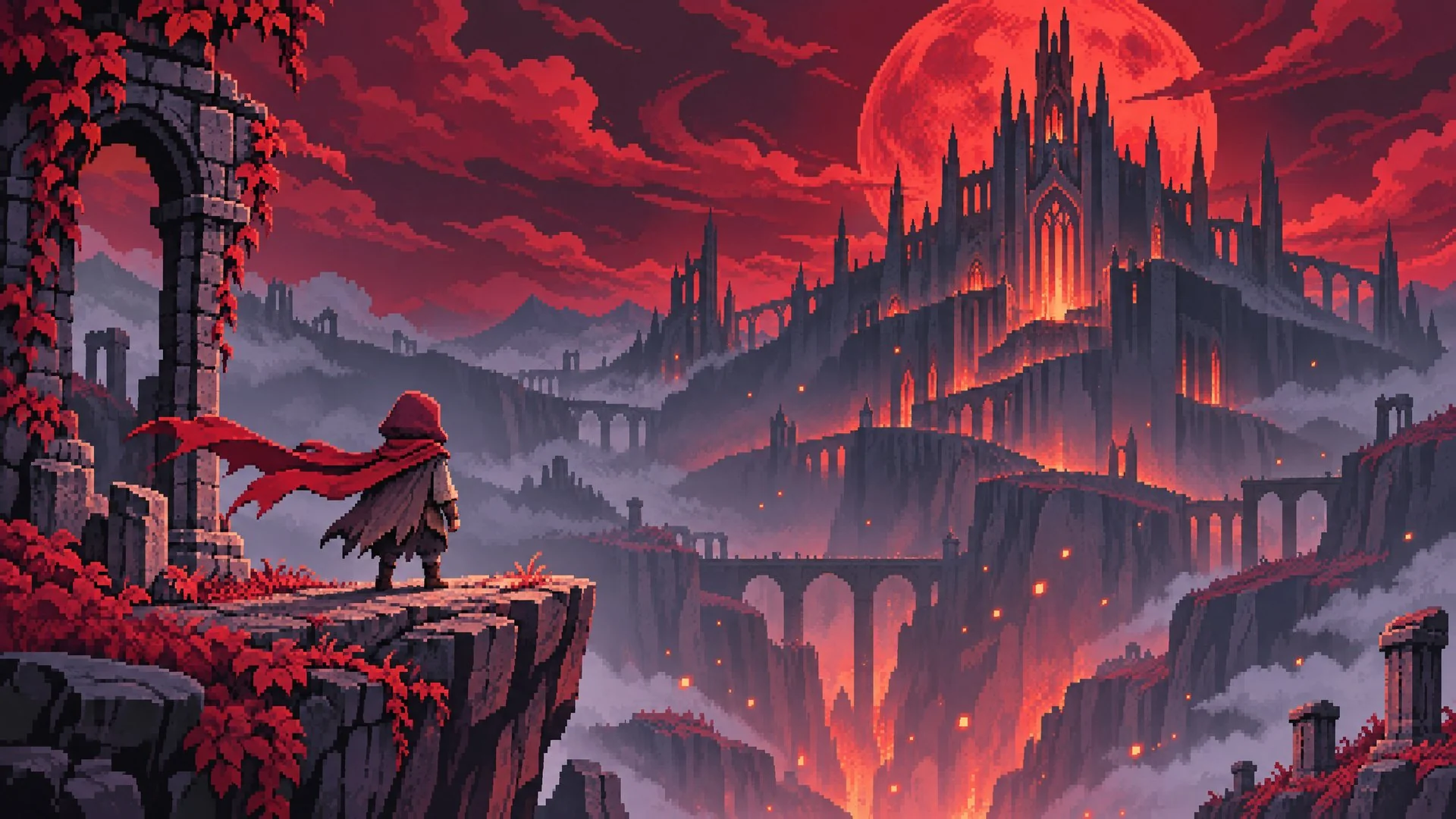
- levels, each with a boss
- 10
- Runway images
- 54
- animation frames
- 428
- Runway music tracks and sounds
- 17
- weapons with three-hit combos
- 12
- art files made by hand
- 0
What you get
You get a game that runs in a browser with no build step. A hooded wanderer descends through five places, two levels each, and every level ends in a boss. Rooms are generated fresh on each run, doors lock until the room is clear, and each cleared room offers a choice of three rewards from 12 weapons and 16 boons.
Claude wrote the code, the room generator, the lighting and the effects. Runway made the art and the audio: sprite sheets for the hero, 12 enemies and 10 bosses, a combo sheet for each weapon, five backgrounds, five tile textures, three music tracks and 14 sound effects.
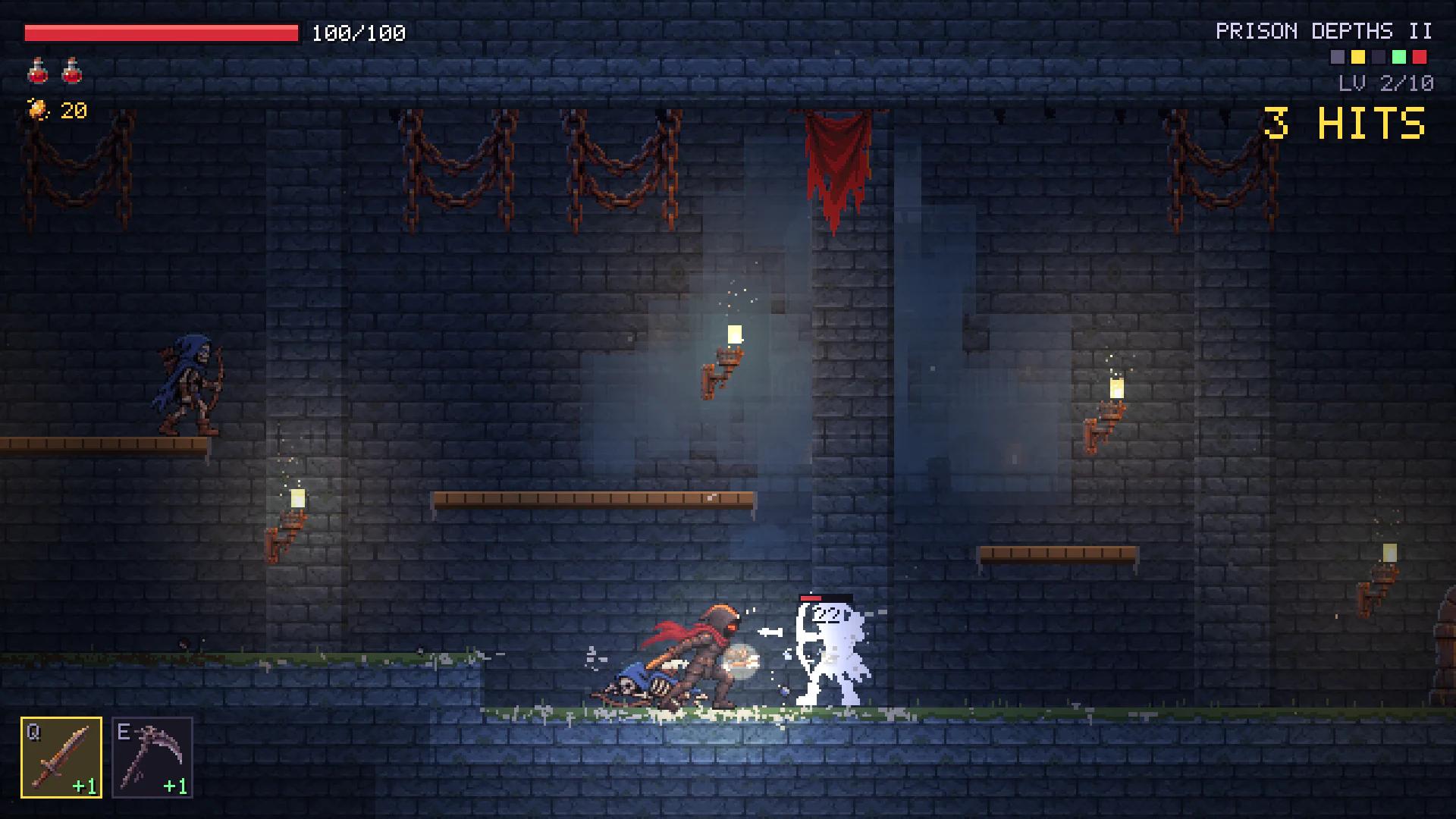
Prison Depths
Levels one and two. Torches light the room and hits flash white.
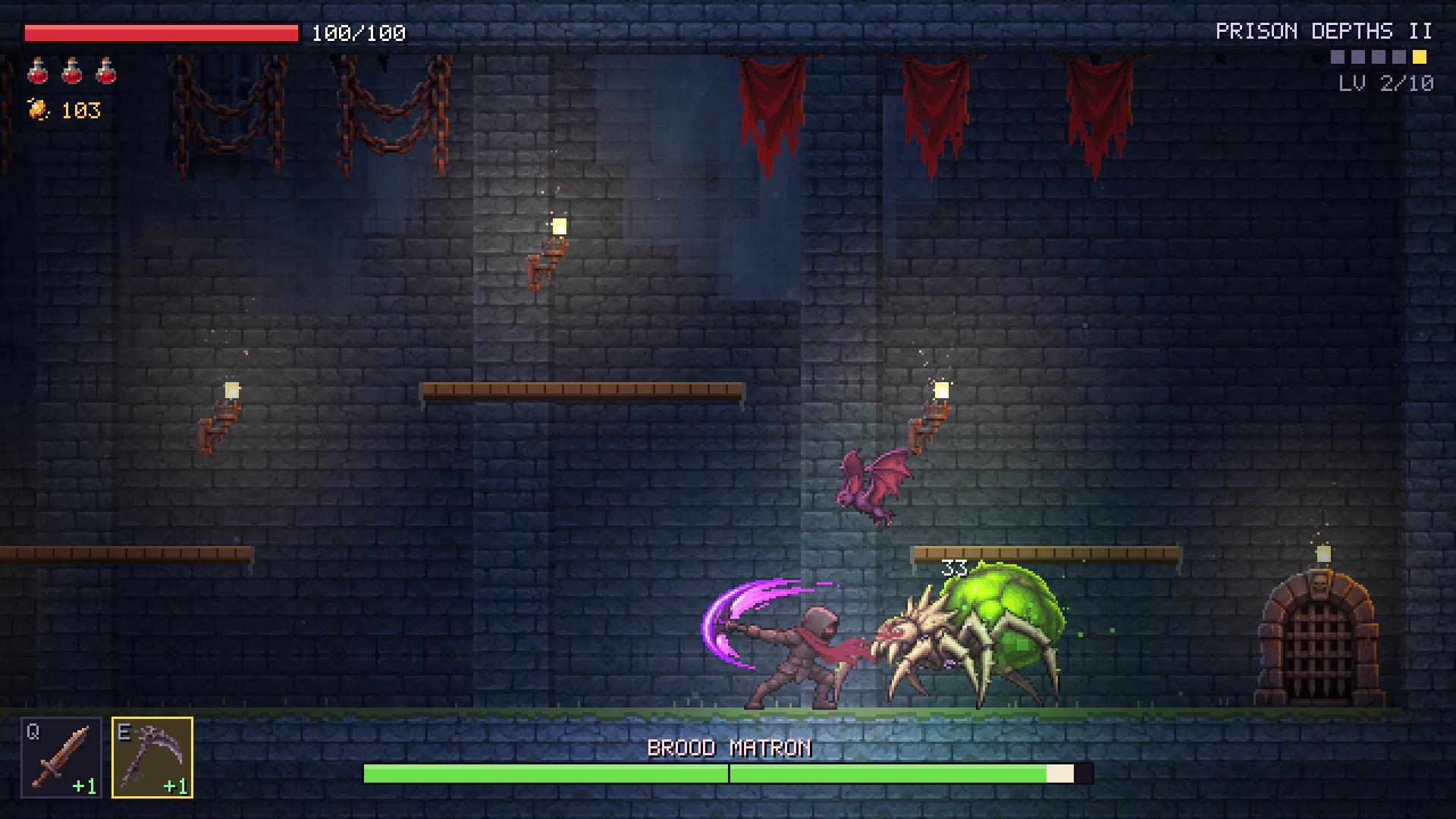
The Brood Matron
The level two boss, mid-combo with the scythe.
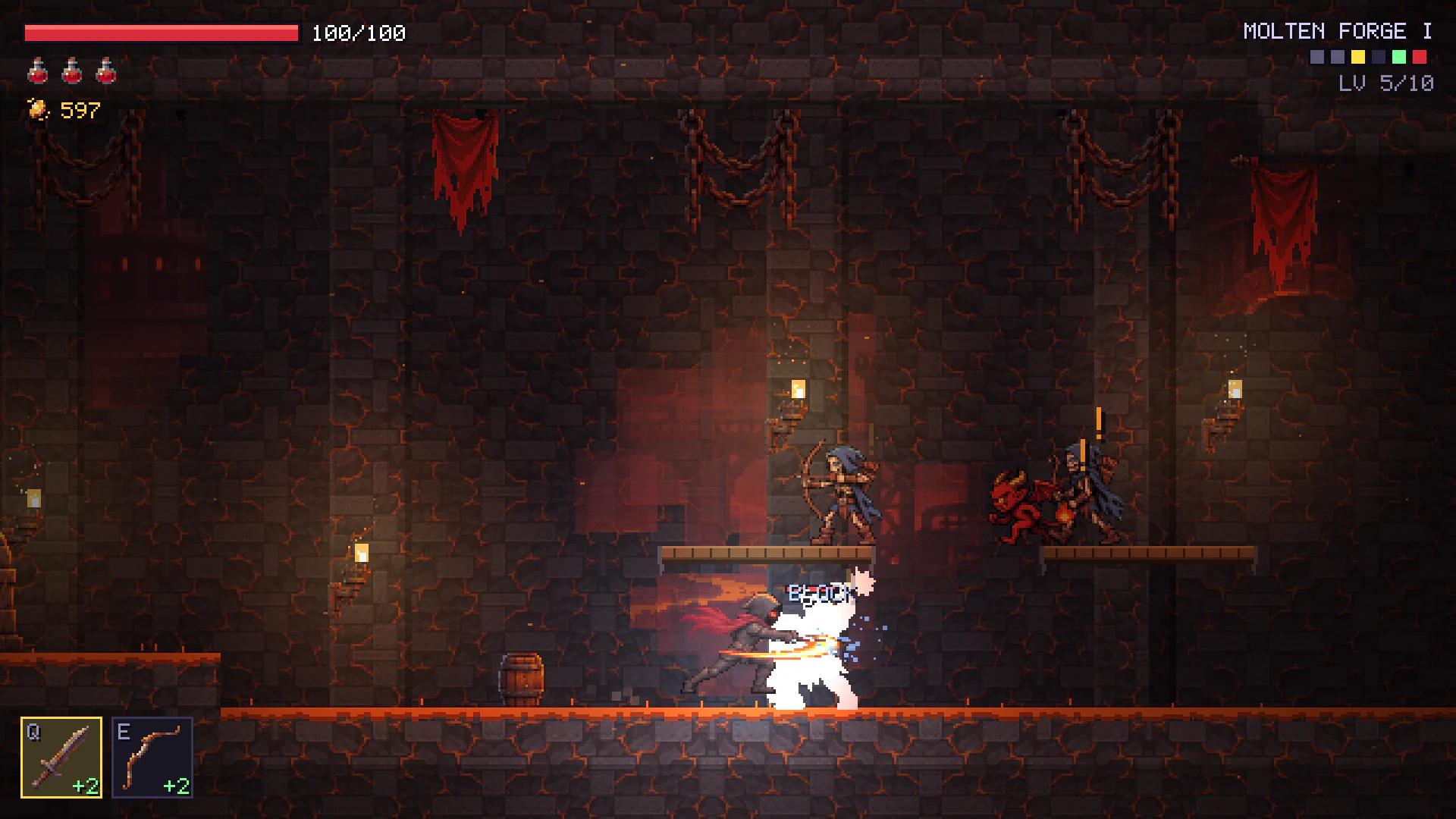
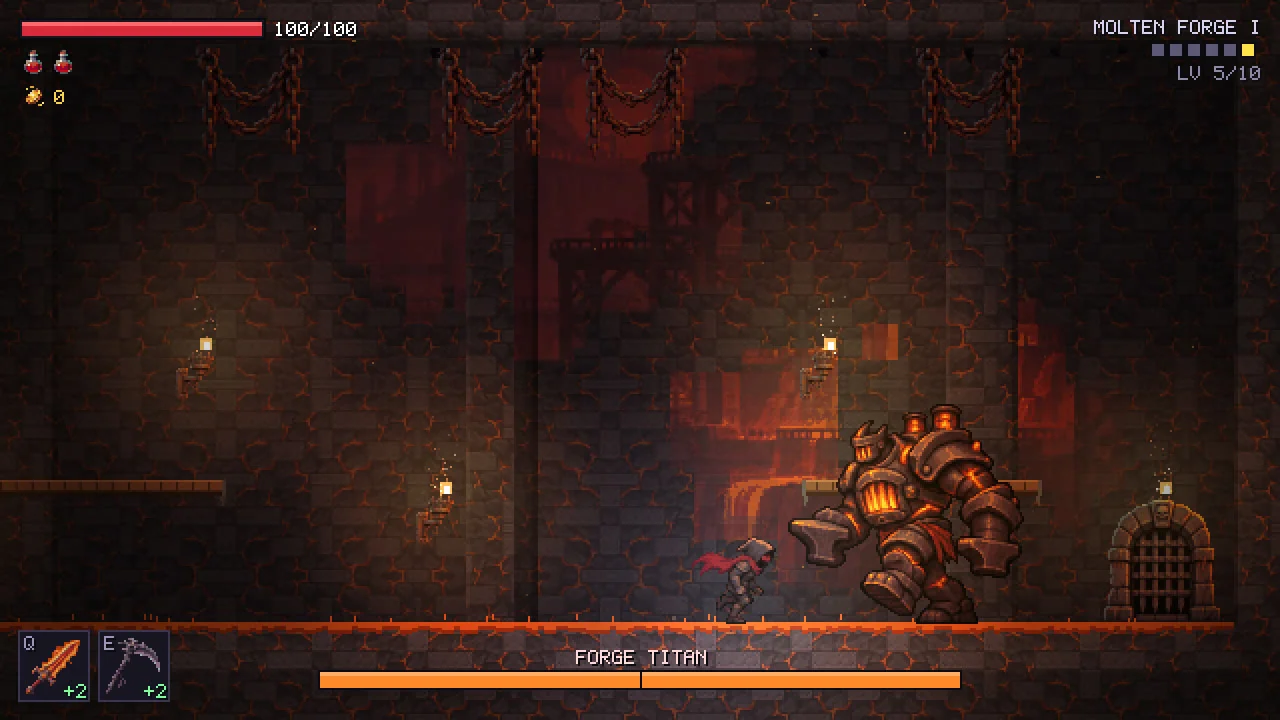
The foundry
Each place has its own background, tiles, enemies and light.
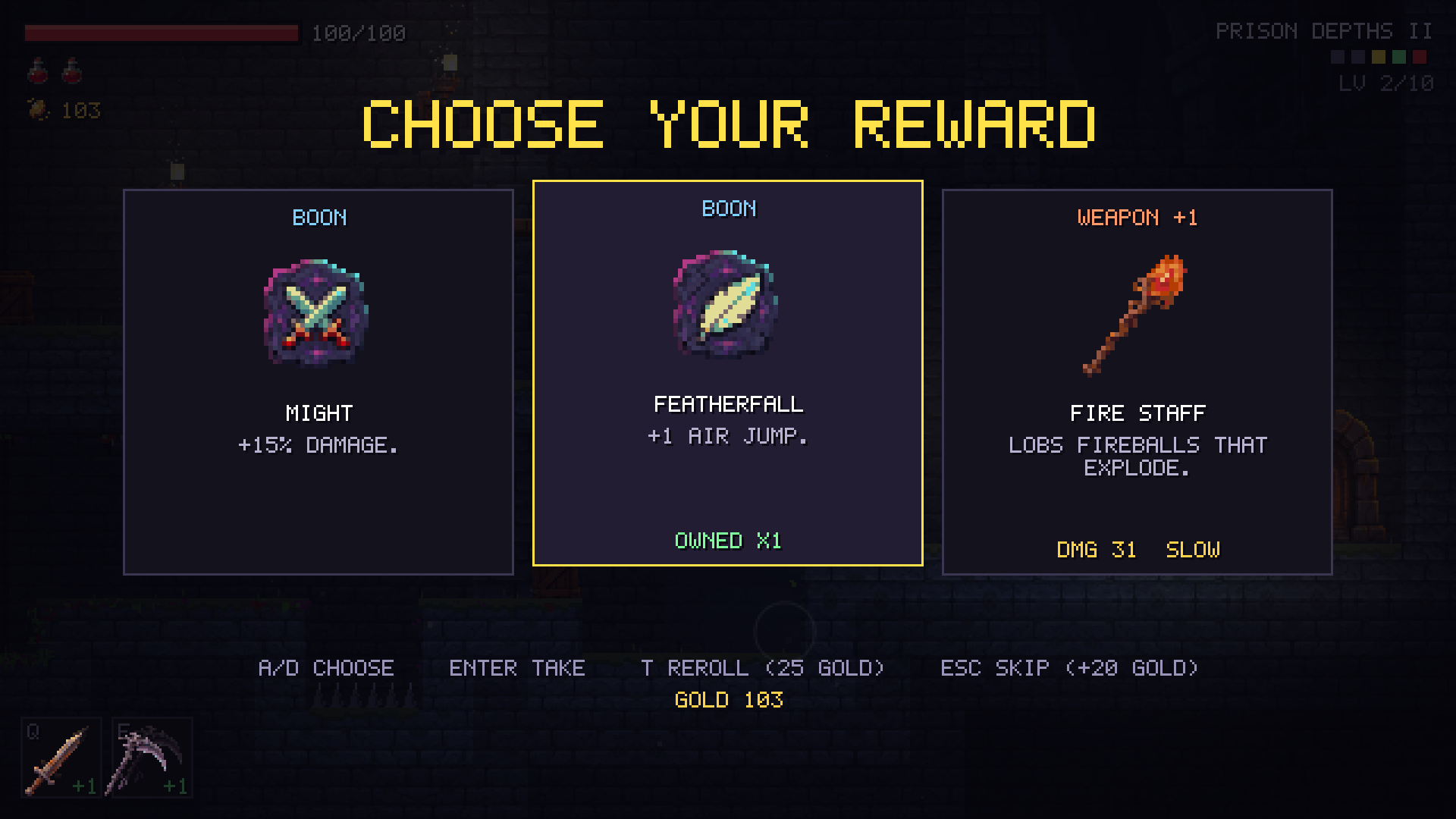
Choose a reward
A weapon, an upgrade or a boon after every room.
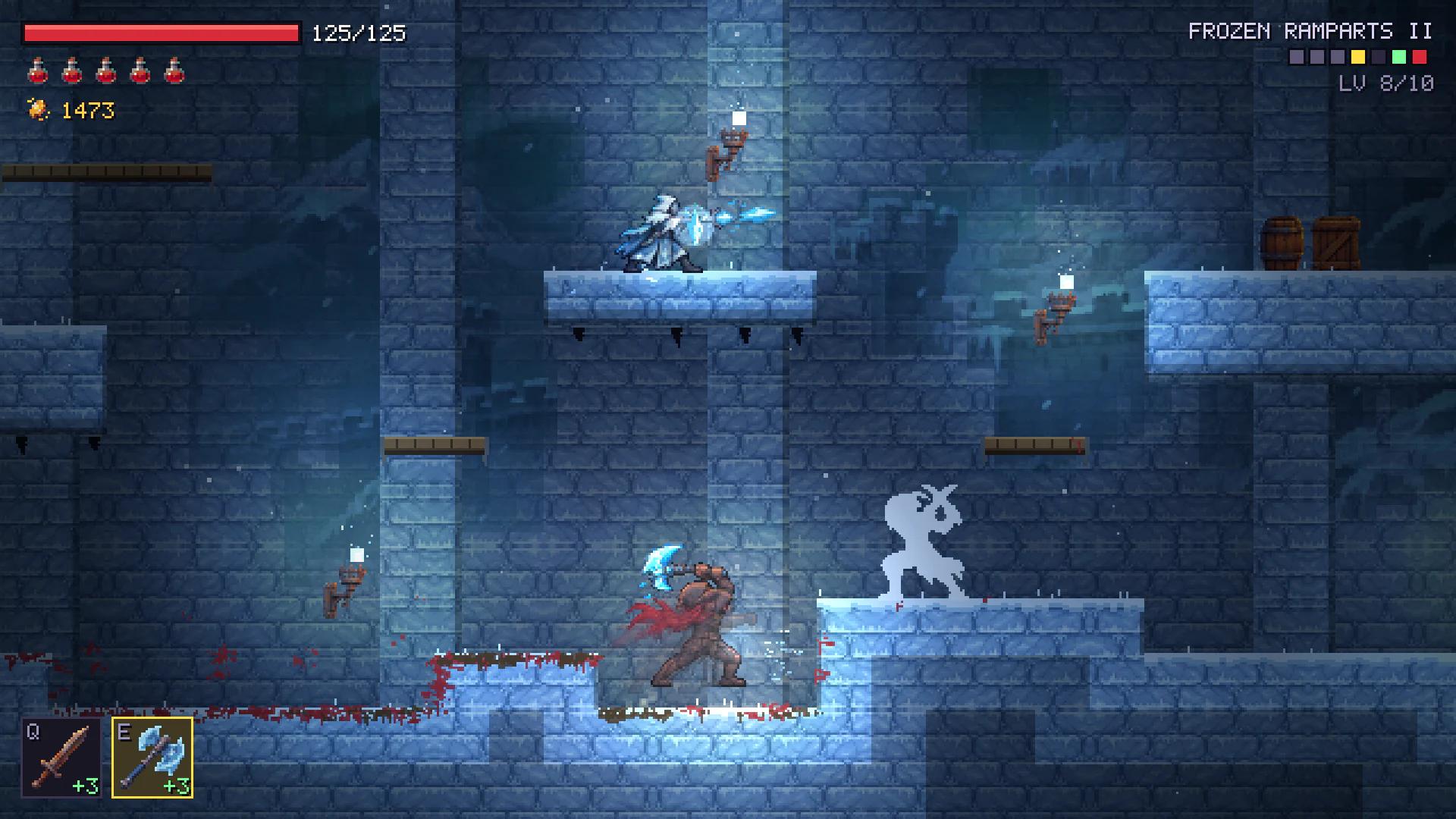
Frozen Ramparts
Level eight, with blood on the floor from the last fight.
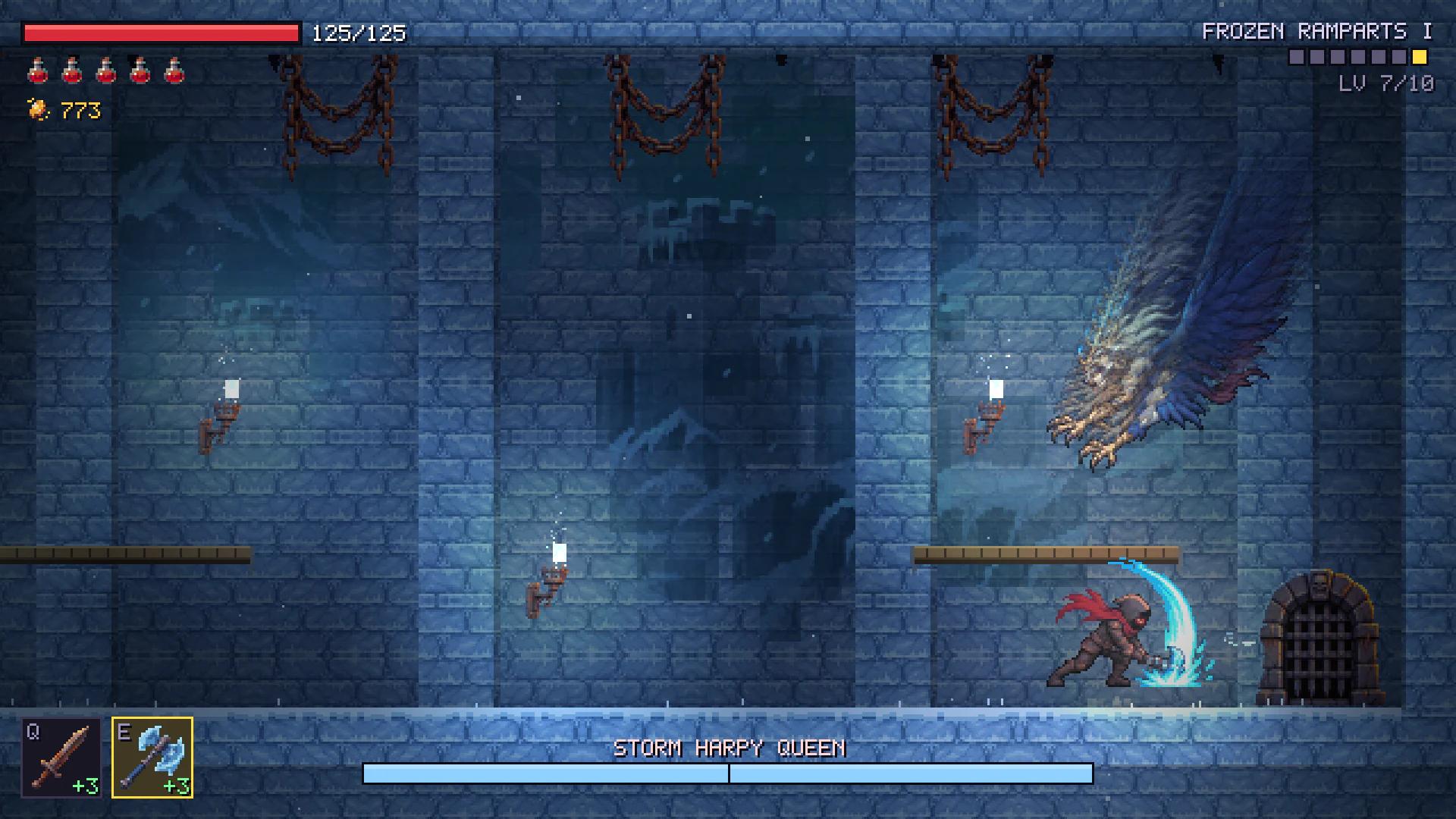
The Storm Harpy Queen
The level seven boss, from one 12-frame sheet.
What you need
- Claude Code or the Claude desktop app, running Claude Fable 5.2.
- The Runway MCP connected to Claude, for the images, the music and the sound effects. Set it up in three steps.
- Python 3 for the local server and the sprite slicer, and a web browser.
From one image to an animation
None of the assets were drawn by hand. Every animated thing in the game starts as one Runway image: a sprite sheet with a strict grid written into the prompt. A small Python script cuts the sheet into frames, shrinks them to game size and lines them up at the feet, and the game plays the rows as animations.
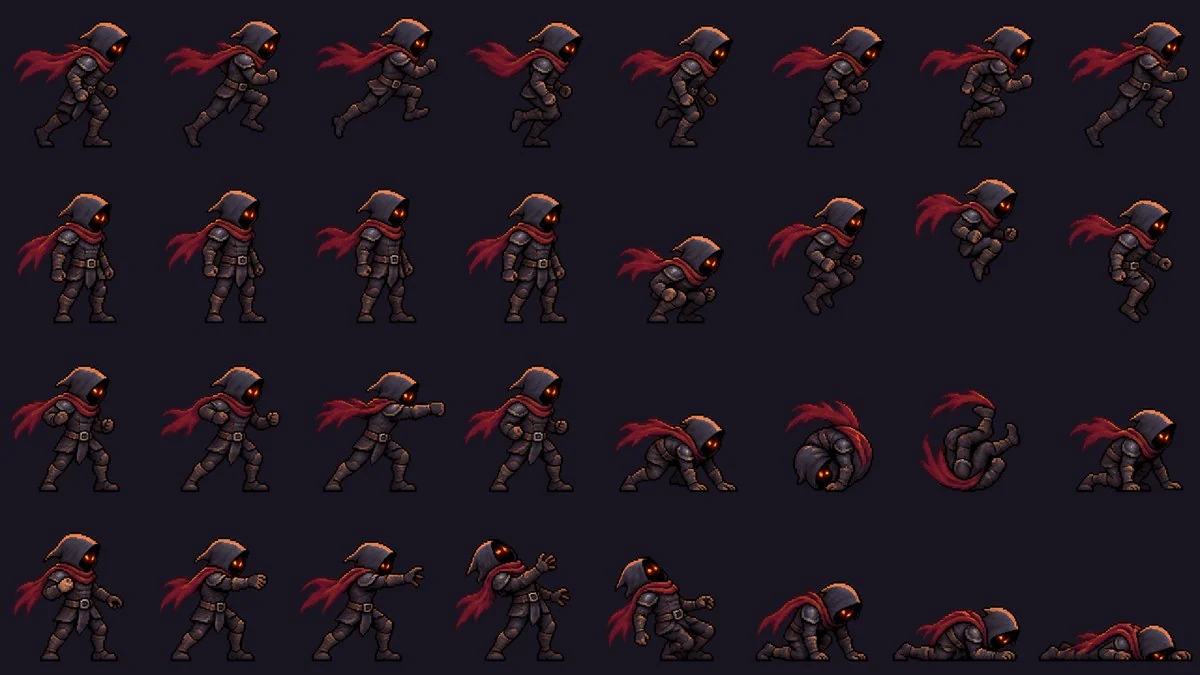
1. One sheet per actor
The hero is a single 2K image: 32 frames in four rows of eight, on a transparent background.
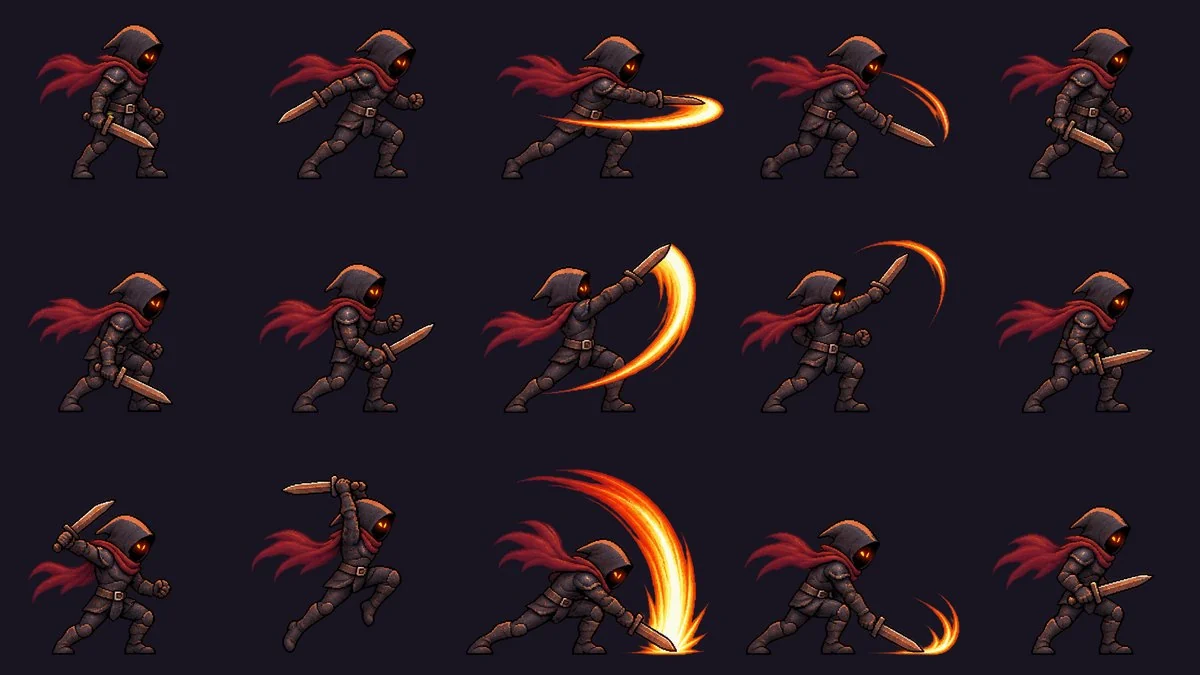
2. Reuse the hero as a reference
Each weapon gets a combo sheet generated with the hero sheet as a reference, so it is the same hero in all 15 frames.
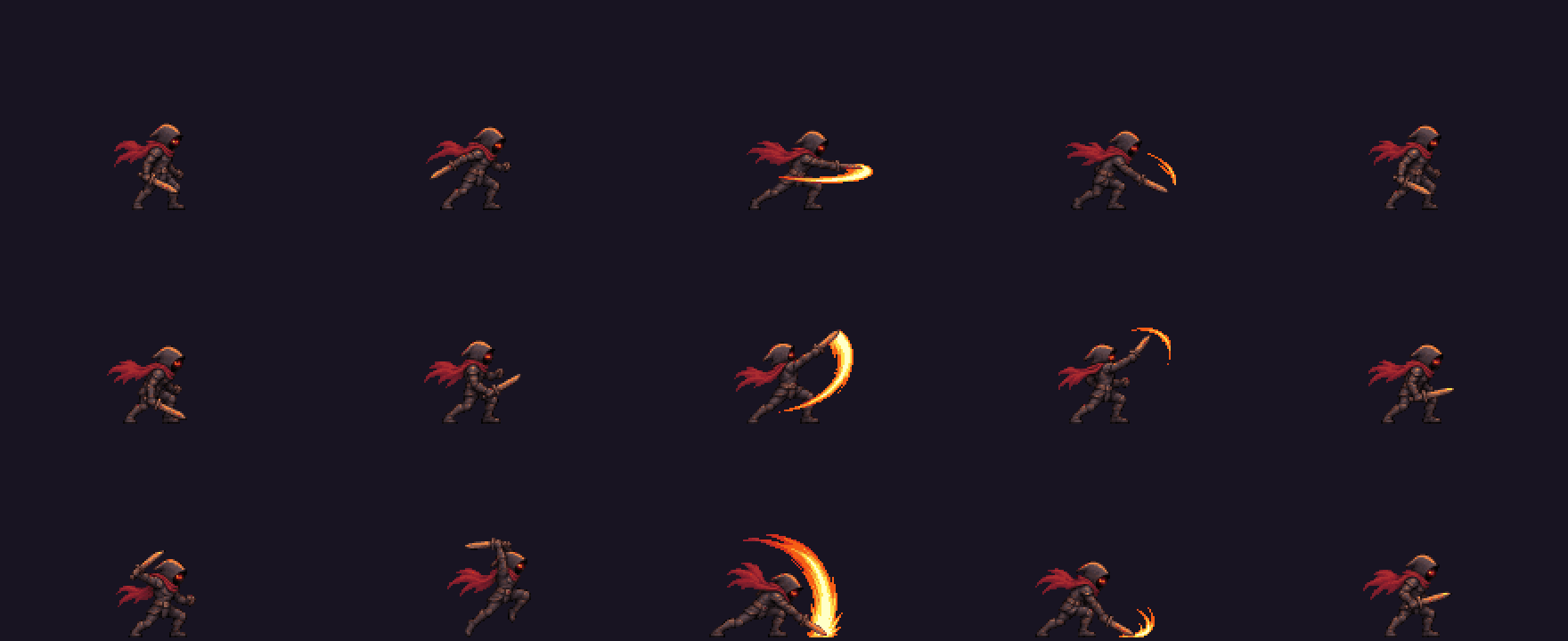
3. Slice on the gaps
The slicer cuts on transparent gaps, scales the hero to 46 pixels, reduces the palette and anchors every frame at the feet.
4. In the game
Each row is one hit of the combo. Claude adds the hit-stop, light and blood on top.
The same idea for everything else
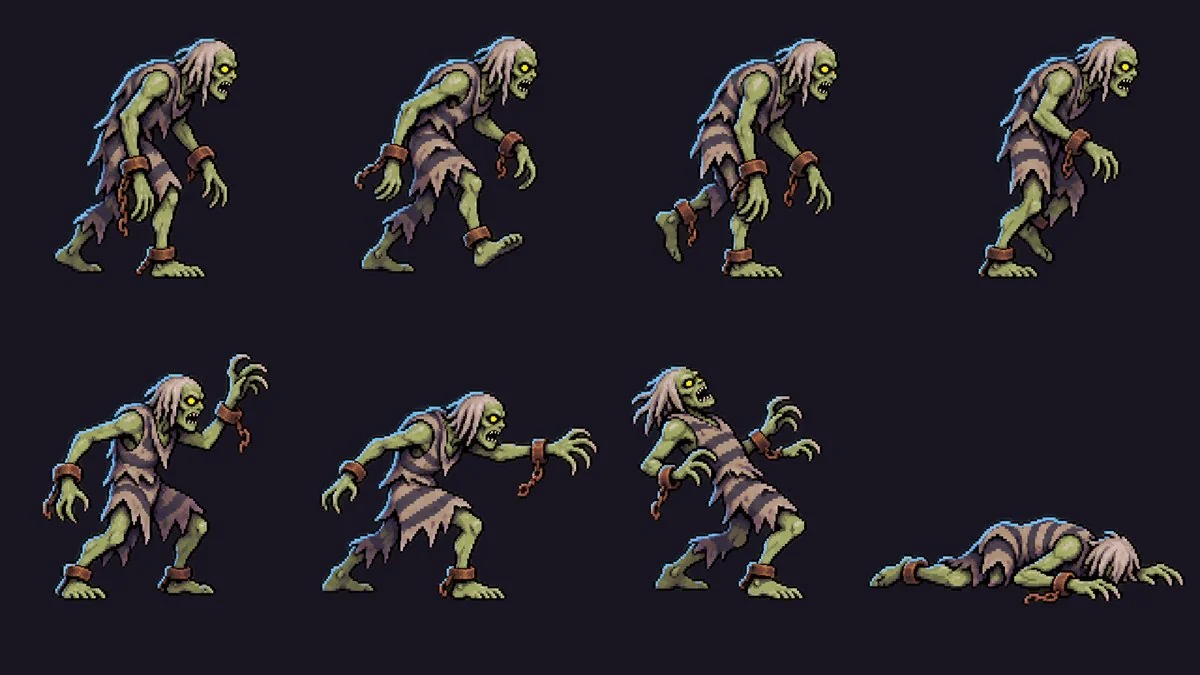
Enemies: two rows of four
A move cycle, then wind-up, strike, flinch and defeated.
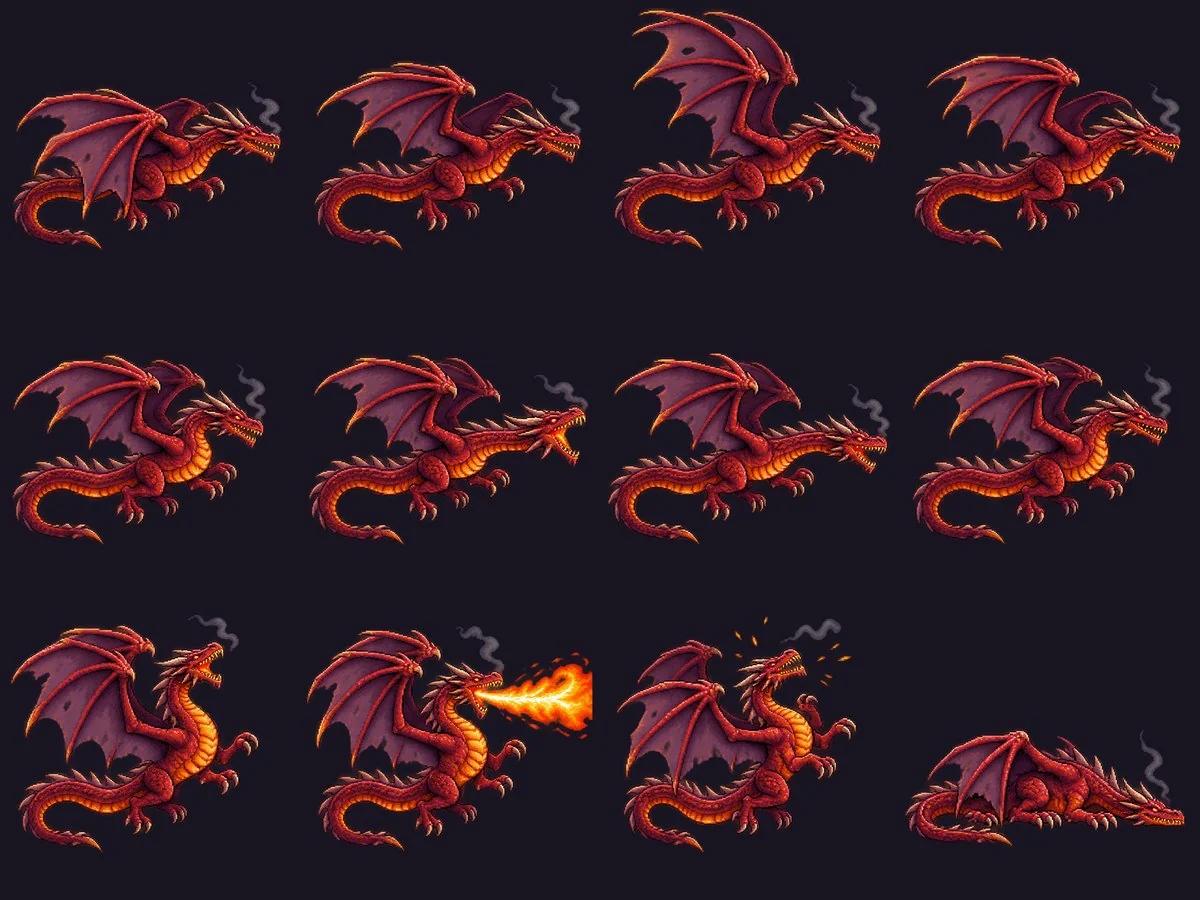
Bosses: three rows of four
Effects such as fire breath are drawn into the frame.
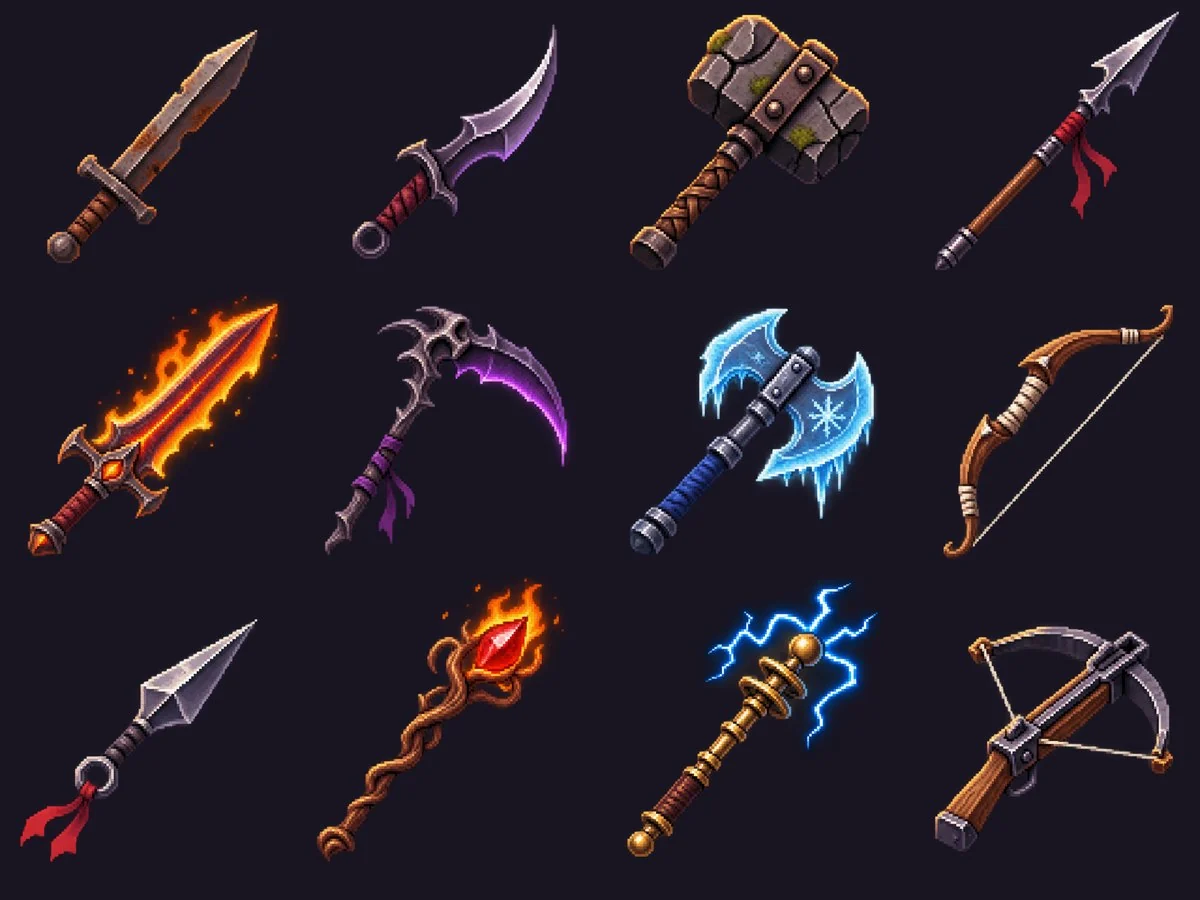
Icons: one sheet for 12
Weapons, items, boons and props each come from a single image.
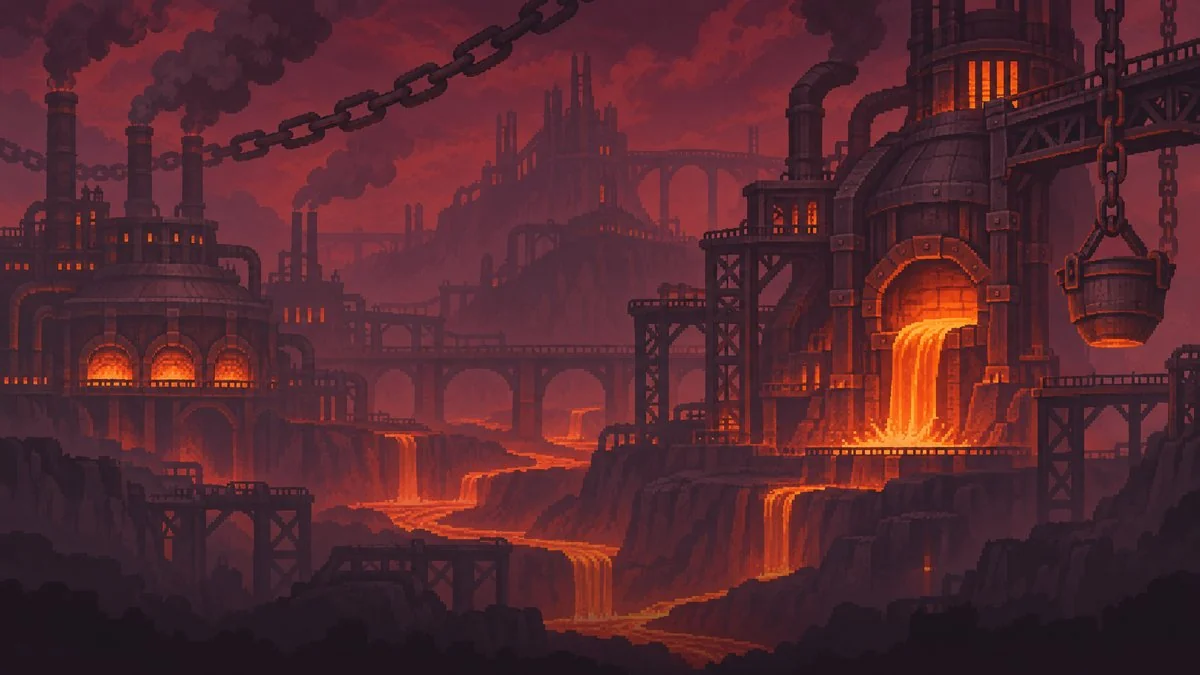
Backgrounds and tiles
One background and one tile texture per place. Platforms, spikes and shading are drawn in code.
The one-shot prompt
Open an empty folder in Claude, connect Runway and paste this. The seven lines in brackets describe the game, so change those to make it yours. The rest tells Claude how to build it, from the art to the testing.
one-shot-prompt.md
Claude Fable 5.2Build a complete 2D roguelike action platformer for the browser in this folder, using the Runway MCP for every piece of art, music and the longer sound effects. Make the design decisions yourself and do not stop to ask me questions. THE GAME (change the parts in brackets) - Title: [Cinderdeep] - Hero: [a nimble hooded wanderer in dark slate leather armor with a long tattered crimson scarf and glowing ember-orange eyes] - World: [a descent through five places, two levels each: an underground prison, a fungal swamp cavern, an infernal foundry, frozen fortress ramparts, a burning citadel] - Enemies: [12 kinds that fit those places, from a shambling ghoul and a cave bat to an armored knight, a fire mage and a stone golem] - Bosses: [one per level, 10 in total, each a huge creature of its place, ending with a giant king of ash and embers] - Weapons: [12: short sword, twin daggers, war hammer, spear, flaming greatsword, scythe, frost axe, bow, throwing knives, fire staff, lightning wand, hand crossbow] - Style: [16-bit arcade pixel art, dark fantasy palette with saturated accents] STACK - Plain HTML, one canvas and JavaScript ES modules. No build step, no framework, no game engine. - Internal resolution 640x360 scaled up with nearest-neighbour, 24 px tiles, a fixed 1/60 s simulation step. - A small static server with caching turned off (python3) on a free port for development. - A Python virtual environment with pillow and numpy for the sprite slicer. - A 5x7 bitmap font drawn in code for all text. ART PIPELINE (Runway MCP) Call whoami first and note the balance. Log every generation in COSTS.md (tool, model, ratio and size, file, credits from the balance change) and every prompt in tools/asset_prompts.md. 1. Sprite sheets: generate_image, model gpt-image-2.6-sunburst, imageSize 2K, transparentBackground true. Every prompt is STYLE + subject + LAYOUT. STYLE: "Pixel art sprite sheet for a 2D side-scrolling action platformer video game. 16-bit arcade style, crisp chunky pixels, limited dark fantasy palette with saturated accents, bold dark outlines, strong rim lighting, no anti-aliasing, no text, no labels, no grid lines." LAYOUT: "Strict side view, always facing right, full body, identical size and proportions in every frame. Layout: a strict even grid of R rows and C columns, every frame centered in its own cell with clear empty space around it, nothing overlapping or touching." Then say what each row holds. - Hero, 16:9, 4 rows x 8 columns, empty hands: run x8 | idle x4 + jump x4 | strike x4 + dodge roll x4 | throw x3 + hurt x1 + death x4. - Each enemy, 16:9, 2 rows x 4 columns: 4-frame move cycle | wind-up, strike, flinch, defeated. - Each boss, 4:3, 3 rows x 4 columns: move cycle | attack wind-up, strike, follow-through, recover | special wind-up, special release, flinch, defeated. 2. Weapon combo sheets, one per weapon, 16:9, 3 rows x 5 columns, with the hero sheet's task ID passed as a reference image tagged @hero. Ask for "the exact same hero as in the reference sheet @hero, now wielding the weapon, gripped firmly in the hands in every single frame". Each row is one hit of a three-hit combo in 5 frames: wind-up, attack begins, peak, follow-through, recovery. The third row is the finisher. For melee weapons the peak frame has "a bright crescent motion-smear trail following the weapon". For ranged weapons it has a small flash at the weapon and no projectile. Do not draw the weapon as a separate icon over an empty-handed pose. 3. Icon sheets, transparent: weapons (4:3, 3x4, each drawn at 45 degrees), items and projectiles (1:1, 4x4), upgrade runes (1:1, 4x4), props such as doors, torches, chains, crates and banners (16:9, 2x4). 4. Opaque art: one 16:9 background per place ("muted low contrast so gameplay sprites stand out in front, no characters, no foreground platforms"), one 16:9 title style frame with no text, and one 1:1 1K tile texture per place ("seamless tileable, flat front view, evenly lit, medium brightness"). 5. Audio: three music tracks with generate_music (title, exploring, boss). Sound effects with generate_sound_effect at 0.5 to 1.5 seconds: three sword swing variants, one heavy swing, two impacts, explosion, roar, splat, door, room clear, heal, pickup, hurt. Ask for sounds that "start instantly" with "no reverb tail". Synthesize jump, coin, roll and menu blips in code with Web Audio. 6. Start generations in batches and write code while they run. Hand the bulk generation to a subagent with tools/asset_prompts.md as its spec so your own context stays small. Poll get_task and download every file into assets/raw/. Asset links are long signed URLs: copy them exactly. 7. Look at every sheet when it arrives. Re-roll a sheet that has the wrong number of frames in a row, frames that touch, or a hazy background in place of transparency. Budget for four re-rolls. SLICER (tools/slice.py, run by tools/build_assets.sh) - Cut frames on transparent gaps, not on even cells: frames are never centred and attack effects cross cell lines. Fall back to an even grid only when a row has no gaps. - Merge stray blobs such as sparks and dust into the nearest frame. - Threshold the alpha channel. The model returns values like 0 to 3 and 249 to 253. - Downscale so the reference row is a set pixel height (hero about 46 px), quantise to a 32 to 48 colour palette and anchor every frame at the feet in a uniform cell. Write a .json with the cell size next to each sheet. - The model draws each combo sheet at a different character size. Measure the body height in a recovery frame and scale each sheet so it matches the base hero. Anchor wide attack frames on the feet only, or the smear drags the anchor. - To edit a sheet with a model that has no transparency, ask for a flat #00FF00 background, key it out and remove the green spill. - Mirror each tile texture 2x2 at load so it repeats without seams, and normalise its brightness. GAME DESIGN - A run is 10 levels. Each level is three to six combat rooms, one rest room with a healing shrine and a chest, then a boss arena. Rooms are generated from a seed in several shapes (hall, cavern, tower, arena) with one-way platforms and spikes. Doors lock until every enemy in the room is dead. - Early levels are easier: scale enemy count, health and damage with the level, bring in tougher enemy kinds later, and keep enemies asleep for a moment and far from the door when a room starts. - Player: run, jump with coyote time and a buffered press, an air jump, drop through platforms, a dodge roll with invulnerability, healing flasks. - Combat: two weapon slots. Pressing attack again during the last third of a hit chains into the next. The third hit is a slower finisher with more damage and knockback, a lunge, afterimages and a longer hit-stop. Show a hit counter. - Enemies share a small set of behaviours (walker, flyer, hopper, shooter, charger, caster). Every attack has a visible wind-up. - Bosses are built from a shared library of moves (slam, charge, leap, projectile fan, lob, ring, rain, pillars, summon, dive, blink). Later bosses get more moves and less waiting. Show a boss health bar and name. - Rewards: after each room, choose one of three (a new weapon, a weapon upgrade or a boon), with a re-roll for gold and a skip for gold. Offer at least 16 boons. Gold drops from enemies and buys a gilded chest. - Effects: hit-stop, screen shake, sparks, dust, floating damage numbers, blood that sprays in the direction of the hit and stains the walls, gibs on death, explosions with a soft radial glow. Add settings for shake and gore. - Lighting: darken the scene with an ambient multiply layer, then add light from torches, projectiles and swings. Keep tiles and back walls bright enough that dark sprites read against them. - Controls: A/D or arrows to move, Space to jump, Q and E to attack, R to interact, Shift or Down to roll, F to heal, Esc to pause. Mouse buttons also attack. On a touch device, also show on-screen controls as soon as the screen is touched and hide them again on a key press: a thumb stick to move, buttons for jump, each weapon, roll, heal and pause, an interact button beside chests, shrines and doors, and menus and reward cards that respond to taps. - Menus: a title screen on the style frame, pause, settings (sound, music, shake, gore) and a setting to start a new run from the deepest level reached. Save progress and settings in the browser. - Death and victory screens with the run's stats. TESTING - Keep the simulation steppable by hand: expose a hook that advances N steps, reports the run state and presses actions. Add URL flags to start at any level and to turn off damage. - Add an autopilot that plays through the same input actions a person uses, and run it through all 10 levels. Fix every error it finds. - Take screenshots of the title, a fight in each place, a boss, the reward screen and both end screens, and look at them. If the browser you drive pauses when idle, use the step hook. Keep the browser console free of errors. DELIVER - The game running locally. - COSTS.md with the Runway credit ledger and tools/asset_prompts.md with every prompt. - NOTES.md with what worked and what did not. - A short list of what you could not verify.
What to know before you start
- Write the grid into the prompt. Ask for “a strict even grid of 3 rows and 5 columns, every frame centered in its own cell, nothing overlapping or touching”, and each sheet comes back ready to slice.
- Slice on gaps, not on cells. Cut each sheet on the transparent gaps between frames, so a wide frame such as a sword swing or a fire breath stays whole.
- Scale every sheet to the hero. Measure the hero’s height in each sheet and scale it to one size, so he matches across all 12 weapons.
- Threshold the alpha. Round every pixel to fully clear or fully solid, for crisp pixel-art edges.
- Light the scene. Bright tiles and torchlight make dark fantasy sprites stand out.
- Keep fast sounds short. Ask for half-second clips that start instantly, generate three variants and shift the pitch per hit, so every hit of a combo sounds different.
- Let an autopilot play first. A scripted player stepping the game by hand finishes all 10 levels in about a second, so every change gets a full playthrough.
Start building
Connect the Runway MCP to Claude, paste the prompt into an empty folder and change the seven lines in brackets. The hero sheet comes back first, and every weapon sheet after it is drawn from that hero.