What you actually need to make an AI image
You need an account with an AI image generator, a text prompt and a few minutes to refine the result.
You don't need design software, a drawing tablet or any background in visual art. The model handles composition, lighting and rendering. Your job is to describe the image clearly enough that the model has something specific to work from.
A prompt like "a woman working on a laptop" gives the model almost nothing to go on. "A professional woman working on a laptop in a sunlit home office, shallow depth of field, editorial photography" gives it a subject, a setting, a lighting condition and a style, four constraints instead of one.
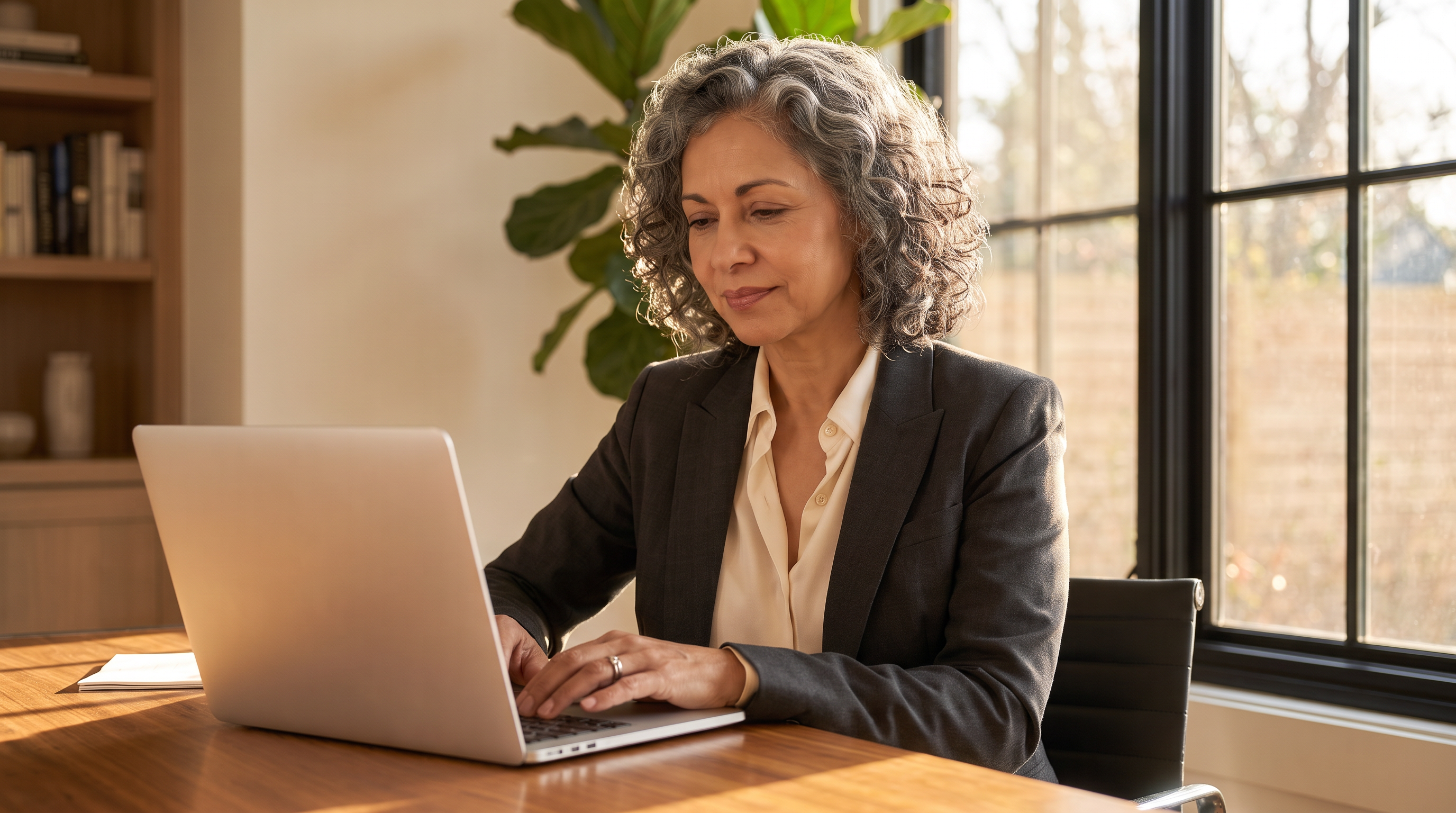
Most AI image generators run in a web app, and options like Runway, Adobe Firefly and Canva all offer a free tier, so you can generate your first image with zero pressure.
How to make an AI image in 6 quick steps
The process is nearly identical across tools, whether you're generating images on Runway or with similar tools like Midjourney and Gemini.
- Choose a generator. Pick a tool based on the factors most important to you, like how much control you'll have over edits, commercial terms, cost and whether you can prompt with text or reference images.
- Write your prompt. Describe the subject, setting and style in one to two sentences. Image models often weight earlier words more heavily, so front-load the most important details. For ready-to-use text-to-image prompt templates, or just some ideas to inspire you, check out Runway's guide to AI image prompting.
- Add a reference image, if you have one. If you're starting from an existing photo or sketch, upload it and describe the transformation you want instead of building from scratch. This is image-to-image generation or AI photo editing, and it gives you more control over composition than a blank prompt.
- Generate multiple variations. Try different styles and compare each version side by side, rather than judging the first result in isolation. Most tools produce two to four images per prompt, which is usually enough to tell whether the prompt is working or the whole direction is wrong.
- Refine instead of restarting. If a variation is close but not quite right, edit the specific element that's off, say the background, lighting, pose or camera angle, rather than regenerating the whole image from a new prompt. Tools with granular photo editing let you relight a subject or swap a backdrop without losing the parts that already work. Runway Academy has lessons that go deeper on refinement if you want a structured path through it.
- Export and use it. Download at the resolution you need. If you're printing or need a larger format, upscale before export.
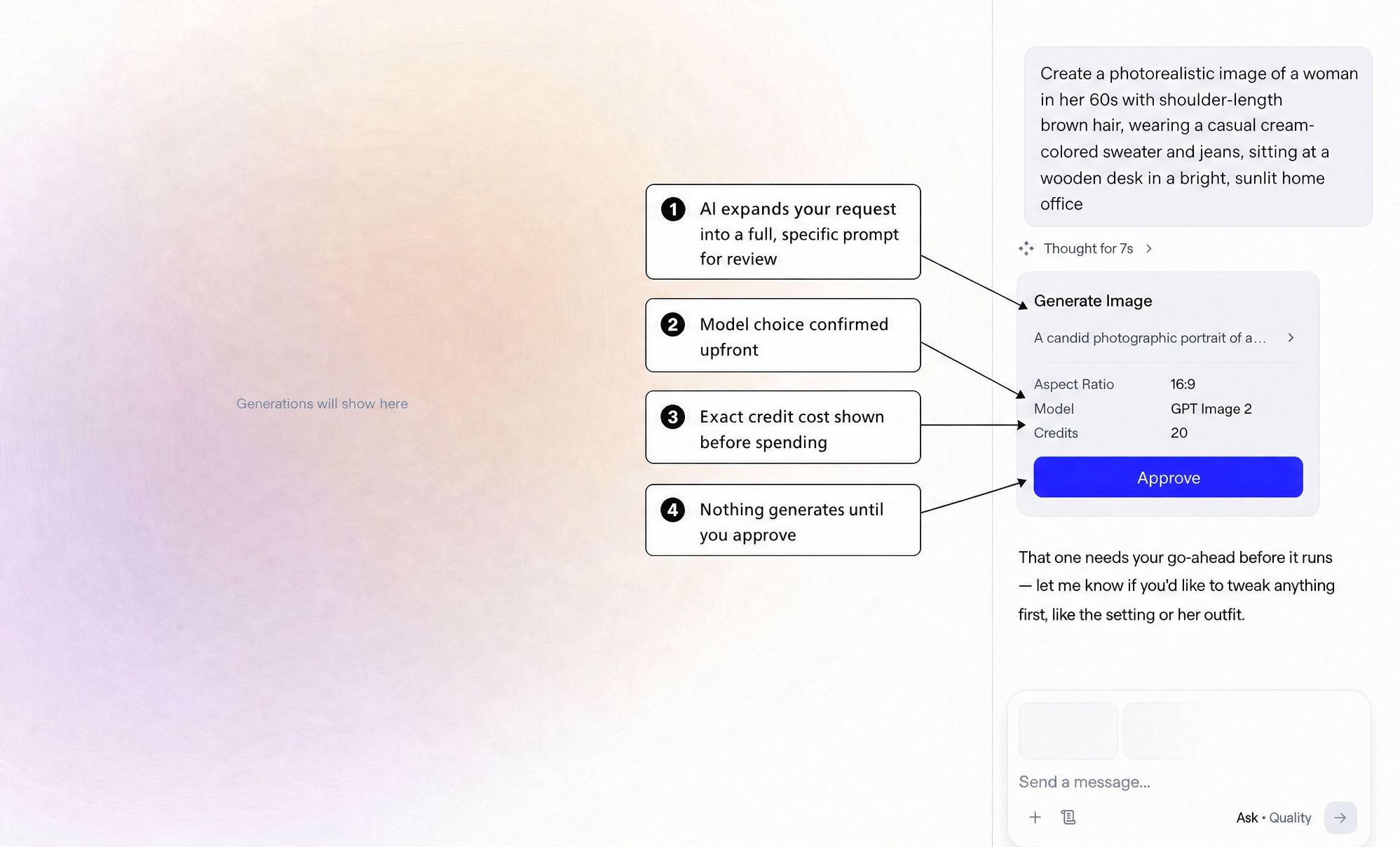
A first prompt rarely produces a perfect finished image, and that's normal. Treat the first generation as a solid starting ground.
Choosing the best AI image generator
The right AI image generation tool depends on the factors that matter most to you, including what happens to the image after you generate it. A few top options to explore:
| Factor | Runway | Midjourney | ChatGPT | Gemini |
|---|---|---|---|---|
| Model choice | Runway's own models plus third-party models including Nano Banana Pro 2, GPT Image 2 and Seedance | Midjourney's own models only | OpenAI's own models only | Google's own models only |
| Control over edits | High; relight, swap backgrounds, and adjust elements; re-prompt from generation; conversational refinement in creative agent chat | High; editor supports inpainting, remix, pan and zoom out | Moderate; conversational refinement in chat | High; conversational editing with subject consistency across turns |
| Free tier | Yes, with starter credits | No; paid plans only | Limited, tied to the ChatGPT free plan | Yes, with daily limits |
| Image and video in one workspace | Yes; generate an image and animate it without exporting or re-uploading | Animate produces 5-second clips, extendable to 21 seconds | No | Yes; video generates in the same app |
Any of these will produce a usable image. One difference worth knowing before you commit: most generators only run the models their own company builds, so picking a tool means picking a model. Runway runs its own models alongside third-party ones, which means you can try the same prompt through a different model without opening a second account or learning a second interface. If you like how one model handles faces and another handles lighting, you can use both.
Which one fits depends as much on how you work as on what the tool does.
If you're generating your first image this week, start somewhere with a free tier and a plain text box, and judge the tool on whether you can fix a near-miss without starting over. If you're producing visuals on a deadline, weight edit control and consistency over raw image quality, because most of your time goes into the second, third and fourth versions rather than the first. If you're building a set of images that need to hold together, a campaign, a storyboard, a character across scenes, prioritize reference-image support, since that's what keeps a face or a style stable across generations. And if the image is a starting point rather than the finished deliverable, check what happens next in the same workspace before you commit.
What separates a good result from a generic one is less about the tool than the prompt you give it.
Writing a prompt that produces what you actually want
Prompt quality is the single biggest factor separating a usable image from a generic one. A reliable formula: Subject + setting + style + lighting + composition
| Element | What to include | Example | Why it matters |
|---|---|---|---|
| Subject | Who or what, plus defining detail | “a golden retriever” | Vague subjects produce generic results |
| Setting | Location and context | “beside a campfire in a mountain forest” | Anchors the scene instead of a blank background |
| Style | Artistic or photographic reference | “realistic photography” | Tells the model which visual conventions to follow |
| Lighting | Time of day or light quality | “warm natural lighting at sunset” | Lighting does more to set mood than almost any other variable |
| Composition | Framing and depth | “shallow depth of field, cinematic composition” | Controls what's sharp, what's blurred and where the eye lands |
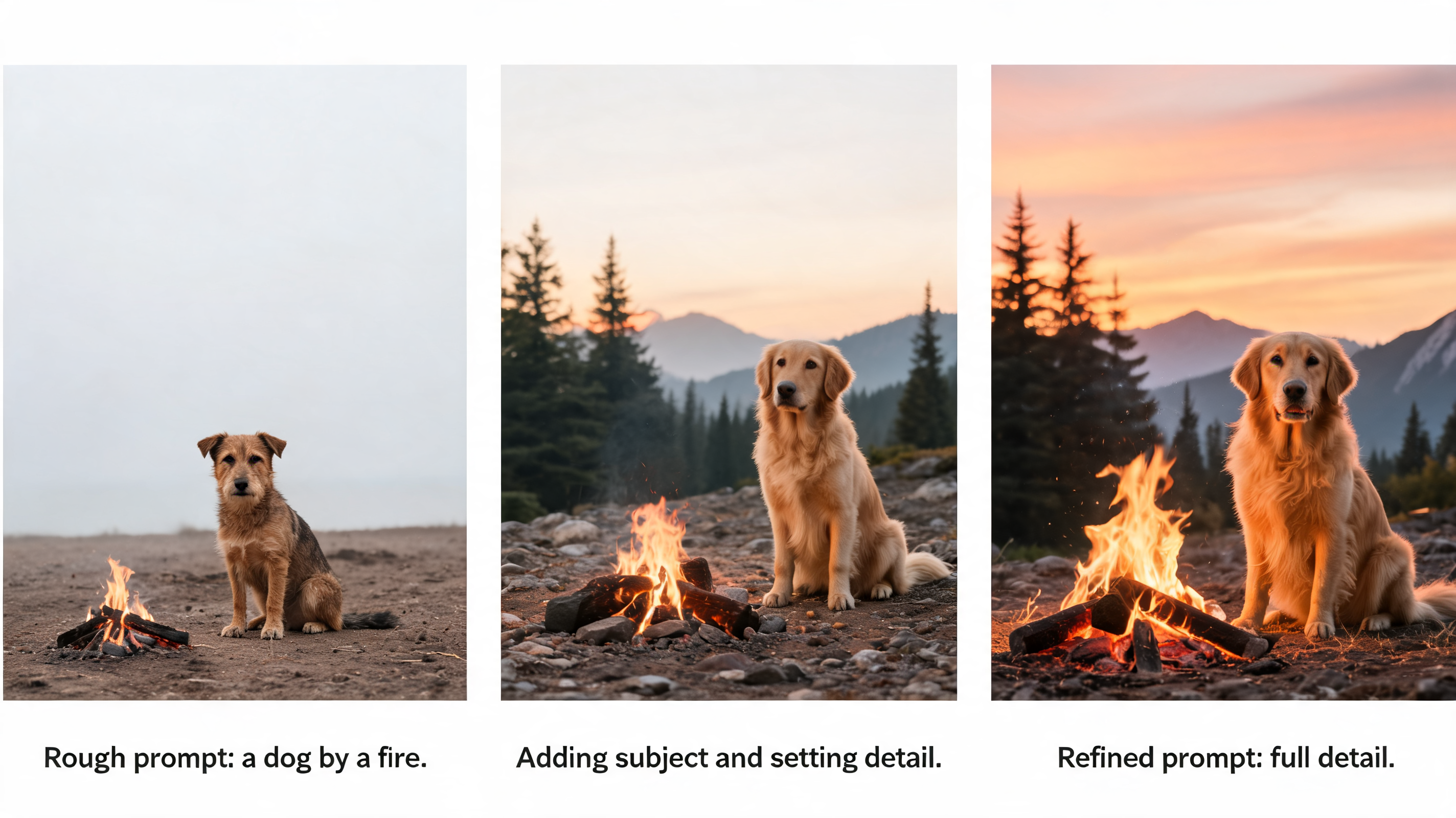
Rough prompt: “a dog by a fire.”
Refined prompt: “a golden retriever sitting beside a campfire in a mountain forest at sunset, realistic photography, warm natural lighting, shallow depth of field, cinematic composition.”
The second version isn't longer for its own sake. Every added phrase removes a decision the model would otherwise make for you. If the output still misses, change one variable at a time. Swap the lighting term before you rewrite the whole prompt, so you can tell which change actually moved the result.
What people actually make with AI images
AI-generated images show up anywhere a team needs custom visuals fast. Marketing teams generate product mockups to test which visual direction performs before committing to a shoot. Running four versions of a hero image through an A/B test costs a few prompts instead of a studio day.
Social teams make graphics sized and styled for a specific post rather than cropping a stock photo that almost works. When the visual is built for the caption it sits under, the post reads as intentional.
Film and advertising teams use generated frames to storyboard a shoot that hasn't happened yet, which turns an abstract pitch into something a client can react to. Game studios do the same thing with concept art, generating 20 versions of an environment to find the one worth building.
Packaging and product designers stage concepts as finished-looking product shots for client review, so feedback arrives on the design rather than on the quality of the mockup.
Learn more about the different AI image generation types (text-to-image, image-to-image, inpainting and outpainting) and understand which approach fits specific projects over others in our full AI image generation guide.
Is making AI images free?
Most major tools, including Runway, Adobe Firefly and Canva, offer a free tier that covers a meaningful number of generations before you hit a paywall.
Paid tiers typically unlock higher-resolution exports, faster generation queues, more generations per month and access to newer or higher-fidelity models. For example, Canva's AI image generator offers over 10 prebuilt style options with credit limits across plans.
If you're testing whether AI image generation fits your workflow, start on a free plan. You'll know within a handful of prompts whether the tool's style and creative control match what you need.
Frequently asked questions
Do I need design or drawing skills to create AI images?
No. The model handles composition, rendering and technique. Your input is a written description, reference photo or both, so the skill that matters most is being specific about what you want, not designing or drawing.
Are AI-generated images free to use commercially?
It depends on the platform and, in some cases, the plan you're on. Each generator sets its own terms for commercial use, so check the terms of service for the tool you're using before putting an image into commercial work. Runway's terms cover commercial use across plans, including Free. Note that Runway's usage policy prohibits "use of an image, video, or audio of another person without their permission."
Why do AI images sometimes look distorted?
Accurate text rendering, complex hand positions and scenes with many interacting elements are the most common failure points, because AI models generate less predictably when a scene has many precise spatial relationships to get right. This is improving with newer AI photo generator models, but for text specifically, it can be faster to add it in post-production than to keep regenerating.
What's the difference between text-to-image and image-to-image?
Text-to-image creates images from written prompts alone. Image-to-image starts with an existing photo or sketch and transforms it based on your prompt, which gives you more control when you already have a composition you want to keep.
Can I keep the same character consistent across multiple AI images?
Yes, on tools built for it. Runway keeps faces, costumes and stylistic treatment consistent across generations, so you can build a full set of scenes or a campaign around one character vs using a single one-off image.
Can ChatGPT make AI images?
Yes. ChatGPT generates images directly in the chat window, and you refine them conversationally rather than through a single prompt. That's fast for iterating on an idea, though you get less granular control than tools built for image editing. Adjusting lighting or swapping a background generally means regenerating.
Generating your first AI image takes a prompt and a few minutes of refinement, and most of the quality comes from how specific that prompt is. Generate, relight and edit your images without starting over with Runway's AI image generator. Get started for free.
Related: How AI image generation works | Text-to-image prompting tips | Guide to AI image prompting