What is a storyboard?
A storyboard is a shot-by-shot visual plan for a video, film or commercial. Each panel represents a single shot and shows what the camera sees. Below or beside the panel, notes specify camera movement, dialogue, action, shot duration and the shot number that maps back to the script and shot list.
The point of a storyboard is to test ideas before production begins. A continuity error or a shot that doesn't match the emotional beat is inexpensive to change on paper and expensive to change on set. Directors use storyboards to plan coverage. Editors use them to understand intended pacing. Clients and stakeholders use them to sign off on a concept before budget is committed to it.
Storyboards are also how a director communicates vision to a crew: a cinematographer, a gaffer and a production designer can all read the same board and understand what's being asked of them.
Why storyboarding matters before you shoot
Storyboards create a visual representation of a script, helping get everyone from being on the same page to the same frame. They catch problems while they're still cheap to fix. A shot that reads well as text can fall apart visually, and a board reveals that in minutes rather than on a location scout.
Not every shoot needs a storyboard. A single-location interview doesn't require that level of detail, but a multi-location commercial with VFX, stunts or a tight shot list benefits from the process. The deciding factor is how many people need to align on what's being made before anyone starts making it.
Who a storyboard is for
For a director, a storyboard is a planning tool: a way to work out blocking, pacing and coverage before the cost of a crew and location is on the clock. For a cinematographer, it's a shot list with visual context: framing, lens choice and camera movement, not just a text description. For a client or stakeholder, it's a concept they can approve or redirect without needing to interpret a script. For an editor, it's a reference for how the sequence was meant to cut together, useful when reconstructing intent months after the shoot.
Because the audience shifts, the level of detail in a board should shift too. An internal planning board can be rough. A client-facing board usually needs to look closer to the finished product, since that's what's being approved.
Elements of a storyboard panel
Every storyboard panel carries the same core information, whether it's a pencil sketch or an AI-generated frame:
- The frame. What the camera sees: composition, framing and who or what is in the shot.
- Camera direction. Static, pan, tilt, dolly, zoom. Arrows on the panel usually show movement.
- Shot type. Wide, medium, close-up. Establishes scale and how the shot will cut against the ones around it.
- Dialogue or action notes. What's said or done during the shot, written below or beside the panel.
- Duration. An estimate of how long the shot runs, useful for pacing and for budgeting shoot time.
- Shot number. Sequential numbering that maps each panel back to the script and shot list.
Some boards add sound cues, transition notes or lighting direction. The right amount of detail depends on the audience and on how much the crew already knows about the project.
Storyboard vs. shot list
A shot list and a storyboard solve related but different problems. A shot list is a text document: a numbered inventory of every shot needed, often with camera settings, lens and location. A storyboard is the visual version of that same plan. It shows what each shot looks like, not just what it's called.
Most productions use both. The storyboard establishes the visual plan and the creative intent behind each shot. The shot list turns that plan into a practical, on-set schedule the crew can execute against. On a small shoot, one document sometimes does both jobs. On anything larger, they're built separately and cross-referenced.
Do you need to be an artist to storyboard?
You don't need fine art drawing skills to storyboard, but you do need to be able to translate creativity into clear direction. The style that allows you to quickly and clearly take your script to a visual layout is the style that will make your storyboard successful, whether it's stick figures, AI images, or a consistent combination.
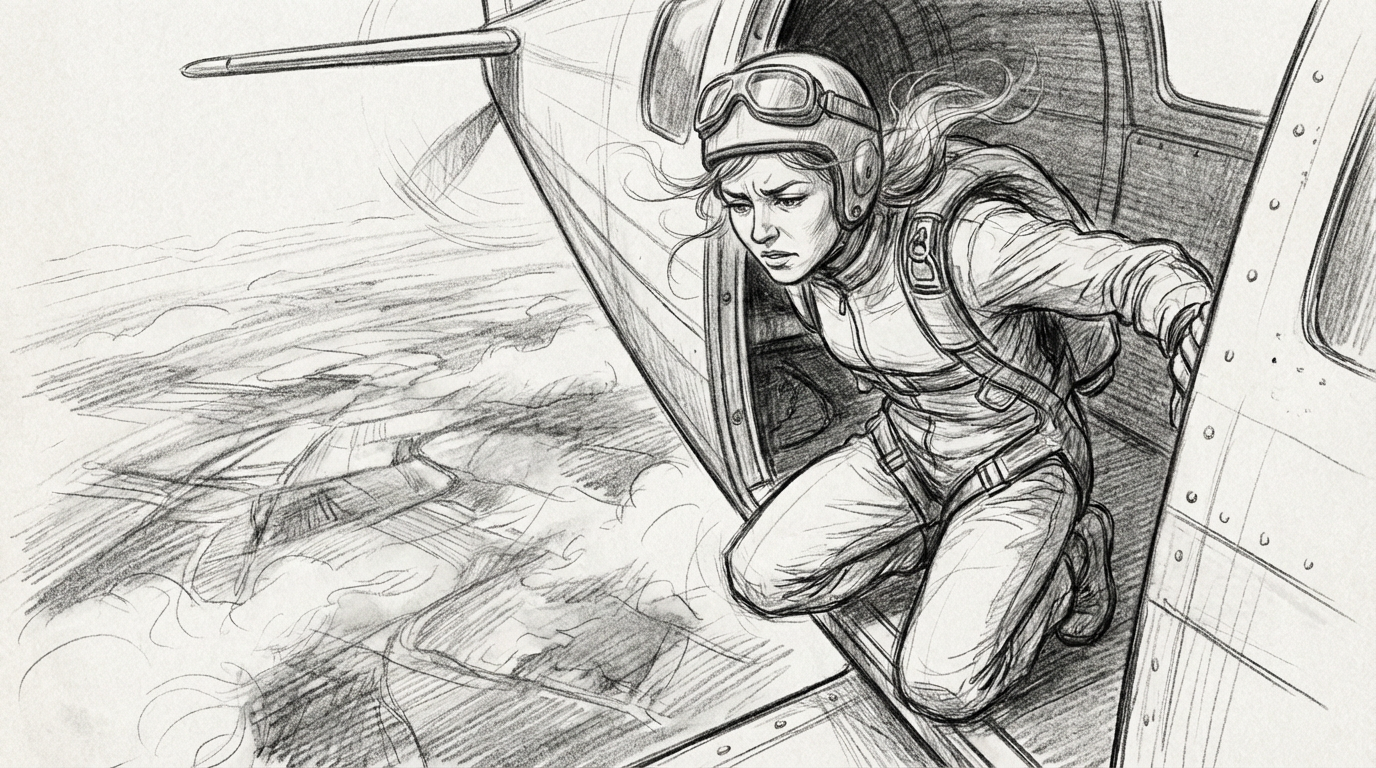
Traditional storyboard artists work in loose, gestural sketches precisely because clarity matters more than polish. Stick figures and simple shapes are enough to communicate blocking and camera position. Thumbnail sketches are the classic form of this: quick, rough, low-commitment drawings used to test composition before committing to a finished panel.
With AI storyboarding, you create panels directly from a text description or a reference image. AI executes the drawing, not the step. The step is deciding what the shot is, and that remains a creative decision.
How to make a storyboard for a video: the process
1. Break the script into beats
Read through the script or outline and identify the key narrative or emotional beats: the moments that need their own shot because something changes, whether that's a new piece of information, a shift in tone, or a character's reaction.
2. Build a rough shot list
For each beat, decide on shot type and camera position: wide, medium, close-up, and whether the camera moves. This is the skeleton the storyboard will fill in, and it's worth doing before any image gets made, since it's much faster to revise a shot list than to redo finished panels. When prompting with AI, the shot type and camera position become that basis for your prompt.
3. Gather reference images
Reference material grounds every method of storyboarding, hand-drawn or AI-generated: location photos, mood boards, prior work in a similar style, images of cast or key props.
For AI-generated boards specifically, reference images are what keep characters, locations and visual style consistent from panel to panel. A model generating each frame independently will drift without something to anchor it to. Runway's guide to consistent AI characters covers how to use 2-3 reference images per character to lock appearance across a sequence.
4. Create the panels
Whether you're sketching by hand, arranging photography or generating frames with an AI model, the goal is the same: a rough, clear image per shot, prioritizing legibility over finish. Thumbnail sketches are a good first pass in any medium.
Runway lets you take one establishing image plus a prompt and generate new shots that continue or extend the story, two panels at a time. It's built specifically for storyboarding and narrative design work.
5. Annotate each panel
Add camera direction as arrows, dialogue or action notes below the frame, shot number and duration estimate. This layer turns your visual layout into a communication tool for your stakeholders and crew.
6. Review for continuity and flow
Read through the full sequence before moving to production. Check that character appearance, wardrobe, lighting and location stay consistent from panel to panel, and that the pacing implied by the boards matches the intended rhythm of the final cut. This is the step most often skipped under deadline pressure, and the one most likely to catch a problem before it becomes expensive.
7. Share and collaborate
Distribute the board to the people who need to plan against it: cinematographer, production designer, client. Storyboards are working documents, not final art, so expect revisions as the plan gets stress-tested by the people who have to execute it.
Using AI to storyboard: key tips
Already using AI tools? Keep the panels in the same tool as your references and characters. This becomes the visual vocabulary that can develop through your pre-production workflow.
Lock your references before the first panel. Even as your visual vocabulary develops, maintaining consistent references will give your model consistency to anchor to.
Write camera directions into your prompts. A panel that doesn't say how it's shot is an inspiration, not a communication tool.
Take advantage of quick revisions. Editing is as important in pre as it is in post, so don't get locked into the first option you create. Use your AI video generator to prompt out other ideas and consider other angles (literally) to make sure your vision is clearly communicated.
Paper, digital or AI-assisted: choosing a method
Each one of these methods can produce an excellent storyboard, or you can use them in combination to get to your final draft. What matters is identifying how each tool can get you to consistency and clear communication.
| Method | Paper | Digital (software) | AI-assisted |
|---|---|---|---|
| Speed | Slowest, each panel drawn by hand | Faster than paper, using templates and reusable assets | Fastest for large panel counts |
| Skill required | Basic drawing ability | Basic drawing or asset-arranging ability | Clear written or visual direction, no drawing required |
| Consistency | Depends entirely on the artist | Improved with reusable character/location assets | Managed through reference images and consistency tools |
| Client-readiness | Usually needs a polish pass | Closer to final, depending on software | Can approach final visual quality directly |
| Best for | Quick internal planning, on-set adjustments | Teams with an established digital pipeline | High panel counts, tight timelines, non-artists |
Best tools for storyboarding
If you take the AI route, consider how your storyboarding tool will fit into your entire production workflow:
| Tool | Best for | Key features |
|---|---|---|
| Runway | Teams generating videos and images with AI or who need AI support across their workflow | Builds its own models and supports third-party models. Storyboard, animatic, and final shot in one workflow, with the same generated assets carrying through the entire pipeline. Designated apps for storyboarding and a built-in prompt enhancer. |
| Boords | Client-facing review | Real-time collaboration, no-signup client review links, unlimited guest commenting, animatic editor, script import, version control |
| Storyflow | Visual planning | Infinite canvas, AI shot list generator, script/scene prompts alongside storyboards and mood boards |
| Studiovity | Cinematographers | Per-panel technical data (lens, camera height, frame rate), direct connection to scheduling and shot lists |
| M Studio | Script-to-motion boards | Browser-based, script-to-storyboard, MP4/MOV/WebM export. Runs on third-party models |
Pre-production video checklist
Before moving from storyboard to shoot, check for the following:
- Every beat in the script has a corresponding panel or is deliberately excluded.
- Shot numbers on the board match the shot list.
- Character appearance and wardrobe are consistent across every panel.
- Camera direction is marked on panels that involve movement.
- Duration estimates add up to a realistic total runtime.
- The board has been reviewed by the cinematographer, not just the director.
- Client or stakeholder sign-off is documented, not verbal.
Common storyboarding mistakes
The most common error is over-detailing early panels and running out of time for later ones, which produces a board that's polished at the start and rushed by the end. A close second is skipping the shot list and going straight to panels, which means redoing work if the beats turn out wrong.
Inconsistent character appearance across panels is a frequent problem with hand-drawn boards done by more than one artist, and one of the specific problems AI consistency tools address directly. Boards that are never annotated, meaning frames without shot numbers, camera direction or timing, tend to get set aside on set because they don't carry enough information to plan against.
Frequently asked questions
What is "scamping" in storyboarding?
Scamping is the practice of producing very rough, fast thumbnail sketches to work out composition and pacing before committing to a finished panel. It's a term from graphic design and advertising: a scamp is a quick, rough sketch of a design or ad concept, used to test an idea internally or with a client before anyone commits time to finished work. In storyboarding, scamping serves the same purpose, a low-commitment first pass at what the boards will eventually formalize.
How many frames should a storyboard have per scene?
There's no fixed number. A panel represents a change in shot, angle or action, not a fixed unit of screen time. A simple dialogue scene between two people might need three or four panels. A complex action sequence might need dozens.
How do I use AI to generate storyboard images?
Start with a shot list. For each shot, write a description that includes shot type, camera angle, action and any visual references. Use a tool with character reference capabilities to keep the cast consistent across panels. Generate each panel, then annotate with camera direction, duration and shot numbers. The key is that an AI video generator executes the drawing, not the creative decision of what the shot should be.
Do AI-generated storyboard images raise copyright concerns?
This depends on the specific tool, its training data and how the generated images will be used, including whether they'll appear in the final deliverable or stay internal to pre-production. It's worth checking the terms of service for any tool being used and, for anything client-facing, confirming ownership and usage rights before the board is shared externally.
Can a storyboard double as an animatic?
Not directly, but it's the starting point for one. An animatic sequences the storyboard panels in time, usually with rough audio, so the team can watch the pacing rather than read it. Going from static panels to a timed animatic is a natural next step once the board is approved. Runway's AI video prompting guide covers how to structure prompts for moving sequences when you're ready to extend boards into motion.
What's the difference between a storyboard and concept art?
Concept art establishes the overall look, mood and world of a project. A storyboard applies that established look to a specific sequence of shots, in order, with camera direction and timing attached. Concept art usually comes first and informs what the storyboard panels look like.
How do I choose the right storyboard software for my project?
Start by asking whether your priority is collaboration workflow or generation quality. If you need client review links, version control and approval routing, Boords is a solid option. Storyflow and M Studio have AI generation built into their workflows. Runway lets you specifically build boards directly inside a workflow using References. This is often the most practical path, since the same assets can carry through from storyboard to animatic to final shot.
A storyboard is a communication and decision-making tool. It exists to move creative choices from the shoot day to the planning stage, where they cost a prompt or a pencil sketch instead of a call day. AI storyboarding removes the drawing bottleneck, but it doesn't remove the creative judgement. In fact, AI storyboarding means getting to strategic decisions faster and with more choices.
For teams ready to start, the AI image prompting guide is a practical reference for writing the prompts that generate useful panels. And for a deeper look at how this fits into a broader production pipeline, explore the guide on how to make AI videos fast.