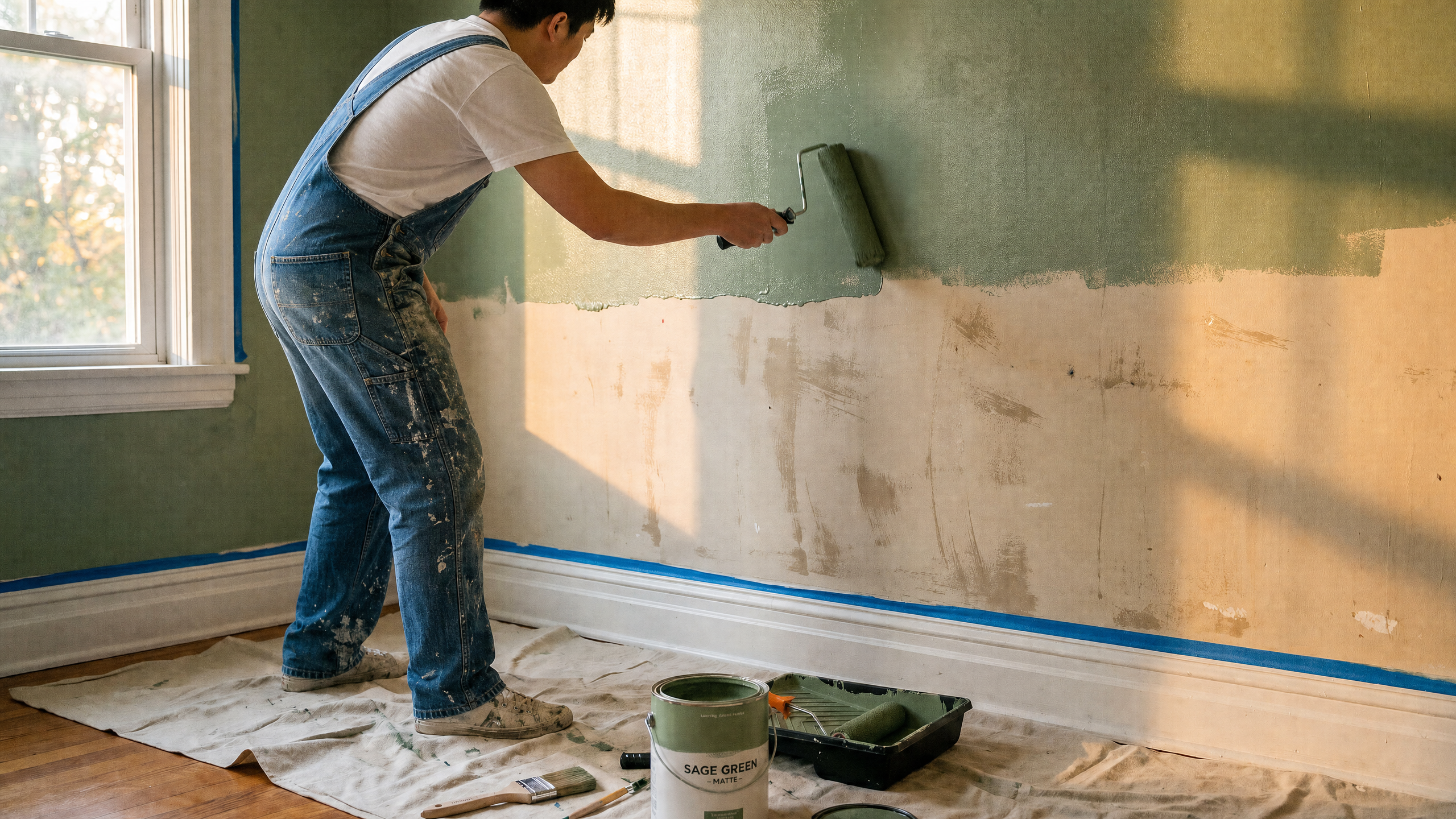
Why video marketing works for contractors
Construction is a high-stakes purchase. Nobody wants to hand a stranger a six-figure renovation budget without knowing what they're going to get, which means every potential client is looking for proof before they call you. Video is the fastest way to prove yourself: a client can watch a crew work, see a finished project or hear a homeowner describe the experience, all before picking up the phone.
Most contractors still aren't using video marketing consistently. In almost any local market, only a small minority of businesses are posting real job site videos, which means contractor video marketing carries an outsized return relative to the effort. As more contractors figure out that video works, the ones who started early build a library of proof their competitors don't have.
The bar today is pretty low: show up. A slightly shaky phone clip from a real job site will usually outperform a stock-footage-style ad, because homeowners are looking for evidence that a specific person can do specific work, rather than high production value.
There's also a local search benefit to video marketing. A contractor's website, social profiles and Google Business Profile all rank better with video attached, and video content tends to get more shares and saves than a photo post, extending its reach. A contracting company doesn't need a marketing budget for this. Just build a habit of filming the projects already underway.
The video types that convert
A handful of formats show up across nearly every source on contractor video marketing, and for good reason: they map directly to what a potential client wants to know before hiring someone.
- Before-and-after transformations. The single most persuasive format available to a contractor. Pairing a project's starting point with the finished result proves your specialized skill faster and better than any pitch.
- Time-lapse and drone progress shots. Compress days of work into seconds, or show scale from above. Both are highly shareable and hard to fake.
- Client testimonials. A homeowner talking about the experience, filmed in the finished space, does more for trust than a written review.
- Day-in-the-life and process content. Shows the crew, the tools and how a job gets done. This kind of video turns a business into a business people recognize.
If you're short on contractor video ideas, start with whatever project is closest to finished. One documented job, filmed properly from start to reveal, can produce most of a month's content: a before-and-after, a handful of process clips and a testimonial once the client has had a few days to enjoy the result.
The real bottleneck: most contractors don't have time to film
Contractors don't need a film crew to make any of the videos above. A smartphone, a small tripod and a wireless mic cover most of it, and free apps like CapCut can handle the editing.
The bigger constraint that contractors run into is time. Job sites are loud, unpredictable and full of higher priorities than filming, and most crews don't have a dedicated person whose job is to capture 10 minutes of footage a day. A photo takes one second, and a usable video clip takes planning that most people don't have time for. A framing crew isn't going to stop mid-pour to set up a shot, and a solo contractor running the job themselves has even less attention to spare.
This is also why so much contractor video marketing content stalls out after a strong first month. The advice to "film a little every day" is good, but it assumes a discipline that can't last through a busy season. Job site b-roll tends to be inconsistent: a few photos here, a short clip there and rarely a complete before-and-after sequence captured on purpose.
Photos are easier. Most contractors already snap a quick "before" shot out of habit, whether for their own records, an insurance claim or a client update, and take a final photo once the work is done. That habit produces more usable material than most people realize. That content is useful. Instead of sitting in a camera roll as static images, it can become a video.
How AI helps you get more from what you're already shooting
This is where AI can be the most useful for contractors, helping get more finished video out of the photos and short clips a contractor is already generating on every job, without adding a second job of running a camera crew.
Two things make the biggest difference:
Turning job photos into before-and-after video. Most contractors already take before and after photos out of habit. These photos can easily become the first and last frame of a generated transition, whether that's a construction time-lapse feel, a slow reveal or a simple crossfade. Runway's guide to turning photos into video breaks down how to prompt for camera movement and scene action, so the result looks like a real walkthrough instead of a slideshow. A roofer with a "before" drone photo and an "after" shot from the same angle can turn those two stills into a usable reel, all without going back up on the roof.
Making more of a short clip. A 10-second phone clip from a job site is often too short to post on its own, so it sits, forgotten, in a camera roll. An AI video editor like Runway, built on Aleph 2.0, can extend a clip, adjust lighting or restyle a shot in plain language without reshooting. That 10-second clip of a countertop going in suddenly becomes long enough to fit with a caption and a call to action.
Runway's AI for home services use case covers these scenarios specifically for contractors and trades, including roofing and painting, and is worth a look for anyone testing an AI workflow for the first time.
| Approach | Best for | What it looks like |
|---|---|---|
| DIY filming | Contractors with time to film on site | Smartphone footage, edited in a free app like CapCut |
| Hybrid | Crews generating steady footage but no time to edit or post | Contractor films, an editor or agency turns it into finished content |
| AI-assisted | Contractors with photos and short clips but limited raw footage | Job photos become before-and-after video in Runway, short clips get extended, no additional shoot |
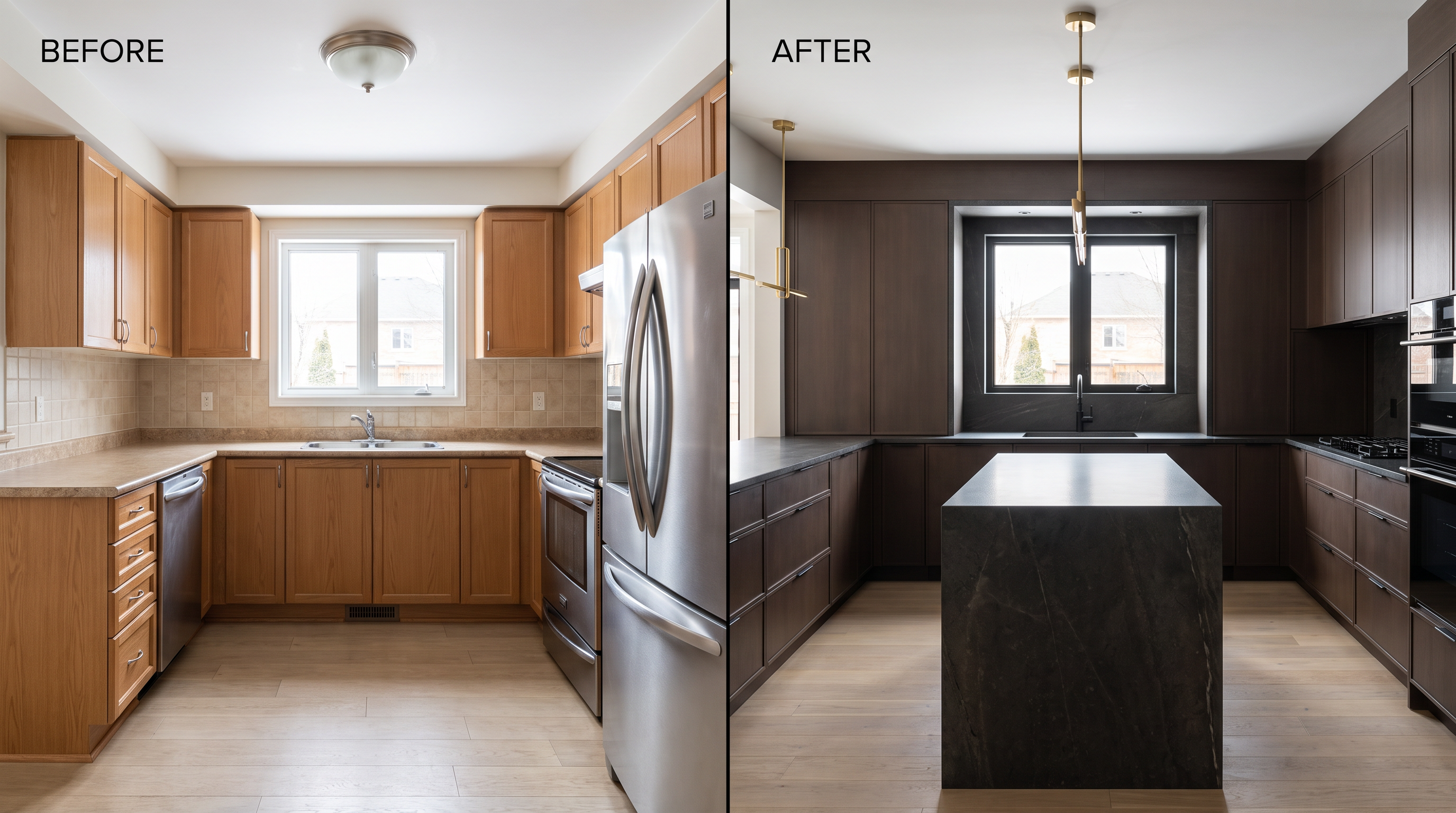
AI won't replace a camera on a good day, but for the days there wasn't a camera running (which is most of them), these tools can help a contractor get the most out of what they have.
Where to post your content
Video content only does its job once it's in front of the people deciding who to hire. Instagram Reels and TikTok tend to reach the widest local audience for before-and-afters and time-lapses, and both platforms favor the kind of unpolished, real footage that a job site produces. YouTube Shorts and longer YouTube walkthroughs get picked up in search, which can be helpful because YouTube functions as its own search engine for phrases like "kitchen remodel contractor" plus a city name. Google Business Profile is the most overlooked platform: adding video directly to a profile is one of the simplest ways to stand out in local map results, especially since so few businesses capitalize on that option.
Variety is great, but don't be afraid to post the same clip everywhere. A before-and-after doesn't need a different edit for each channel, just a different aspect ratio and maybe a trimmed length depending on the format. When you're stuck for construction company social media ideas, the fastest fix is usually a recut of something existing: pull a longer recap from an already-posted before-and-after, or turn one testimonial into three shorter clips for different platforms.
Try Runway's AI video editor free to turn a raw job site clip into something postable in a few minutes.
Frequently asked questions
What is video marketing for contractors?
Video marketing for contractors means using footage, before-and-after transformations, testimonials and job site content to build trust and win local jobs, instead of relying only on referrals or written reviews.
Do I need a professional videographer to do video marketing?
No. A smartphone, a small tripod and a wireless mic are enough for most video marketing formats, including before-and-afters, testimonials and time-lapses. A professional crew is worth it once a contractor wants a consistent, done-for-you content calendar rather than something built around the footage they already capture.
Can AI make marketing videos from job site photos?
Yes. Tools that turn a photo into video can use a project's starting and finishing photos as the first and last frame of a generated transformation, producing a before-and-after reveal without additional filming.
How much does video marketing cost for contractors?
It ranges from free (if you're shooting on a phone and editing in a free app) to several thousand dollars a month (for a full-service agency handling filming, editing and posting). Most contractors start with phone footage and add support once their video starts generating leads worth paying for.
What video should a contractor post first?
The before-and-after from whatever project is closest to finished. This format is proven to convert best, and most contractors already have the starting and ending photo that can become the basis of that video.
Related: AI for home services • Turn photos into video • AI Video Editor