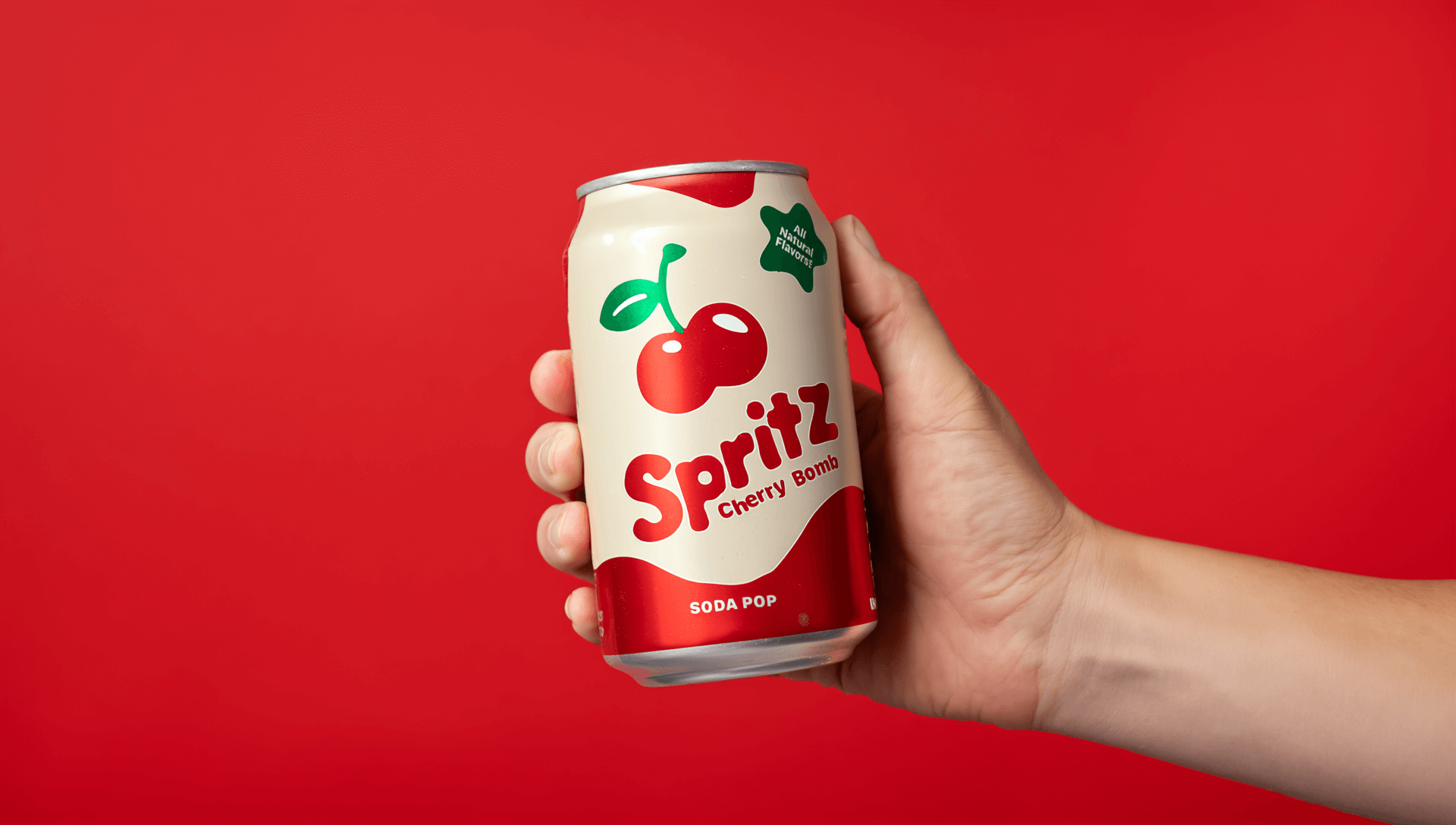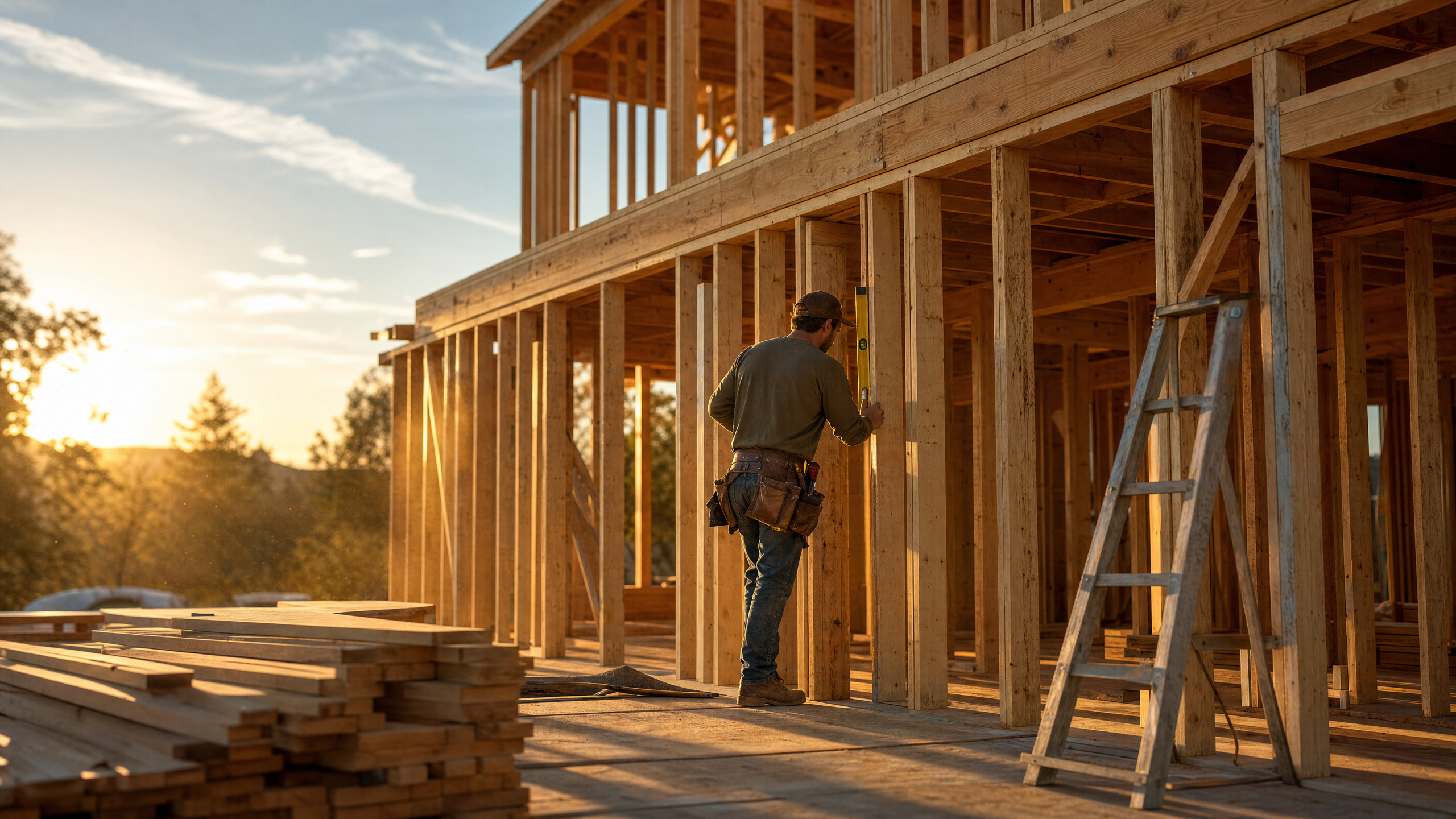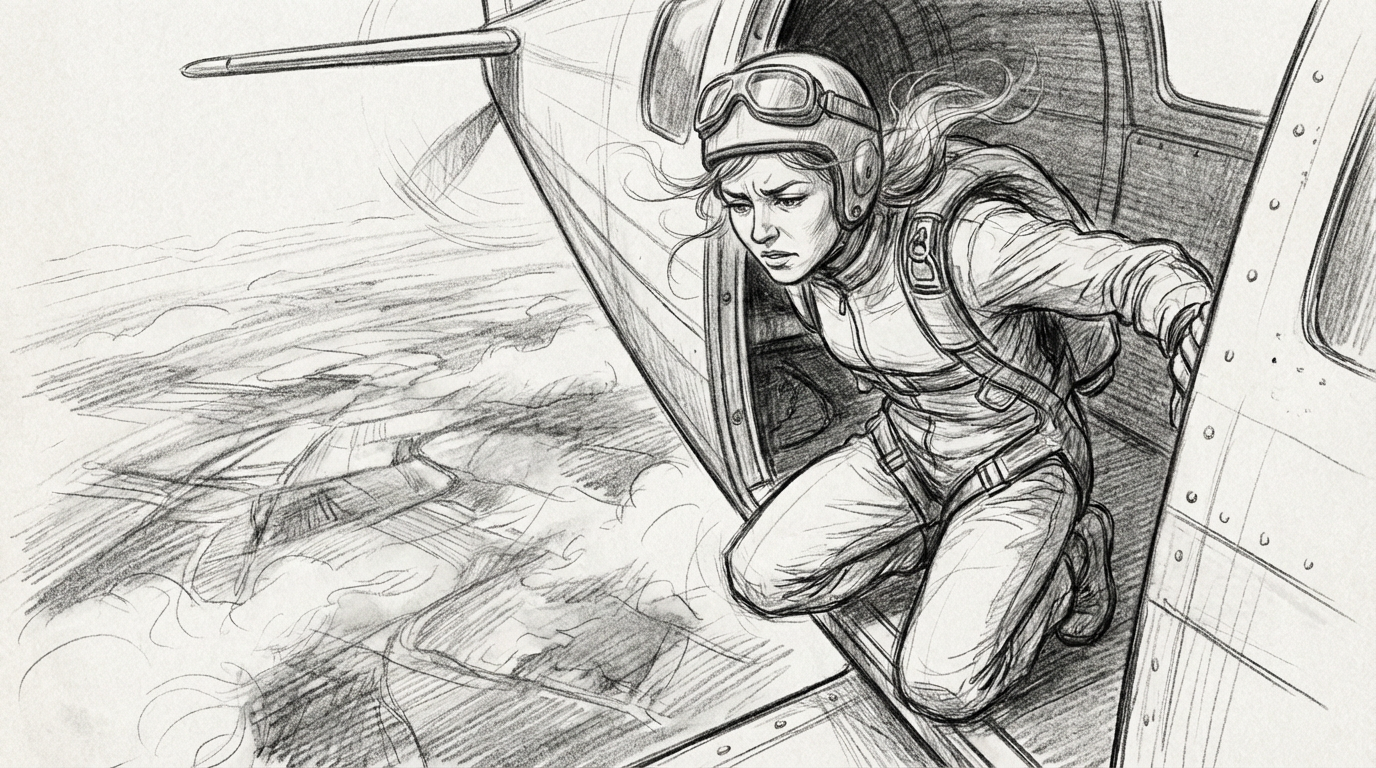
What is an AI camera prompt?
An AI camera prompt instructs the virtual camera: the shot size, the angle, the movement, the speed of that movement and what the shot should emphasize. Where a subject prompt describes what's in the frame and a style prompt describes how it looks, a camera prompt describes how the viewer sees it.
Models treat camera instructions as spatial direction, not decoration. "Slow dolly push-in" gives the model a path to execute while "make it feel tense" leaves room for interpretation. Your role is to provide that interpretation, translating "make it tense" into a spatial direction the model can follow. AI camera prompts don't take the creativity out of cinematography, but they do give your creativity access to faster development, testing and refinement than was previously possible.
If you're newer to prompting AI video, our AI video prompting guide covers subject, style and scene prompts, and Runway's Introduction to Prompting covers the fundamentals.
Camera movement vs. camera angle vs. framing
Combining these three pillars lets you build an endless variety of scenes to match your intent. When using AI camera prompting tools, defining each one will help you achieve consistency across your generated scenes.
| Pillar | What it controls | Example |
|---|---|---|
| Framing (shot size) | How much of the subject and environment fills the frame, which sets emotional distance. The closer the shot, the more intimate the feel. | A close-up shows a face. A wide shot shows a person in a room. |
| Camera angle | Where the camera sits relative to the subject. The camera doesn't move, but its position changes the psychology of the shot. | A low angle looks up at someone. A high angle looks down. |
| Camera movement | The camera traveling or pivoting during the shot, which controls energy and attention. It's what makes a clip feel directed rather than observed. | Pushing in, pulling back, orbiting, panning. |
Precision in your language is the key to translating your vision. Shared terminology and clear instructions matter to the model and to your crew and stakeholders. AI camera prompting lets you test that clarity quickly, so your words and your vision match before you set foot on set.
The AI camera prompt formula
For consistent results, build camera prompts in this order:
[Shot size] + [Angle] + [Movement + direction + speed] + [Subject & action] + [Lens/look] + [Lighting/mood] + [What the shot reveals]
In practice:
Medium close-up, low angle, slow dolly push-in over 4 seconds, on a detective lighting a cigarette in the rain, 35mm lens with shallow depth of field, neon reflections. The push-in reveals the tension in his face.
AI video camera movement prompts: the reference table
These are the camera prompt keywords models recognize most reliably, split by what they control. Every term below appears in Runway's camera terms reference with Gen-4.5 prompt examples and rendered output. Bookmark this section, as it pairs with every prompt in the library later on.
Camera movement terms
| Term | What it looks like | When to use it |
|---|---|---|
| Dolly in / push-in | Camera physically moves closer; background shifts with perspective | Building tension, intimacy, focus on a reaction |
| Dolly out / pull-back | Camera retreats; environment expands around the subject | Reveals, endings, showing isolation |
| Pan left / right | Camera swivels horizontally from a fixed position | Following action, revealing a landscape |
| Whip pan | Very fast pan that smears the frame into motion blur | Connecting two subjects, energetic transitions between beats |
| Tilt up / down | Camera pivots vertically from a fixed position | Revealing height: a building, a character head to toe |
| Truck left / right | Camera slides sideways, parallel to the subject | Walk-and-talks, keeping pace with a moving subject |
| Pedestal up / down | Entire camera rises or drops straight down | Rising over an obstacle to reveal what's behind it |
| Orbit | Camera circles the subject completely | Product shots, hero moments, showing a subject from all sides |
| Arc | Camera travels a curved path around the subject without completing a circle | Adding motion to a static subject when a full orbit is too much |
| Crane up / drone rise | Camera lifts high above the scene | Establishing scale, dramatic reveals, endings |
| Crash zoom | Extremely fast zoom in or out | Comedy beats, shock reveals, sudden emphasis |
| Handheld | Subtle natural shake, slightly imperfect framing | Documentary realism, urgency, rawness |
| Steadicam | Stabilized handheld, smooth while walking | Following a subject on foot without handheld's rawness |
| Gimbal | Electronically stabilized motion, the smoothest of the moving options | Complex paths that need to stay clean, walkthroughs, reveals |
| Locked-off static | Camera doesn't move at all | Tension, symmetry, letting action carry the scene. Hardest to hold on establishing and wide landscape shots, where models default to drift. |
Getting a truly static shot
Static is the hardest camera instruction to land. Video models are built to generate motion, and establishing shots and wide landscapes are where unwanted drift shows up most.
Two things fix it. Describe the motion that should happen in the scene and how elements enter or leave frame, so the model has somewhere to put its energy. Then reinforce the lock in natural language, which Runway's camera guide recommends handling with a line like:
The camera is entirely motionless for the duration of the scene, with movement only occurring from the subject.
For a generation that's close but carries residual motion, stabilization in your editor is faster than another round of prompting.
Don't skip the speed modifier
Every movement term works better with a speed or duration attached: slow, deliberate, steady, rapid, or an explicit timing like "slow 5-second pan right." This is where your storyboard pacing work makes a difference. Have you established overall timings and pacing? Can you translate what slow and fast mean in the context of that pacing? Turning it into specific timings takes you from creative vision to specific results.
AI camera angle prompts and framing terms
Camera angle terms
| Term | What it looks like | When to use it |
|---|---|---|
| Eye-level | Neutral, at the subject's eye line | Conversations, grounded realism |
| Low angle | Camera looks up at the subject | Power, scale, making a subject imposing |
| High angle | Camera looks down at the subject | Vulnerability, isolation, showing geography |
| Over the shoulder (OTS) | Framed behind one subject, facing another | Dialogue, confrontation, perspective |
| POV | The frame is what the character sees | Immersion, first-person action, subjective sequences |
| Top-down / aerial | Camera points straight down from above | Food, products, choreography, geography |
| Bird's eye view | Looking straight down from high above | Geography, pattern, choreography |
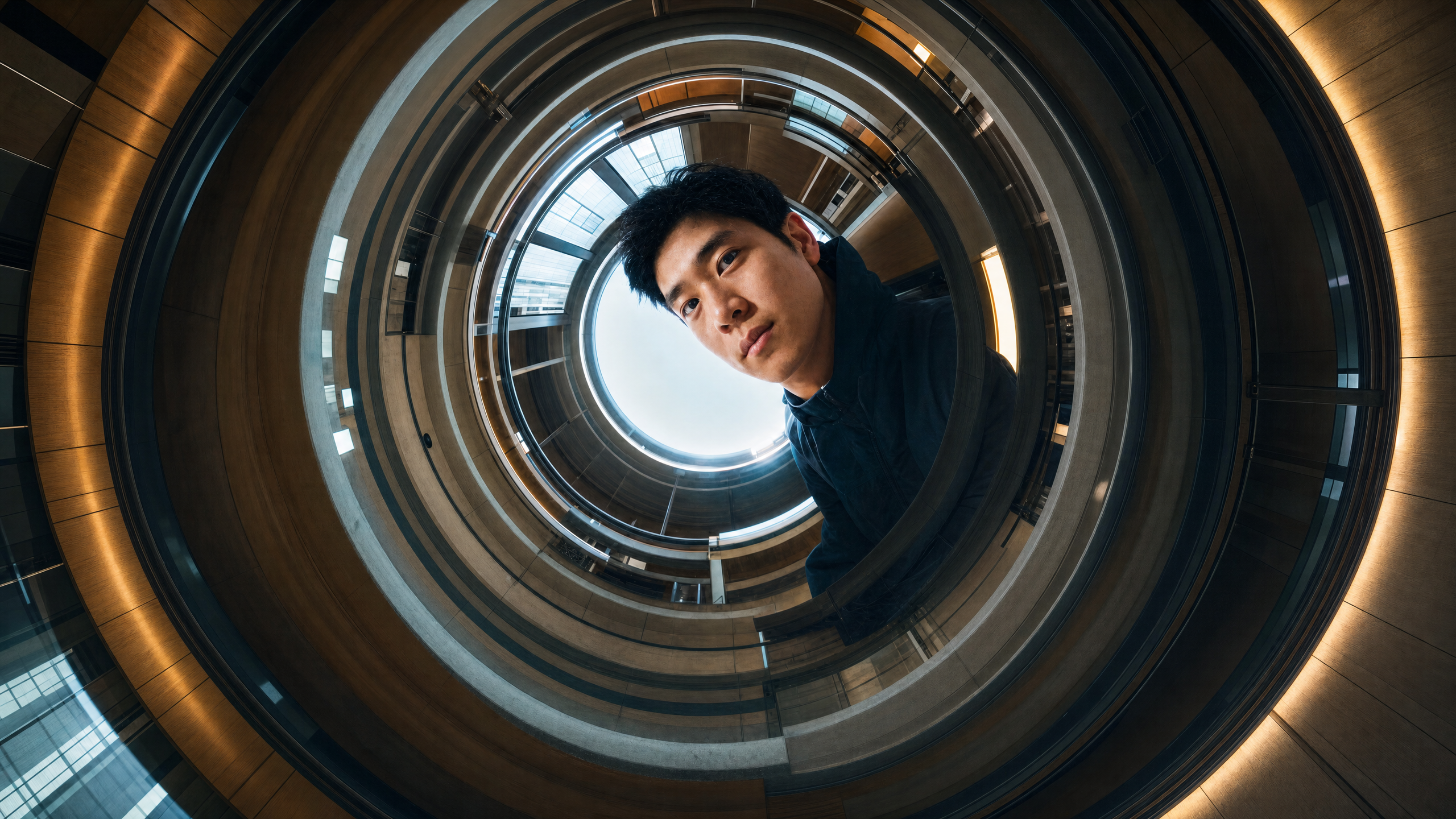
| Worm's eye view | Looking straight up from ground level | Scale, confinement, dread |
| Dutch angle | Camera tilted off its horizontal axis | Unease and disorientation. Use sparingly. |
Framing (shot size) terms
| Term | What it looks like | When to use it |
|---|---|---|
| Extreme close-up / macro | A single detail fills the frame | Texture, tension, microscopic detail |
| Close-up | Shoulders up | Emotion, reactions, dialogue |
| Medium shot | Waist up | Body language plus expression. The workhorse shot. |
| Full shot | Head to toe | Action, movement, fashion, physicality |
| Wide / establishing shot | Subject small within the environment | Openings, scale, location-first storytelling |
| Extreme wide | Vast area with the subject barely visible | Landscape, isolation, scale against environment |
Focus terms
| Term | What it looks like | When to use it |
|---|---|---|
| Deep focus | Foreground, middle and background all sharp | Dense environments, showing relationships across the frame |
| Shallow focus | A narrow plane in focus, the rest soft | Isolating a subject, portraiture, product detail |
| Soft focus | Diffused, hazy across the whole frame | Memory, dreams, romance |
| Rack focus | Focus shifts between planes during the shot | Redirecting attention without moving the camera |
Composition terms
| Term | What it looks like | When to use it |
|---|---|---|
| Leading lines | Lines in the scene pull the eye toward the subject | Roads, corridors, architecture |
| Frame within frame | A doorway or window frames the subject | Voyeurism, containment, focus |
| Symmetrical | Balanced, mirrored composition | Formality, unease, control |
| Negative space | Subject small against open emptiness | Isolation, scale, minimalist product work |
Prompt language vs. AI video camera control settings
Many AI video tools now include dedicated camera controls outside the prompt box. When should you describe a camera move in words, and when should you just set it?
Use camera control settings when the tool offers them and you need precision. Settings excel at the physical path: exact direction, consistent speed, repeatable results across generations. If you're iterating on a shot and need the same pan every time, a setting saves time.
Use prompt language for everything a setting can't express. The prompt box is where you set the context of the camera movement and the emotional beat of the scene. "Handheld documentary camera, subtle natural shake" or "dreamy, unhurried drift" carry style, texture and intent that a direction slider has no vocabulary for. Prompts also tie movement to purpose. "Pan right to reveal the hidden door" tells the model what the move is for, which improves how it composes the entire clip.
The most common failure mode is double-directing. If the prompt and the setting disagree, you'll get a confused visual. Pick one source of truth for the movement itself, then use the other layer for everything around it. You can verify the current options in Runway's camera terms documentation and the Text to Video prompting guide.
| Your situation | Prompt | Settings | Both |
|---|---|---|---|
| Tool has no camera controls, text input only | ✓ | ||
| You need an exact, repeatable camera path | ✓ | ||
| You want a stylistic feel: handheld, dreamy, aggressive | ✓ | ||
| The movement has a narrative purpose ("reveal," "follow") | ✓ | ||
| Precise path plus stylistic execution | ✓ (settings for the path, prompt for the feel) | ||
| Complex choreography with multiple moves | ✓ (or split into separate clips) |
How to combine camera movement with subject movement
A moving subject plus a moving camera is where most AI video prompts come apart. The failure isn't the combination itself, it's leaving the relationship between the two undefined. When you name two motions and don't say how they relate, the model has to guess which one owns the frame.
State the relationship with a verb:
- "Camera follows the cyclist."
- "Camera trucks left, matching the runner's speed."
- "Camera leads the dancer, pulling back as she advances."
- "Slow tilt up to reveal the skyline behind him."
Each of these defines the camera's job relative to the subject, and the model can resolve the scene.
When to use more than one move
Older models handled one move per clip and blended anything more into drift. Gen-4.5 has strong enough prompt adherence that combining camera terms is encouraged, including mixed angles, motion and composition in a single shot.
The technique for a multi-phase move is to describe what's in frame at each phase rather than stacking movement verbs. Runway's camera guide is explicit about this: for dramatic motion that travels through the frame, say what comes into view or gets revealed at each stage.
Compare:
Stacked verbs (unreliable): "Orbit the subject and crane up and push in."
Phased description (reliable): "The camera arcs around the seated figure, then rises above the table to reveal the empty chairs surrounding her."
Same complexity, but the second version gives the model a sequence of framings instead of three competing instructions.
If a clip still drifts or warps, cut back to one move and generate the second beat as its own clip. One move per clip is the reliable fallback, not the rule.
Before and after: fixing a vague camera prompt
Most camera prompts fail in a way that's visible before you generate anything. Read this one and count the decisions it leaves to the model:
"A cinematic shot of a woman walking through a crowded market, dynamic camera, people selling fruit and fabrics, warm sunlight, shallow depth of field, 4k."
There's a subject and there's an atmosphere, but there's no camera instruction in it. "Dynamic camera" names an impression, not a move, so the model chooses the framing, the angle, the movement, the direction, the speed and the relationship between the camera and the woman. Six decisions, none of them yours, and a different set every generation.
The subject-camera relationship is the costliest omission. The woman is walking and the camera is doing something, but nothing connects the two. When a model resolves those independently, her walk cycle and the camera's motion run on separate clocks, and she reads as gliding rather than walking.
The rewrite
"Medium-full shot, eye-level angle, camera follows a woman walking through a crowded market, matching her pace, steady tracking shot, warm sunlight, shallow depth of field, 35mm lens."
Every decision the first prompt gave away is now specified:
| Vague | Specific | What it fixes |
|---|---|---|
| (unstated) | Medium-full shot, eye-level | Framing and angle no longer vary run to run |
| "dynamic camera" | camera follows, steady tracking | One named move instead of an impression |
| (unstated) | matching her pace | Ties camera motion to subject motion |
| "cinematic," "4k" | 35mm lens | A lens does something; "cinematic" doesn't |
"Cinematic" and "4k" come out because they're doing no work. Neither one changes what the camera does, and the prompt space they occupy is better spent on the move.
The rewrite is barely longer than the original. Precision here isn't about writing more, it's about spending your words on the decisions that change the shot.
Common AI camera prompt mistakes (and fixes)
| Mistake | What the model does | Fix |
|---|---|---|
| Stacking movement verbs: "orbit and zoom in and crane up" | Picks one, or blends them into drift | Describe what enters or gets revealed at each phase instead of naming three moves. If it still drifts, split into two clips. |
| Undefined subject-camera relationship | Jitter, warping, subject appears to glide | Join the two with a relationship verb so the camera's job is defined against the subject |
| No speed or duration | Erratic, usually too-fast default pace | Add slow, steady or rapid, or explicit timing like "slow 5-second pan right" |
| Confusing dolly and zoom | Flattens perspective when you wanted depth | Dolly means the camera physically moves and the background shifts. Zoom means the lens magnifies and it doesn't. Say which you want. |
| Vague direction: "dynamic cinematic camera" | Unpredictable, different every generation | Name a specific move from the reference table |
| Movement with no target: "pan left" | Aimless drift | Give it a purpose: "pan left to reveal…" |
| Double-directing across prompt and settings | Conflicted, queasy motion artifacts | One source of truth for the path. Use the other layer for style and intent. |
Copy-paste AI camera prompt library
The following AI camera shots are built to be copy-pasted, swapped and remixed. Each one follows the formula from earlier: one setup, one movement, explicit speed and a stated purpose. Add your own subject and setting, then adjust based on how the language gets you to the result.
These are written for Gen-4.5 and hold up across models that parse cinematographic language. Google's Veo prompting guide lists the same core movement vocabulary (dolly, tracking, crane, aerial, pan and POV) with composition and lens handled as separate layers, so the formula transfers with minor rewording. Expect variation in how each model weights prompt language against native camera controls.
- Cinematic push-in (for tension and emotion): Medium close-up of a woman standing in the rain at night, slow dolly push-in toward her face over 4 seconds, shallow depth of field, neon reflections on wet pavement, cinematic 35mm film look. The push-in builds quiet tension.
- Product reveal (for commercial work): Close-up of a luxury watch on black stone, slow clockwise orbit, macro lens, controlled studio lighting, crisp reflections, premium commercial photography look.
- Drone establishing shot (for openings and scale): Wide aerial shot over a misty mountain village at sunrise, slow forward drone flight rising above the rooftops, warm golden light, expansive cinematic landscape.
- Tracking action (for sports and motion): Low-angle tracking shot of a cyclist riding through a futuristic city at dusk, camera trucks left matching the rider's speed, smooth stabilized motion, blue and magenta neon lighting.
- Static dramatic (for tension through stillness): Locked-off wide shot of an empty diner at midnight, fluorescent lighting, rain running down the windows, symmetrical composition. The camera is entirely motionless for the duration of the scene, with movement only occurring from the rain and the flicker of the overhead light.
- Rack focus (for redirecting attention): Close-up of a glass of water in the foreground, rack focus slowly shifts to reveal a person sitting alone in the background, warm evening light, intimate film scene.
- Handheld documentary (for realism): Medium shot of a street musician playing violin in a crowded market, handheld documentary camera with subtle natural shake, eye-level angle, natural daylight, candid atmosphere.
For a deeper dive into speeding up your entire video creation workflow, see our guide on how to make AI videos fast.
A mini-framework: prompting a three-beat sequence
One of the best ways to use AI camera prompting is to build a short sequence across a few stitched clips. The classic three-beat structure is establishing shot, push-in, reveal. It gives the model a clear path to follow, and it lets you practice every idea in this guide at once.
Beat 1: Establishing
Wide shot, high angle, locked-off camera. A woman walks away from the camera down a narrow alley at night, seen from behind, her face never visible. The asphalt of the alley is wet, and one sodium streetlight midway through the alley makes a misty halo.
Beat 2: Push-in
Medium shot, high angle, slow dolly push-in over 6 seconds. Behind her, a figure steps out from a doorway and walks softly, following the same path as the woman. The woman stops walking and stands still.
Beat 3: Reveal
Cut to extreme close-up, low angle, on the woman's face as she turns into the streetlight. She smiles. Two pointed teeth catch the light.
Across these three shots, the camera angles do the work of setting the stakes. Traditional horror framing sets an expectation, and the reveal pays off by flipping it. The hunted was the hunter. Each beat carries one clear intention, which is what keeps the cut points under your control.
The streetlight is named because the first two beats put her face in shadow, and a reveal needs a light source. The horror set dressing becomes the light source for the reveal.
Generate each beat as its own clip and cut them together in the Runway Multi-Shot app. You're asking the model for one directed move at a time and keeping full control of the cut points.
FAQ
What is an AI camera prompt?
An AI camera prompt is any part of an AI video prompt that directs the virtual camera: shot size, angle, movement, speed and what the shot should reveal. It's distinct from subject prompts (what's in the frame) and style prompts (how it looks). The camera prompt controls how the viewer sees everything else.
What camera movement terms work best in AI video?
Established cinematography terms work most reliably: dolly in or push-in, pull-back, pan, whip pan, tilt, truck, pedestal, orbit, arc, crane, crash zoom, handheld, steadicam, gimbal and locked-off static. Whatever term you use, pair it with a speed modifier like "slow" or a duration like "5-second pan right." Models have no default camera speed, so this is essential when you're describing camera movement in an AI prompt.
What's the difference between camera movement, camera angle and framing in a prompt?
Framing is how much of the scene fills the frame (close-up, wide shot). Angle is where the camera is positioned (low angle, high angle). Movement is the camera traveling or pivoting during the shot (push-in, orbit). Models execute framing and angle reliably, but movement needs the most precise direction because it unfolds over time.
Should I describe the camera in the prompt or use camera control settings?
Use camera control settings for exact, repeatable physical paths. Use prompt language for style, feel and narrative purpose. You can combine both: settings define the path, the prompt defines the feel. Never give conflicting instructions to each layer, because double-directing produces warped, unstable motion.
How do I combine camera movement with subject movement?
Join the subject motion and the camera motion with a relationship verb: "Camera follows the cyclist" or "Camera trucks left, matching the runner's speed." For multi-phase camera moves, Gen-4.5 handles combined terms well, but describe what's revealed at each stage rather than stacking movement verbs. If a clip drifts or warps, reduce to a single move and generate the next beat as a separate clip.
What are the most common camera prompt mistakes?
The recurring ones: stacking movement verbs in one prompt, leaving the subject-camera relationship undefined, missing speed or duration, confusing dolly with zoom, vague instructions like "make it dynamic," movements with no target and conflicting directions between the prompt and the tool's camera settings.
Effective AI camera control comes down to four habits: learn the vocabulary, build prompts with the formula, give every move an explicit speed and a stated purpose, and choose the right layer for the job.
Camera direction is the part of a prompt that most reliably changes the result. Direct each shot on its own, then cut the beats together in Runway's Multi-Shot app so the sequence holds. Get started for free.
Related: AI video prompting guide · AI shot list · AI storyboard guide · How to use camera angles in AI image generation